28 OFFICESUITE UC
®
—ADMINISTRATOR USER GUIDE
Desktop App
Get the best of WE Connect right on your Windows
®
desktop – no browser required.
Chat, launch calls, check voicemail, even update your preferences in real time. Download
the app from WE Connect today.
Company-wide Chat
Chaing in WE Connect is Simple! To start an employee chat session, log into the portal.
Open the presence panel by clicking Quick Connect icon in the upper right hand corner
of your screen. Then, click on the Coworkers tab and search by first or last name for the
employee you would like to chat with.
TIP: You can add coworkers to your Favorites tab by clicking the star icon next
to their name.
Turning O Company-wide Chat
If you’d like to turn o the company-wide chat feature for your organization please
contact OceSuite Support.
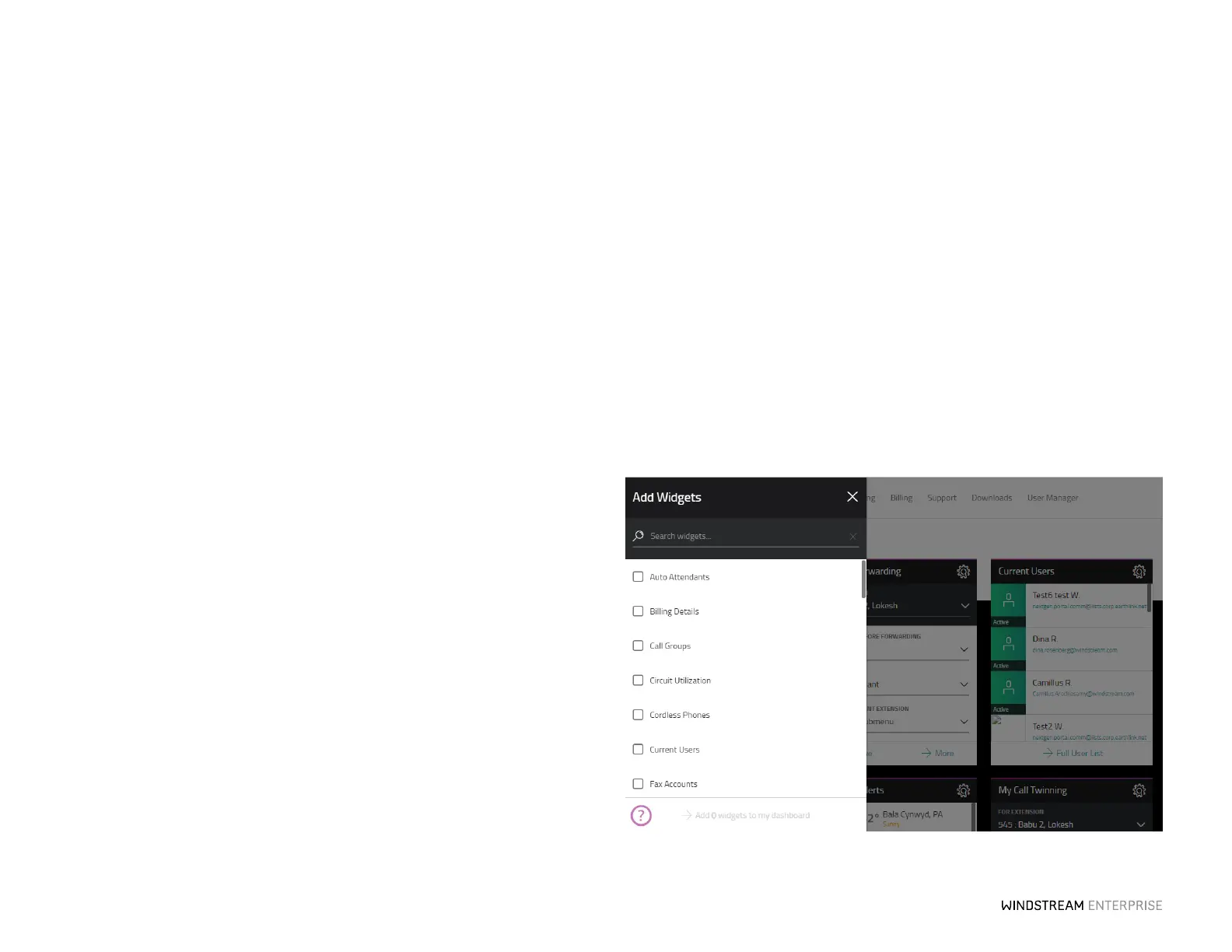
Customize The Dashboard For Your Preferences
To customize the presentation of your dashboard, click and drag any widget. To remove
a widget from the dashboard, click on the Seings icon, located in the top right of each
widget and press Remove Widget. Simply click Add Widgets on the dashboard screen
to place widgets currently not showing on your dashboard.



 To Next Page