5 OFFICESUITE UC
®
—ADMINISTRATOR USER GUIDE
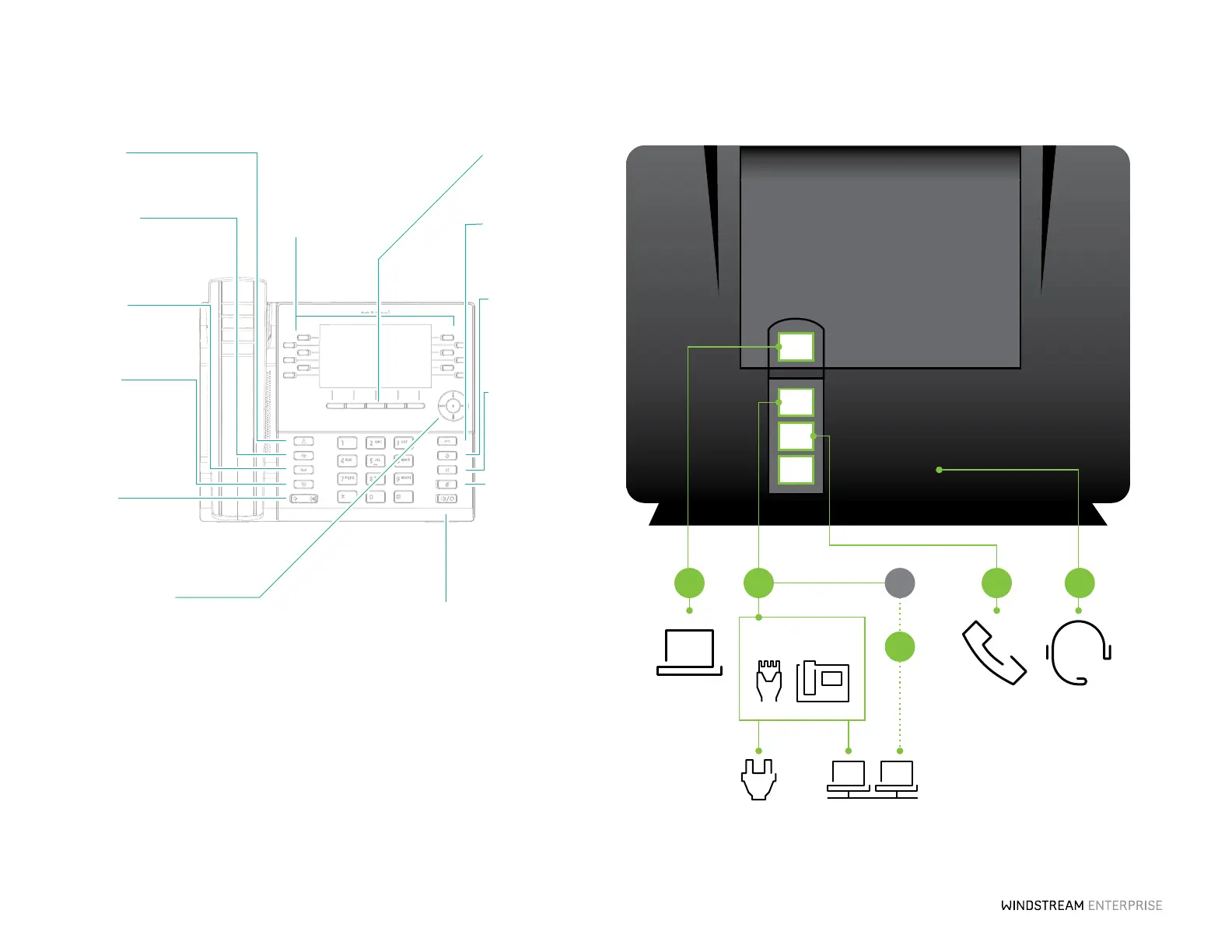
5300 Series–Ethernet Ports
PC Port
LAN Port
Phone Port
Headset Port
Ethernet cable
Ethernet cable
Power Over
Ethernet
Handset Headset
(Optional)
3 1A 2 2
Power Adapter
Power Wall LAN
Computer
(Optional)
1B
OR
Geing Started
Programmable Keys
Up to 72 programmable
keys, a maximum of 12
programmable keys per
page.
Sokeys
Five state-sensitive
sokeys.
Goodbye
Ends active calls and
used for exiting menus.
Redial
Displays Call History
with a list of outgoing
calls.
Hold
Places an active call on
hold or resumes a call
from hold.
Mute
Mutes/unmutes all
outgoing audio from
headset, handset or
speaker.
Contacts
Displays a list of your
contacts.
Navigation/Select
Multi-directional navigation keys are used to navigate
through the phone menu. Press the center buon to
select menu options and perform various actions.
On the Home screen, the le and right navigation
keys can be used to access the additional pages of
programmable keys.
Speaker/Headset
Toggles the phone’s audio between speaker and
headset. If you are using a DHSG/EHS headset, ensure
that the headset jack adapter is removed from the
headset port. See the Mitel MiVoice 6930 IP Phone
Installation Guide for more details.
Warning! The headset port is for headset use only.
Plugging any other devices into this port may cause
damage to the phone and will void your warranty.
Call History
Displays a list of missed,
outgoing and received
calls.
Voicemail
Provides access to your
voicemail service.
Seings
Provides services and
options that allow you
to customize your
phone.
Volume
Adjusts the volume for
the ringer, handset,
speaker and headset.



 To Next Page