18
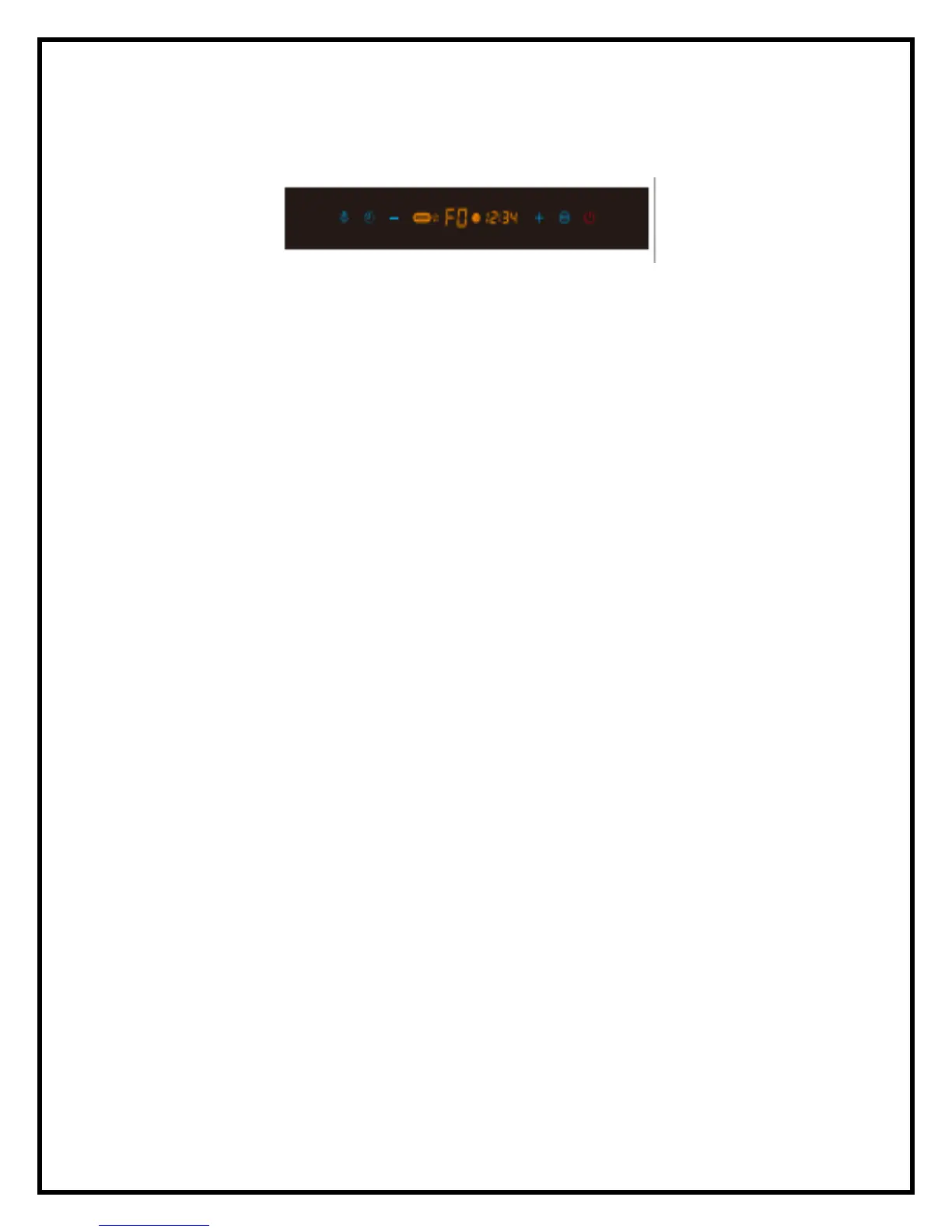
Lamp Timer Minus Plus Fan Power/Standby
➢ Lamp: Press the lamp display one time to activate the light, press the lamp display again to deactivate it.
➢ Power/Standby: When the range hood is in the “original” state, touch this button. It will enter the
standby mode.
➢ Setting the clock: When the range hood is on “Standby” Mode, press and hold the timer button for 3
seconds. The range hood will then enter the time setting state; the display screen will show numbers.
Press the Plus to set hours and Press the Minus to set the minutes. After 10 seconds, it will automatically
exit the time setting state and the time you have entered will be saved.
➢ Timer:
o When the fans are operating, touch the timer button one time. This will turn on the timer mode
and the display with show 03:00. Each time you press the timer button, it will increase by 1
minute with the maximum timer setting of 60 minutes. Within the last 3 seconds of the timer
setting, the range hood will make three beeps.
o When range hood is on, touch the Power/Standby once and the shut off timer will set to 60
seconds. Touch the button twice and the fan will turn off.
➢ Fan Operation (this control panel comes with either a 3-speed or 5-speed fan):
o For 3-speed fan:
▪ In standby mode, press the Minus button one time and the range hood will start at F1
speed. If the button is pressed again, the speed will stay the same.
▪ In standby mode, press the Plus button one time, the range hood will start at F3 speed.
If the button is pressed again, the speed will stay the same.
▪ To lower or increase the fan speed press the Plus or Minus buttons.
▪ When fan is in the standby mode, press the Fan button to reach maximum speed
immediately. Touching this button while in a lower speed will automatically take to the
maximum speed. Touching the Fan button twice will turn the fan off.
o For 5-speed fan:
▪ In standby mode, press the Minus button one time and the range hood will start at F1
speed. If the button is pressed again, the speed will stay the same.
▪ In standby mode, press the Plus button one time, the range hood will start at F6 speed
for 5 seconds for an initial suction burst then it will automatically reduce to F5 speed. If
the button is pressed again, the speed will stay the same.
▪ To lower or increase the fan speed press the Plus or Minus buttons.
▪ When fan is in the standby mode, press the Fan button to reach maximum speed
immediately. Touching this button while in a lower speed will automatically take to the
maximum speed. Touching the Fan button twice will turn the fan off.



 To Next Page