24
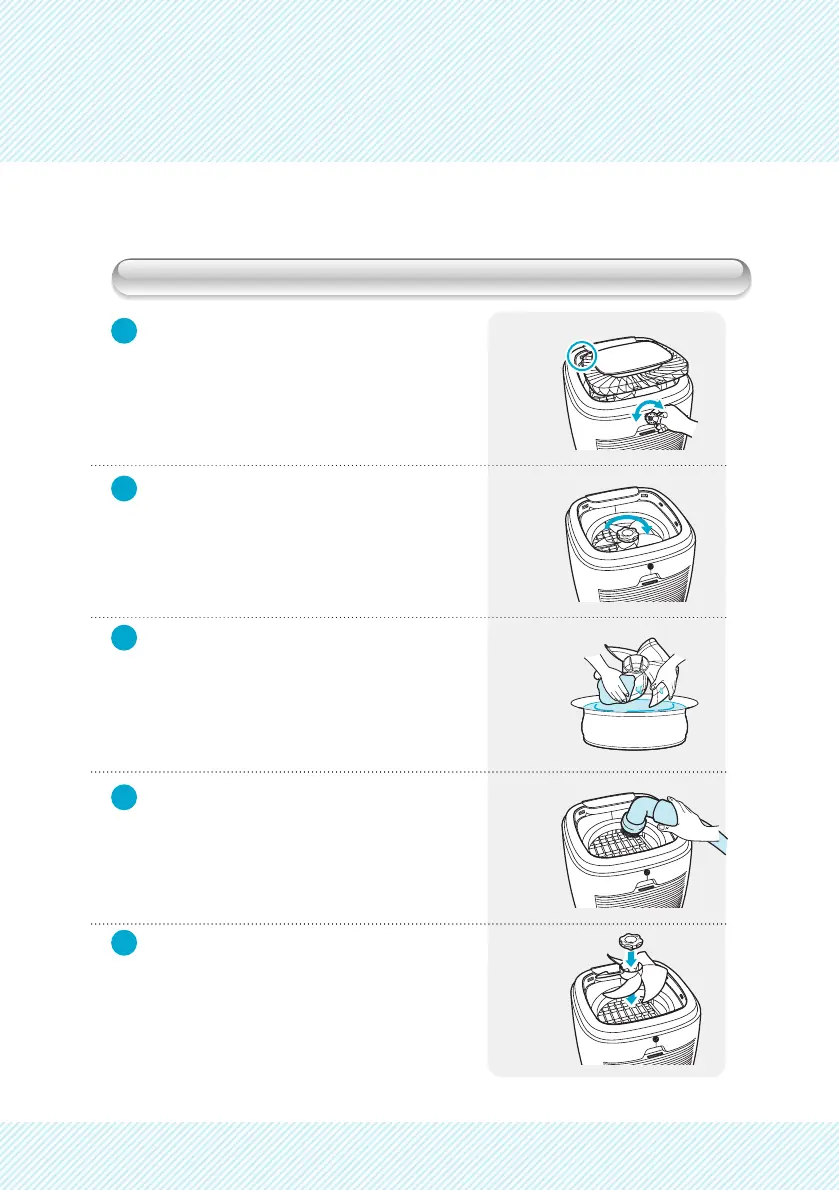
Cleaning Inner Parts and Fan
1
2
3
4
5
Turn groove to open with a coin or at
tip screw driver, at the rear of the unit,
and remove top cover.
Holding fan, turn fan cap clockwise.
Rinse fan and fan cap with warm tap
water with detergent.
Remove dust near airow inlet of the
unit by using vacuum cleaner or soft
brush.
After cleaning, replace fan and fan
cap.


 To Next Page