3-9
SECTION 3 –
DRIVING YOUR MOTORHOME
NOTE: The dash air conditioner/heater is not
designed to heat and cool the entire
interior of the coach, but is intended only
to provide heating and cooling for the
cab area.
A small amount of air will blow out all of
the defrost and the dash vents regardless
of the mode setting.
Further Information
See the manufacturer’s user guide provided in
your InfoCase for complete operating
instructions.
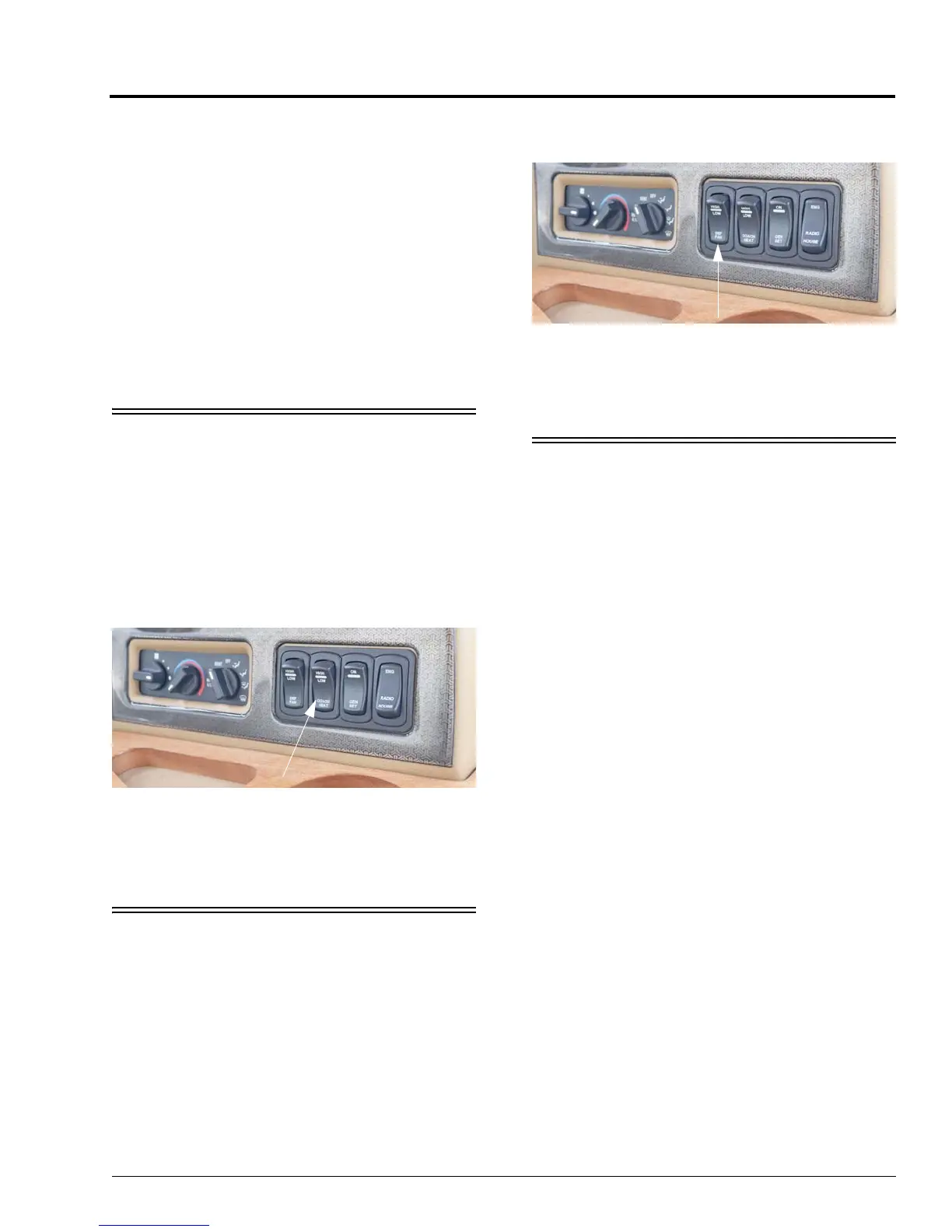
HEATER – REAR COACH
(AUTOMOTIVE)
–If Equipped
To provide auxiliary automotive system heat
to the rear of the vehicle while driving, turn the
rear heater fan switch to the desired speed. The
switch has three positions: High (up), Low
(down), and the middle position is Off.
DEFROST FANS
–If Equipped
The two-speed auxiliary fans are intended to
assist the automotive windshield defroster
system in clearing fog and frost in cold weather
or humid conditions.
• HIGH - For maximum defrost output, press
the Defrost Fan switch UP.
• LOW - For lower defrost output, press the
Defrost Fan switch DOWN.
• The middle position on the switch is OFF.
RADIO IN-DASH/REARVIEW
MONITOR SYSTEM
–If Equipped
The radio in your coach can receive AM/FM
stereo stations. It also has a CD/DVD player for
your listening enjoyment through quality high-
output speakers located in several areas of the
coach.
This system is also featured with a rearview
camera monitor system, which lets you see what
is directly behind your coach for safety and
maneuvering assistance. The viewing screen is
integrated into the dash.
The radio screen switches automatically when
the transmission is shifted into reverse.
NOTE:The camera polarity setting needs to be
set to “Battery” for automatic camera
viewing when the vehicle is put into
reverse. This can be set by pushing the
HOME button, select SYSTEM under
settings, and scroll down to “Camera
Polarity” and pushing the menu until it
reads “Battery”. This will need to be
reset every time the power is
disconnected from the radio.
Coach Heat Switch
(Located on dash)
-Typical View
Defrost Fan Switch
(Located on dash)
-Typical View



 To Next Page