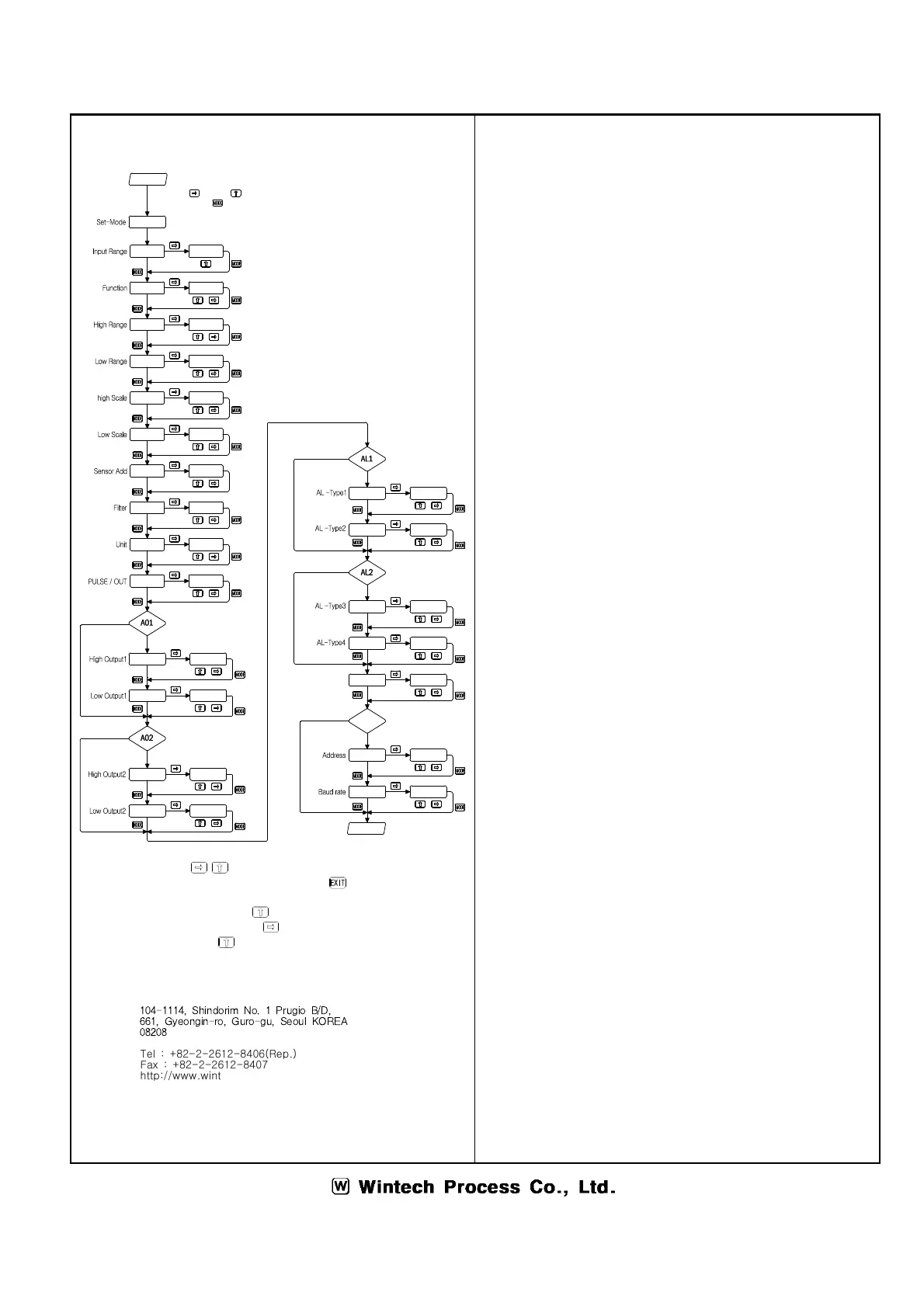
◉ Change the setting push at the same time to move setting mode.
◉ Move to display mode in every mode push the
◉ Data setting method
① Setting the decimal point by
② Flickering the purpose digit by
③ Selecting the data by
④ Setting data by pushing the "mode"
⑤ Decimal point can set only the input range high or input scale high
Purchase & A/S
104-1114, Shindorim No. 1 Prugio B/D,
661, Gyeongin-ro, Guro-gu, Seoul KOREA
08208
Tel : +82-2-2612-8406(Rep.)
Fax : +82-2-2612-8407
http://www.wintechprocess.co.kr
E-mail : wtpc@wintechprocess.co.kr


 To Previous Page
 Loading...