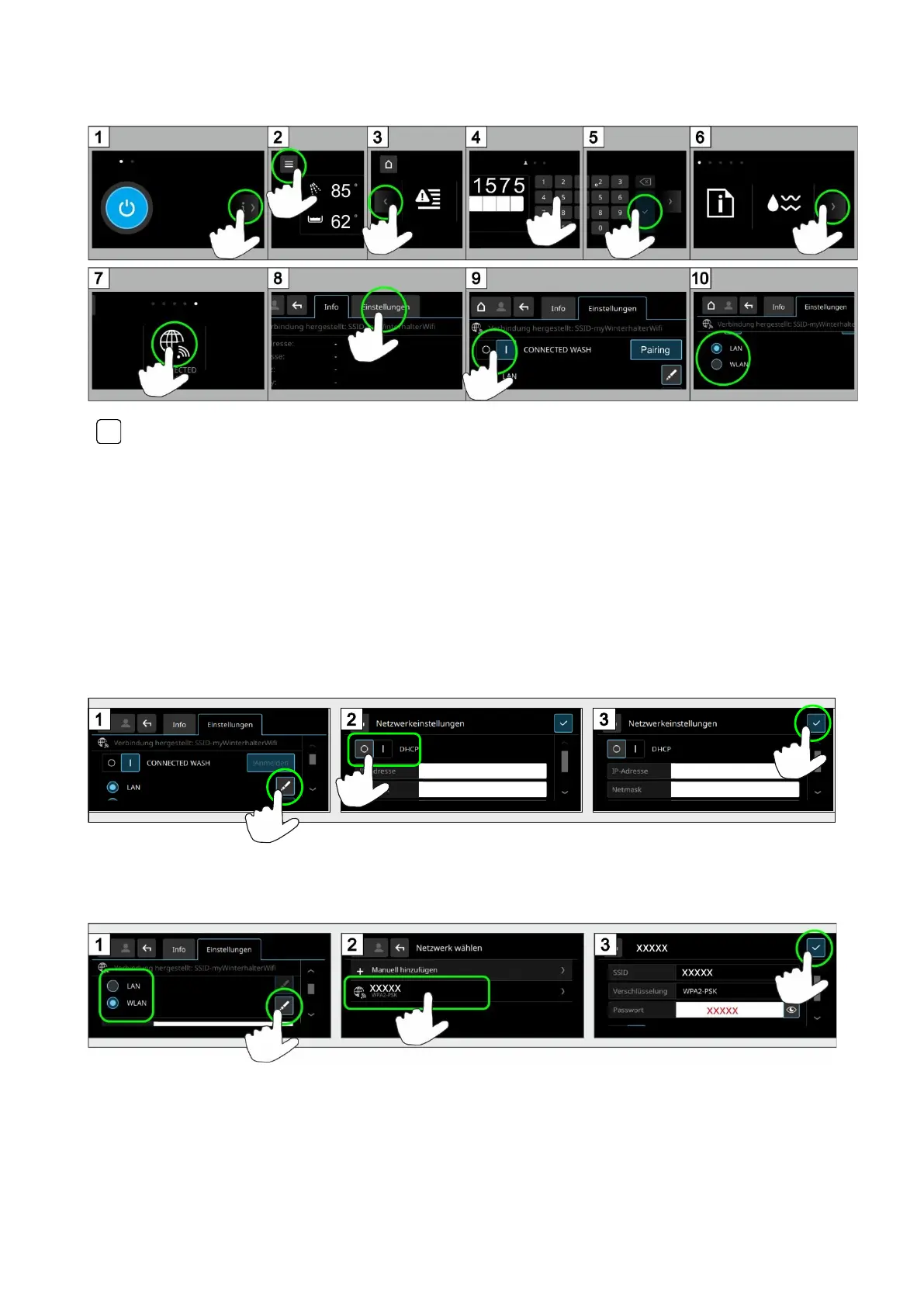
INFO If you use a MAC filter: Share the warewasher’s MAC address. You can find the MAC address under
Register Info.
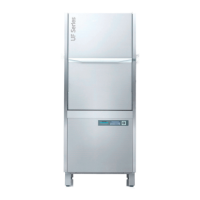
1.1 LAN version
➢ Ensure that the LAN cable is connected.
➢ Continue with chapter 2
➢ Deactivate DHCP if you are not working with the default setting:
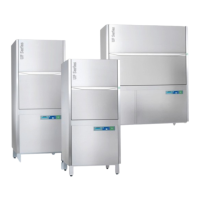
1.2 WLAN version
➢ Select your own network.
➢ Continue with chapter 2


 To Next Page