
 Need help?
Do you have a question about the WIREFY CRMP-01 and is the answer not in the manual?
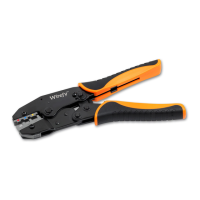
Select the appropriate connector size for your wiring project using the tool's color-marked die nests.
Place the connector in the die nest and lightly tighten handles until the first ratchet click is heard.
Insert the stripped wire into the connector barrel, holding it steady until crimping is complete.
Complete the handle closure until the tool springs open to perform the crimp.
Verify the crimp area for correct indent placement and intact nylon insulation after completion.
Learn how to adjust the crimp force and height using the adjustment wheel for optimal results.
Understand how to safely open the tool before full closure using the quick-release trigger.
 General
| Connector Types | Insulated and Non-Insulated Terminals |
|---|---|
| Application | Insulated Terminals |
| Crimp Range | 22-10 AWG |
| Wire Gauge | 22-10 AWG |
| Material | Steel |

 To Next Page