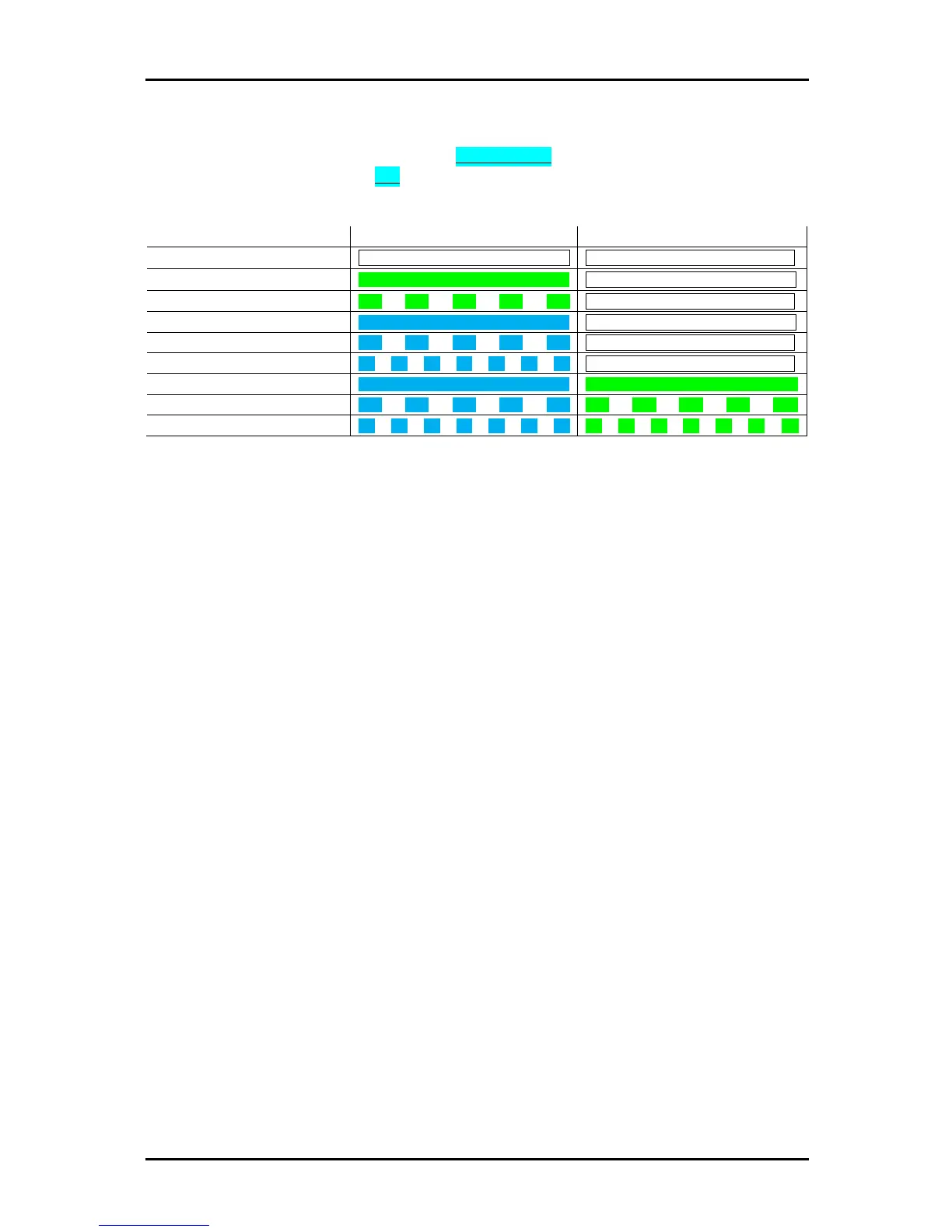
You can change between modes are any given moment – changes must be made to the transmitter:
1. Press and hold the red function button for 10 seconds
2. The top 4 LEDs will chase. Tap the red function button to scroll through all the modes.
3. There are 9 options available – you can understand the mode as follows:
4. Press and hold the red function button to save and exit.
NOTE!
All changes shall be made to the transmitter. It’s necessary to re-link all receivers after
changing control modes. Triple-band and double-up are not available in the Micro series.
If you can’t scroll through these modes:
- Please check
5.6.
: 5 GHz needs to be activated.
- Please check if your product supports these modes
- Please check your firmware version to see if G5 and double-up modes are up-to-date.


 To Next Page