7.2.2 WhiteBox installation guide
Installing the WhiteBox series does not require special tools – we recommend installing in a suitable
location, like a flat surface. Please take care when installing and, in order to achieve best results, the
transmitter and receiver must be in line-of-sight of each other.
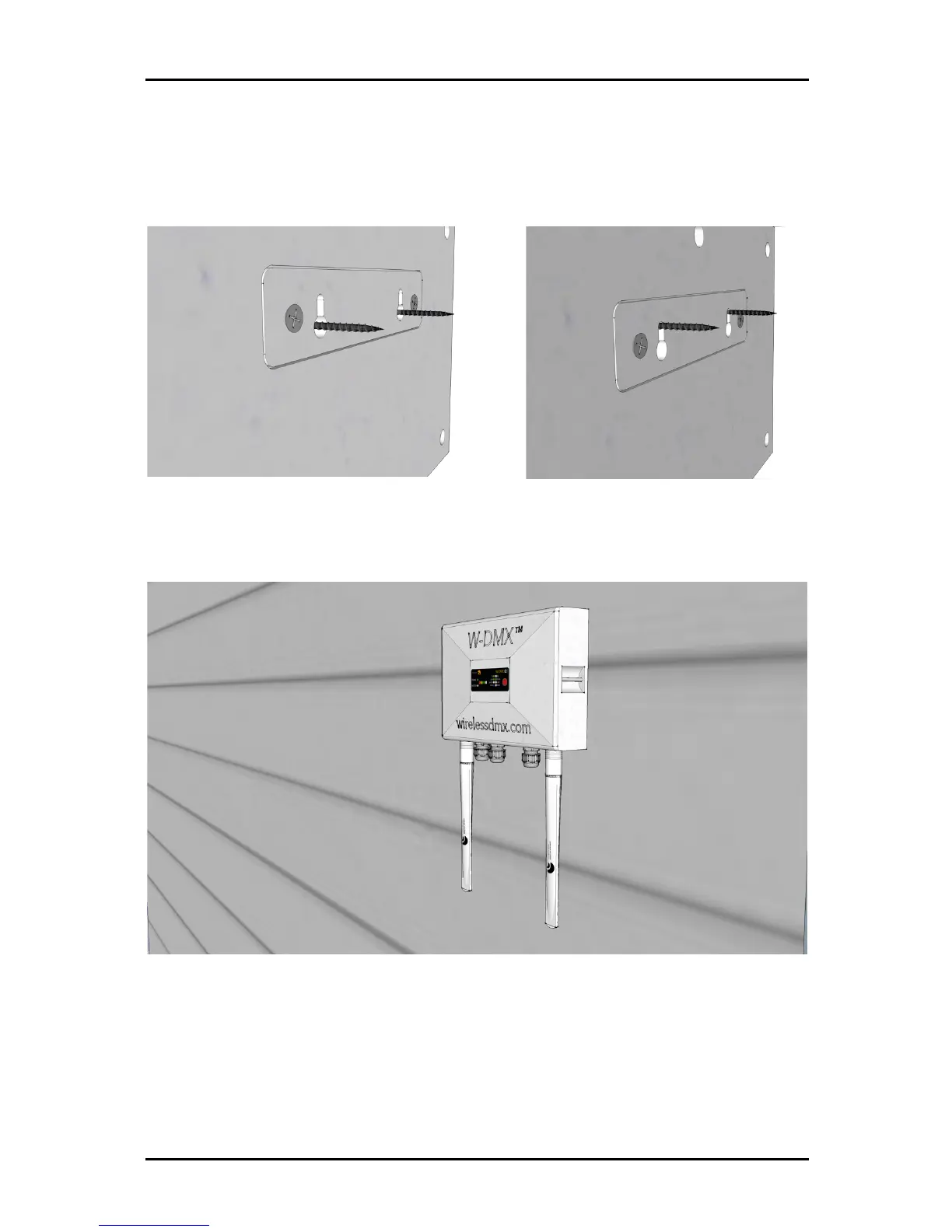
Insert the back plate into the wall mount screws (Fig. 1) and slide the WhiteBox down to fix it into
place (Fig. 2).
Fig 3.
Once adjusted, the WhiteBox should fix into place. Please note that, in order to prevent water
getting inside the chassis, the unit must be mounted exclusively with the antennas facing down, as
shown in figure 3.


 To Next Page