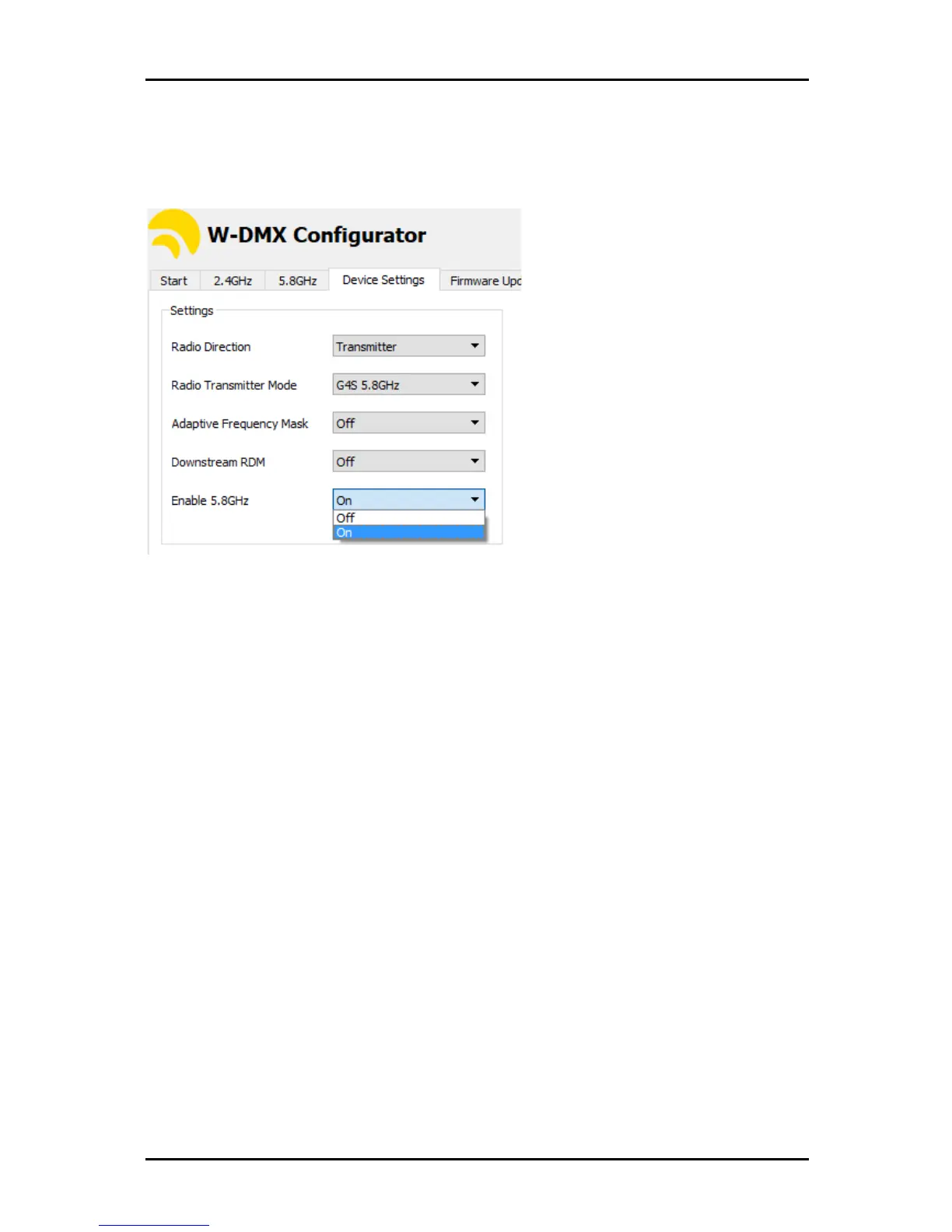
5.6. Enabling 5 GHz
Due to the different regulations worldwide, all W-DMX
™
devices come with 5 GHz disabled from
front-interface control. This must be enabled with the W-DMX
™
Dongle and Configurator software,
available from the website. Once on, you may be able to scroll through all modes.
5.7. Double-Up Mode
Coming soon.
5.8. Repeater Mode
All F-2 models are capable to operate as repeaters, as long as configured to do so:
1. Set the device to G3 mode.
2. Cycle through the radio direction like in 5.4.
3. The cycle sequence in F-2 units is: TX – TX ; RX – RX ; RX - TX
4. Use this last sequence to make your F-2 unit to repeat.
5. Pair the first transmitter in the chain to the RX side of the F-2 unit in G3 Mode.
6. Establish the TX link with succeeding receivers.
5.9. Switching Off UNV 2
With F-2 models you can switch off RADIO B.
When the unit is in (TX, TX) direction, RADIO B can be turned off by pressing the button for RADIO B
during power up. When turned off, the PWR LED in RADIO B will turn off.
To enable RADIO B, press and hold the button for RADIO B during power up.


 To Next Page