5
4 User Guide of KL4MS、KL5MS 、KL8MS、KL12MS
4.1 Charging
4.1.1 Traditional Charging Way
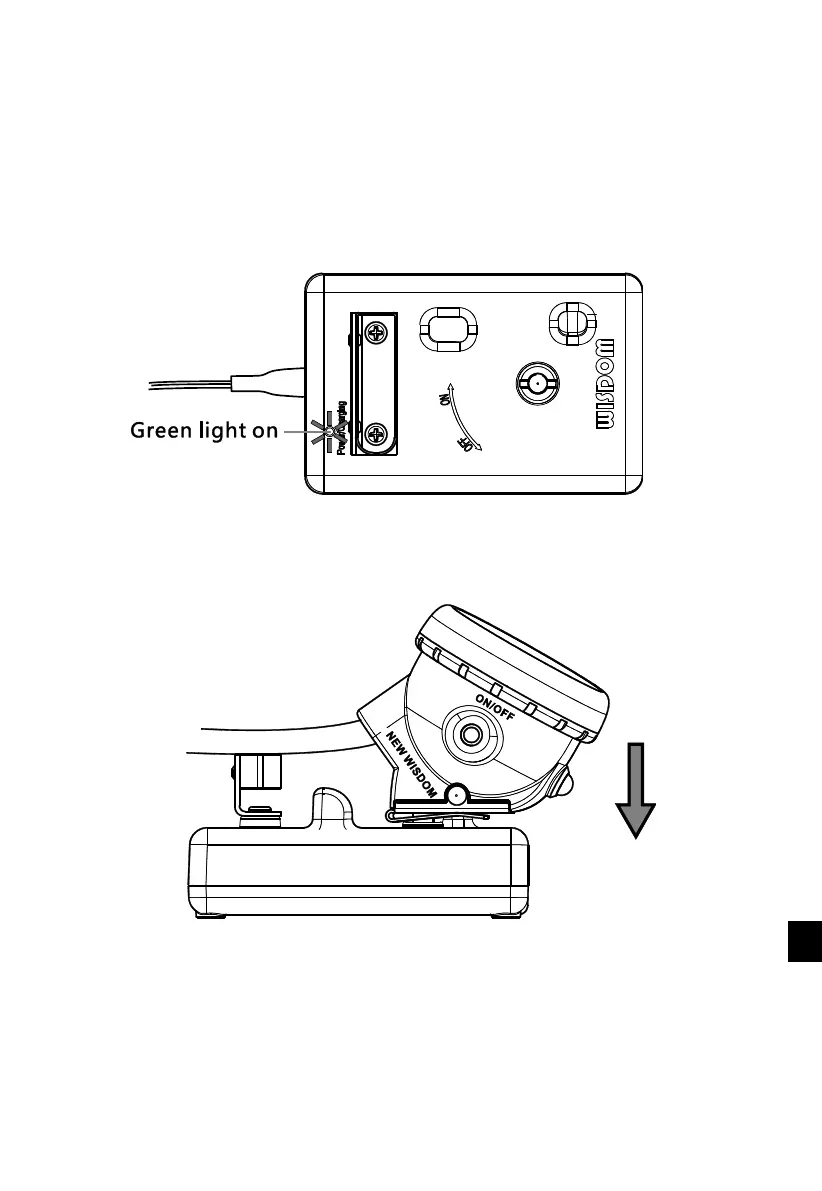
Connect the single charger to the power supply or switch on the charger rack, the indicator light
of the charger turns green.
Connect the cap lamp with the charger. Fix the brass pin (cathode) of the charger into the hole of
the cap lamp clip.



 To Next Page