6
4 User Guide of WISDOM LAMP 4
4.1 Two charging ways
4.1.1 USB Charging Way
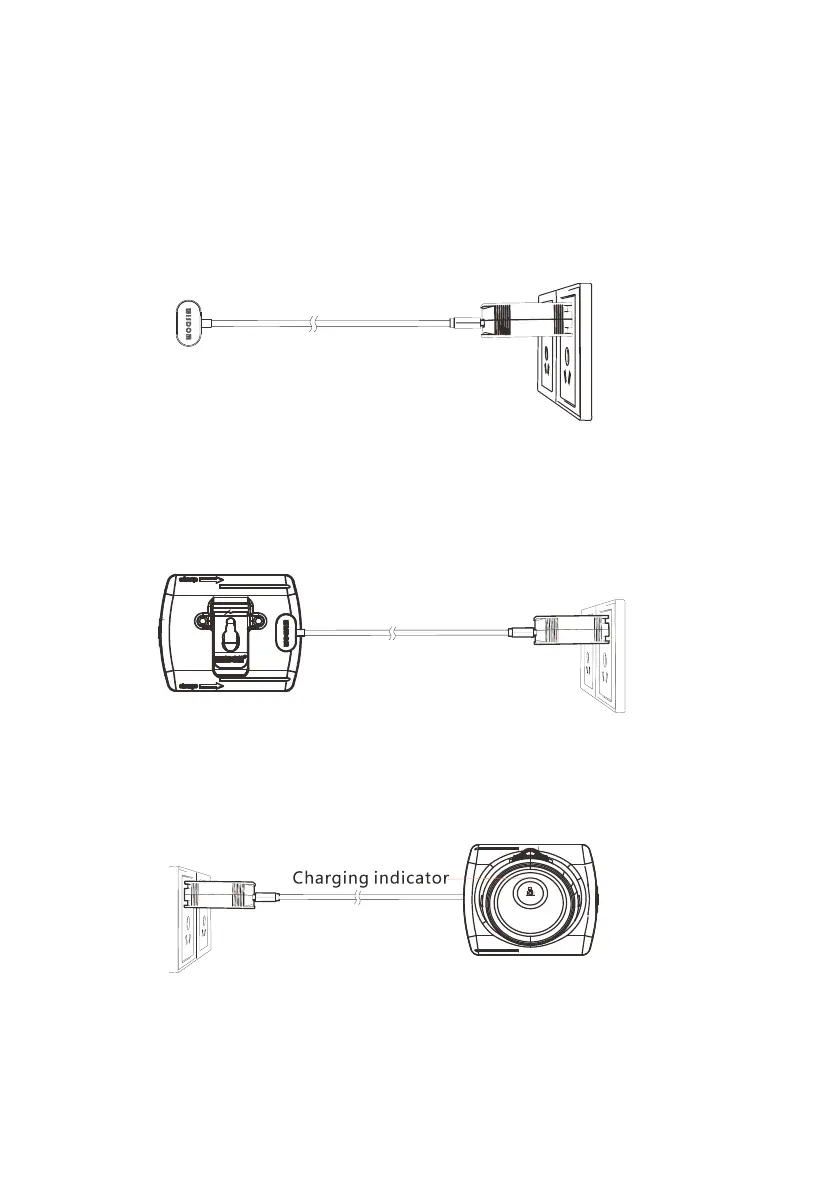
Connect the “5V, 2A” power supply with magnetic USB wire to”AC, 100-240V” outlet.
The charger indicator turns green,as follows:
Connect the magnetic charging terminal with the USB charging points and make them contact
tightly. The lamp’s indicator turns red, which means it’s charging.
The lamp’s indicator turns green, which means it is fully charged. Take away the USB wire from
the lamp, and then use it normally.



 To Next Page