However, there is no guarantee that interference will not occur in a
particular installation. If this equipment does cause harmful
interference to radio or television reception, which can be determined
by turning the equipment off and on, the user is encouraged to try to
correct the interference by one or more of the following measures:
■ Reorient or relocate the receiving antenna.
■ Increase the separation between the equipment and receiver.
■ Connect the equipment into an outlet on a circuit different
from that to which the receiver is connected.
■ Consult the dealer or an experienced radio/TV technician for help.
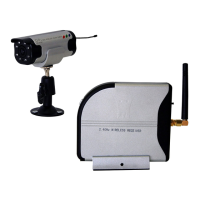
HOW TO USE CW3510 FOR OPTIMAL PERFORMANCE
1 CW3510 should be placed on a flat, stable surface to prevent
damage to it from falling.
2 For maximum operating range, try to minimize the number of
obstacles (TV, other electronics, large steel structures) between the
transmitter and the receiver units.
3. Avoid pointing the camera directly into light or extreme sunlight.
This will interfere with your ability to obtain a proper image
4. To receive optimum image performance, always make sure lenses
are kept clean.
5. This camera is not waterproof. Do not use in wet or high humidity
environments, as this can cause damage or electrical
shock.


 To Next Page