11
1
■ Installing the (“MIS-200BE _setup.exe”) and the Driver for MIS-200BE
These instructions are for Windows XP (which we highly recommend
with our USB Interfaces). Installation under Windows 2000 and
embedded XP are similar, but not necessarily identical. If you are using
Linux, then you should contact your dealer or Witek Technical team,
We may send you Linux driver.
SDK Installation
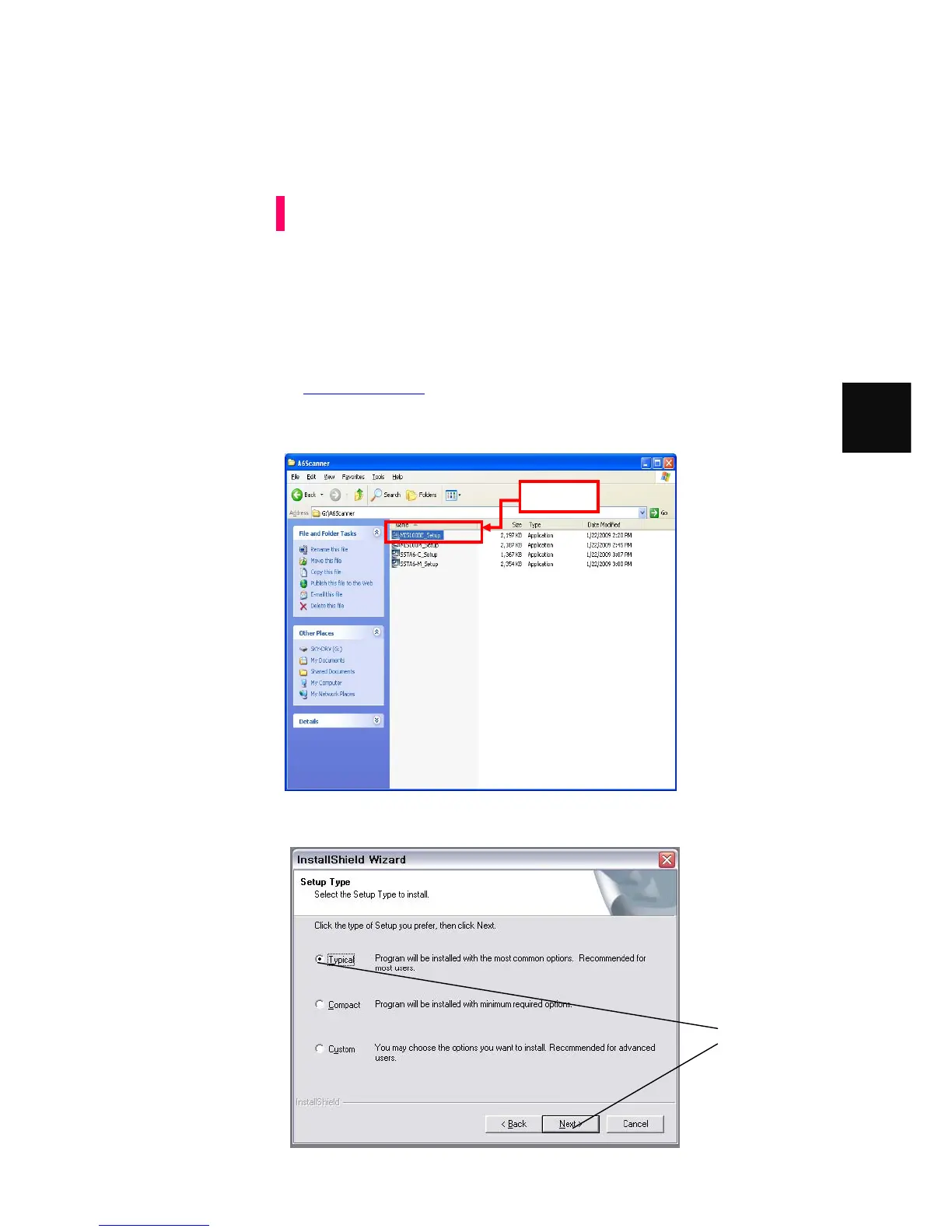
1. Make sure you have a “MIS-200BE _setup.exe” that dealer or Witek distributor
provided. If not, You may download “MIS-200BE _setup.exe” from Witek
website as www.witek.co.kr
2. Execute “MIS-200BE _setup.exe”.
3. Click the [Next >] button
4. The following dialog should appear;
Attention
You should select
typical and then click
“next” button
Execute



 To Next Page