13
1
The Driver Installation
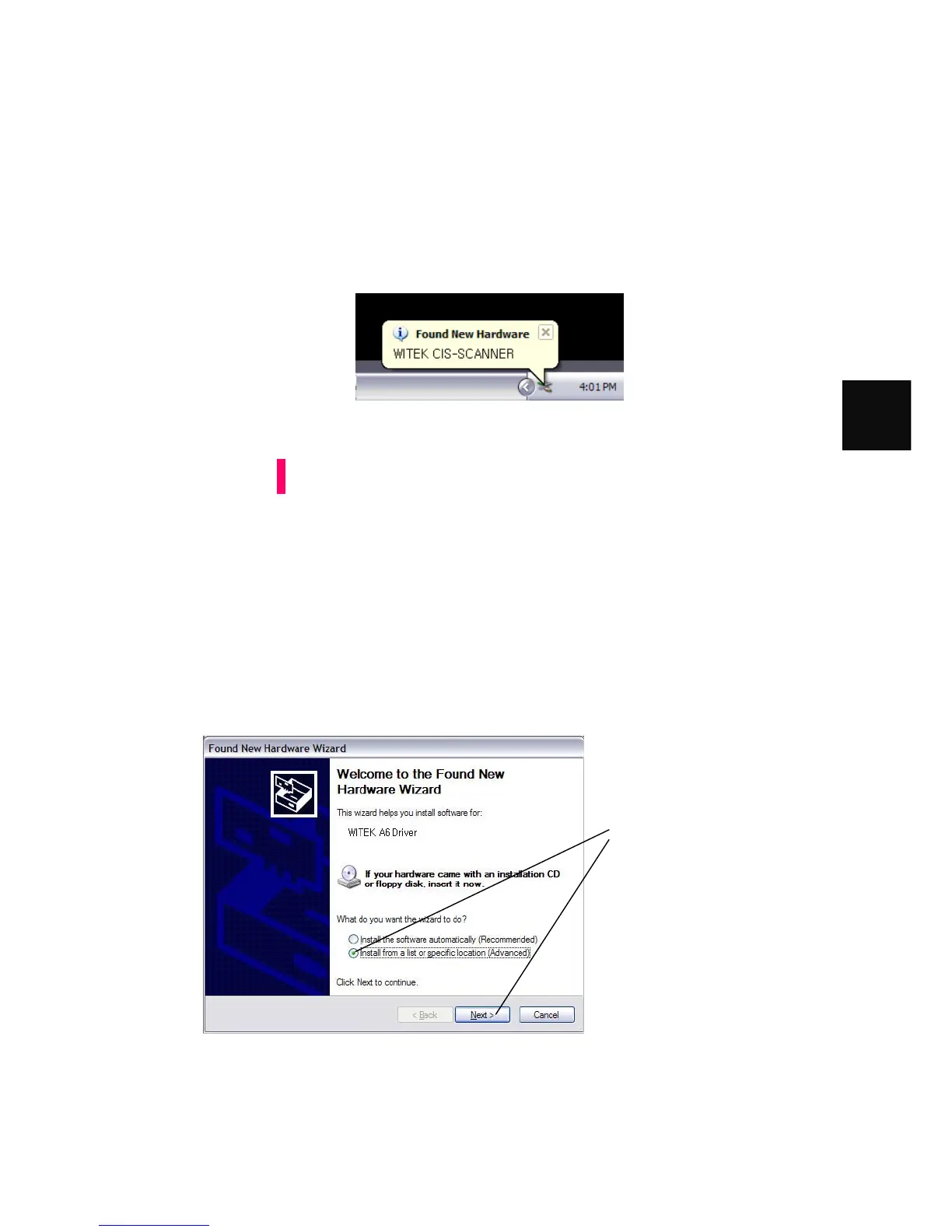
7. Plug MIS-200BE Scanner USB Interface to your host terminal USB port . A
message like this should appear on your terminal PC's Taskbar:
If the new Hardware Found Wizard popup does not appear when you
plug in your interface, go into Device Manager and look for the
interface. In Windows XP, you can typically find the Device Manager
by RIGHT-CLICKING on My Computer then selecting Manage.
Your Witek CIS SCANNER USB Interface should be under Universal
Serial Bus (USB) Controllers or under Other Devices. If it's there,
Right-Click it and then select Update Driver. Then you can start at
Step 3 in the instructions below.
8. The New Hardware Found Wizard should appear:
Attention
On the screen left, select "Install
from a list or specific
location (Advanced)"
then click the [Next >] button



 To Next Page