9
EN
FR
DE
SV
NL
FI
DA
IT
ES
CS
PL
PT
RO
HU
SK
ET
EL
IS
LV
LT
SL
TR
BG
HR
Troubleshooting
The low battery icon is displayed on the device
The blood pressure cannot be taken and
the application shows an error message
Under normal circumstances, the measurement
taken at home may dier from the measurement
taken in a medical setting
Charge the device with the cable provided
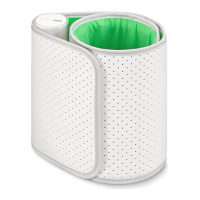
1. Re-fasten the cu
2. Relax and sit down
3. Keep the cu at the same level as your heart during the measurement period
4. Keep silent and still during the measurement
5. If you have a severe heartbeat problem, the blood pressure may not be read correctly
1. The variation is due to the dierent environments
2. The blood pressure is changing according to the physiological or psychological status of the person being measured
3. Atrial fibrillation may not be permanent in its early stages
4. Show your recorded values to your physician
Problem
No results for the ECG measurement
A valvular heart disease analysis cannot
be performed
The inflation action cannot be performed or
the air pressure cannot rise
Ensure that the three electrodes are in direct contact with the skin. If needed, clean them with a tissue.
Check the position of the stethoscope. The flat surface must be in contact with the chest. Ensure that you performed the
required number of measurements to get a reading.
1. Check the cu position, fasten the cu correctly and remeasure blood pressure again
2. Check the blood pressure monitor’s connection to the iOS or Android device
Solution
If you cannot fix the problem using the following troubleshooting instructions, please contact Withings
or go to: withings.com/support


 To Next Page