4
Complete Fast Actions Operations
SERVICE MACHINE - DAILY TASKS
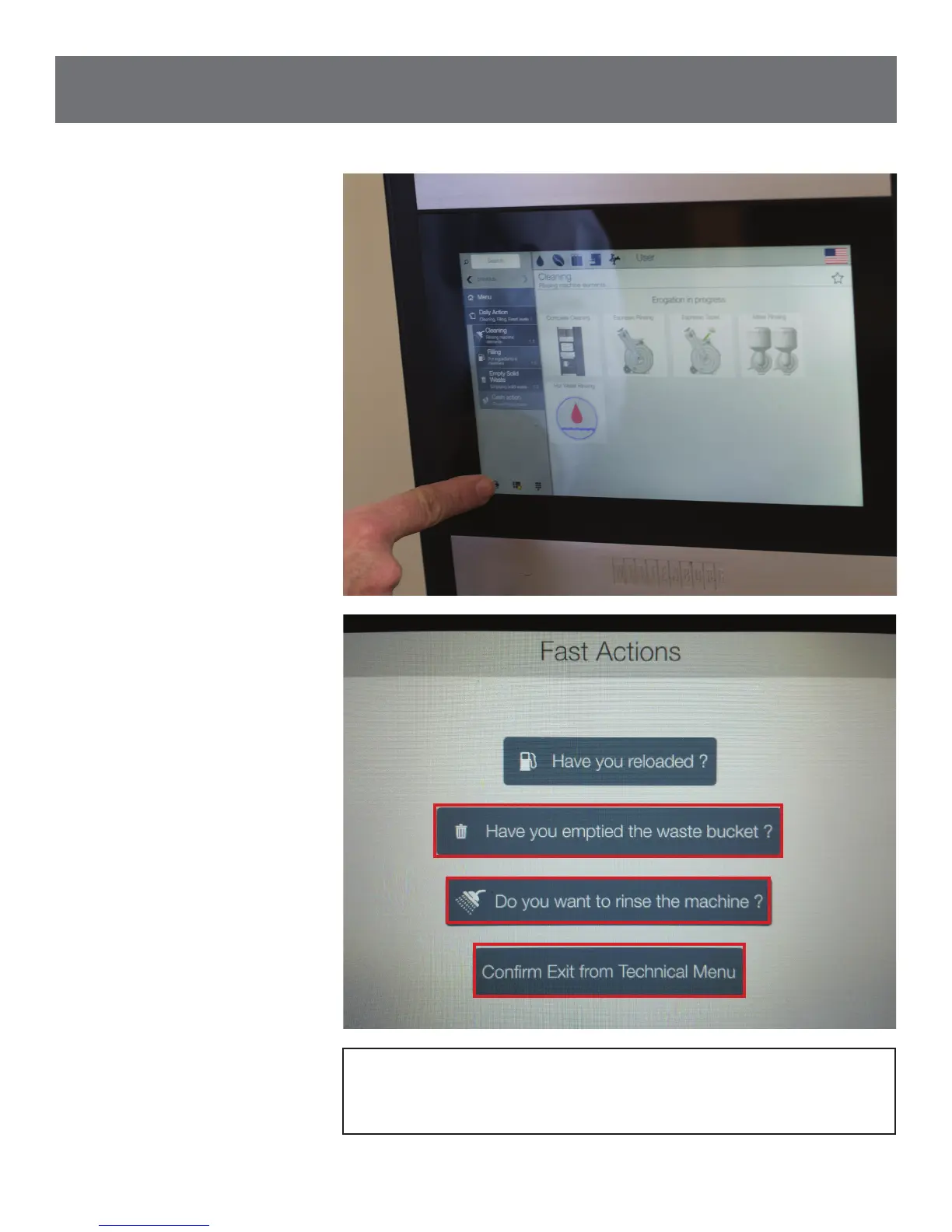
3.1 Close door and touch
icon in lower left corner
to display Fast Actions
screen.
3.2 To reset waste bucket,
touch question, “Have
you emptied the waste
bucket?” and allow
machine to complete
cycle. Touch icon in lower
left corner to display
Fast Action screen from
Step 3.1. Next, touch
question, “Do you want
to rinse the machine?”
and touch appropriate
buttons to wash mixers
and other functions as
needed. Then, touch icon
in lower left corner and
touch “Conrm Exit from
Technical Menu” on Fast
Actions screen.
NOTE: Wipe cup area with cloth and soft cleanser after
completing Fast Actions tasks.



 To Next Page