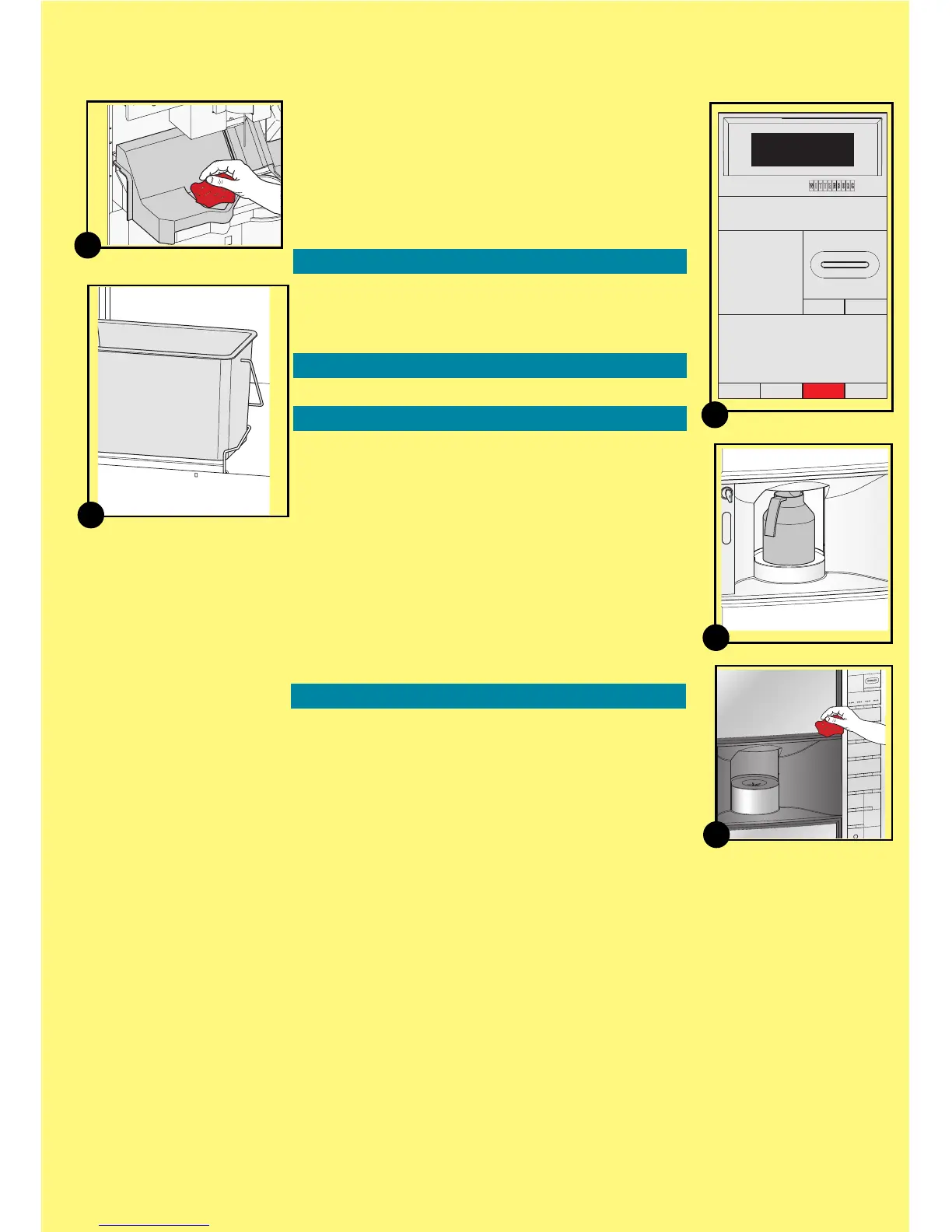
Dispensing area
• Clean drip guide and cup slide with shutter with
a damp cloth
(9)
Waste bucket
•
Lift the waste bucket sensor and take the waste
bucket out of machine
(10)
. Empty and clean
bucket.
Cleaning inside and outside
• Clean the sensor of the waste bucket with a damp
cloth and wipe dry.
• Clean the door and housing inside and outside, and
finally the bottom with a clean, damp cloth.
Mounting the cleaned parts
• Remount all parts.
Rinsing
• Have an empty pot (min. 1.5 l) ready to place
on the cup stand
• Turn to the display and perform a machine
rinse using the preselection buttons
(11)
.
- Press button '1' to enter [Rinse]-function.
- Close door and place pot on cup stand
(12).
- Press 'Sel' to start the rinse function.
Follow the information on display.
• Repeat the rinse procedure min. once more.
• Press the button 'Esc' until the machine leaves
programming mode.
• Remove and empty the pot.
Last check
• Clean the machine with a damp cloth on the
outside
(13)
.
• Perform a test dispensing by pressing a
selection button, eg. coffee with milk and sugar.
Regular Cleaning (continued)
6
10
9
Menu Selection
*Operator
Technician
^ V Sel Esc
12
13
11



 To Next Page