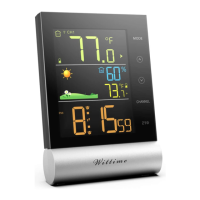
- Hours
- Minutes
- 12/24 Hour format (in the 12-hour format, the afternoon hours are shown with “PM” on
the display)
- DST ON/OFF (If on, DST will be shown on the display)
- Temperature unit (°C or °F)
- Language (only refers to how the days of the week are displayed)
8. Then press
MODE
to store the changed setting.
Information:
Press and hold or button, the value will increase or decrease fast.
Choosing the location
ATTENTION
- Protect the base unit and wireless sensor from dust, shocks, extreme temperatures and
direct sunlight.
- Protect the base unit from moisture. Only place the base unit in a dry, enclosed space.
- The wireless sensor is protected against moisture but must be protected against water, e.g.
rain.
General
The base unit and wireless sensor exchange information over a radio frequency. For this
reason, the location is important for the range of the wireless connection. Note:
• The maximum distance between the base station and wireless sensor is 328 ft (100
meters). However, this range is only possible in open area.
• Shielding building materials such as reinforced concrete reduce or prevent the radio
reception between the base station and wireless sensor.
• Devices such as televisions, cordless phones, computers and fluorescent tubes can also
interfere with the wireless reception.
• Do not place the base unit and wireless sensors directly on the floor. This restricts the
range.
• In low temperatures in winter the battery performance of the wireless sensors can be
significantly reduced. This reduces the transmitter range.
Base unit
DANGER



 To Next Page