Need help?
Do you have a question about the WLtoys V606 EXPLORERS and is the answer not in the manual?
Using the directional lever to move the drone left or right.
Pushing the directional lever up/down for forward/backward drone movement.
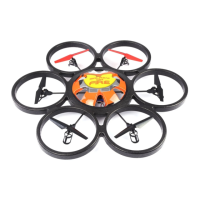
The WLtoys V606 Explorers is a ready-to-fly 2.4GHz quadcopter designed for recreational use. This model is equipped with a 6-axis gyroscope for stable flight and features four main engines. It is suitable for users aged 14 and above, with younger users requiring adult supervision.
The V606 Explorers quadcopter is controlled via a 2.4 GHz remote transmitter. The primary function of the device is flight, allowing users to maneuver it in various directions and altitudes. The remote control features a throttle/yaw control stick and a direction control stick. The throttle stick (left stick in Mode 2) controls the rotation axis of the drone and its altitude. Pushing it up makes the drone rise, and pushing it down makes it fall. The directional joystick (right stick) controls the flight direction, allowing the drone to move forward, backward, left, or right. Pushing the directional lever up and down makes the drone go forward or backward, while pushing it from side to side makes the drone turn on its own axis.
The remote also includes trim buttons for throttle, yaw, forwards/backwards, and crab trim, which help in maintaining stable flight and fine-tuning the drone's position. Agility settings (40%, 60%, 80%, and 100%) allow users to adjust the speed and responsiveness of the drone, with higher percentages offering faster reactions.
The V606 Explorers can be equipped with an optional camera module (sold separately or included in some models). When a camera is installed, it allows for taking photos and recording videos. The remote control has dedicated buttons for activating these functions: a "foto" button for pictures and a "video" button for recording. The camera module uses an SD card to store media, which can then be accessed via a USB stick provided with the camera.
Before flying, users must ensure the Li-po battery is fully charged using the supplied charger. The charger connects to a wall socket, and an orange LED indicates charging, while a green LED signifies a full charge. It is crucial to charge the battery on a non-combustible surface and never leave it unattended. The remote control requires 6x AA batteries (not included), which are inserted by sliding down the cover.
To initiate flight, the copter should be turned on first, followed by the remote control. Some models may require an "arming" sequence, which involves moving the throttle stick up and down to connect, then moving the throttle to the left low corner and the directional lever to the right low corner simultaneously for a few seconds. This arms the motors.
For optimal flight experience, it is recommended to fly in an open and safe environment, away from people, animals, large groups, high voltage pylons, and other cabling. Avoid flying in limited visibility, dark conditions, winds above 2 Beaufort, thunderstorms, rain, or high humidity, as the device is not water-resistant.
First flights should ideally be conducted with an experienced user present and on a relatively soft surface to protect the copter. It is advised to start by taking off to about 1 meter from the ground to avoid the "ground effect," which can make control difficult near the surface. Users should gradually learn to fly gently in one direction and perform controlled landings if the drone flies in an unintended direction.
The drone's gyroscope may require recalibration if the copter becomes unstable or rotates erratically. This can be done by connecting the drone to the transmitter, then pressing the 100% button on the remote and moving both sticks to the bottom left. A long beep or flashing lights on the PCB will indicate successful calibration. While calibration is usually performed at the factory, it can be repeated if necessary.
Proper maintenance ensures the longevity of the V606 Explorers. Always use a fully charged battery and disconnect it after each flight. After flying, turn off the copter first, then the remote control. Avoid using the copter if it has visible or mechanical damage.
The engines are brushed and will eventually wear out. It is recommended not to go full speed for the first three flights. After the initial flights, blowing out the engines with air can help in maintenance. Spare engines are available for purchase from the manufacturer or resellers.
If the main rotor continues to rotate after landing, ensure the gear lever is oriented downward. If the device does not take off despite the main rotor rotating, check for distorted blades or an exhausted quadcopter battery. Replace blades or charge the battery as needed. Strong vibrations during flight often indicate distorted blades, which should be replaced. If the tail is unbalanced or speed is inconsistent, the tail rotors or main wing/engine may be damaged and require replacement.
In case of crashes or extreme drops, parts may break but can be ordered and easily assembled. Users should always follow local laws and regulations regarding drone operation and contact their reseller or the manufacturer for any doubts or technical support. The warranty covers manufacturing and material defects under normal use but excludes damage from non-compliance with security measures, extreme treatment, or loss of control. The warranty for brushed engines is void after three flights.
 General
| Brand | WLtoys |
|---|---|
| Model | V606 EXPLORERS |
| Type | Quadcopter |
| Channels | 4 |
| Gyro | 6-Axis |
| Color | White |
| Remote Control | Yes |
| Remote Control Frequency | 2.4GHz |
| Flight Time | 8-10 minutes |
| Charging Time | 90 minutes |
| Camera | No |
| Age Recommendation | 14+ |
| Skill Level | Beginner |
| Battery | 3.7V LiPo |

 To Next Page