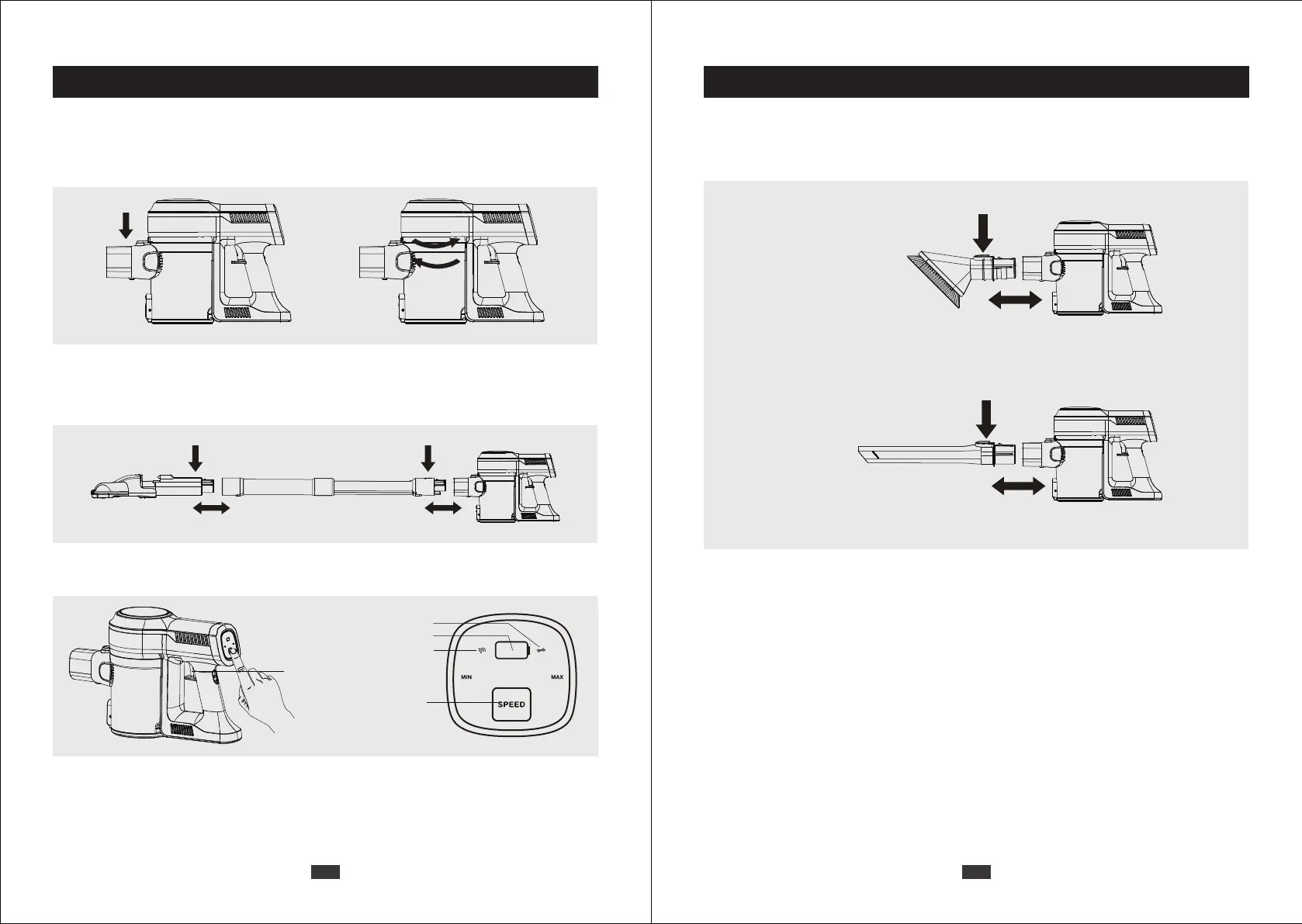
a) Press the “SPEED” button to switch among three power modes (Low/Medium/High).
b) When the machine is working in any gear, press the
On/Off Switch Button, the machine will stop working.
Product Installation
I. Use as stick vacuum cleaner
1. Assemble the dust cup in anticlockwise direction.
2. Insert the metal tube into the body until you hear a click.
Insert the motorized brush to the head of the metal tube until you hear a click.
3. Press the On/Off Switch Button to turn on the vacuum cleaner.
On/Off Switch Button
Battery Indicator
Locked Rotor Indicator
Block Up Indicator
Speed Button
Product Instructions
II. Use as handy vacuum
Insert the accessary to body until you hear a click.
Product Instructions
03 04


 To Next Page