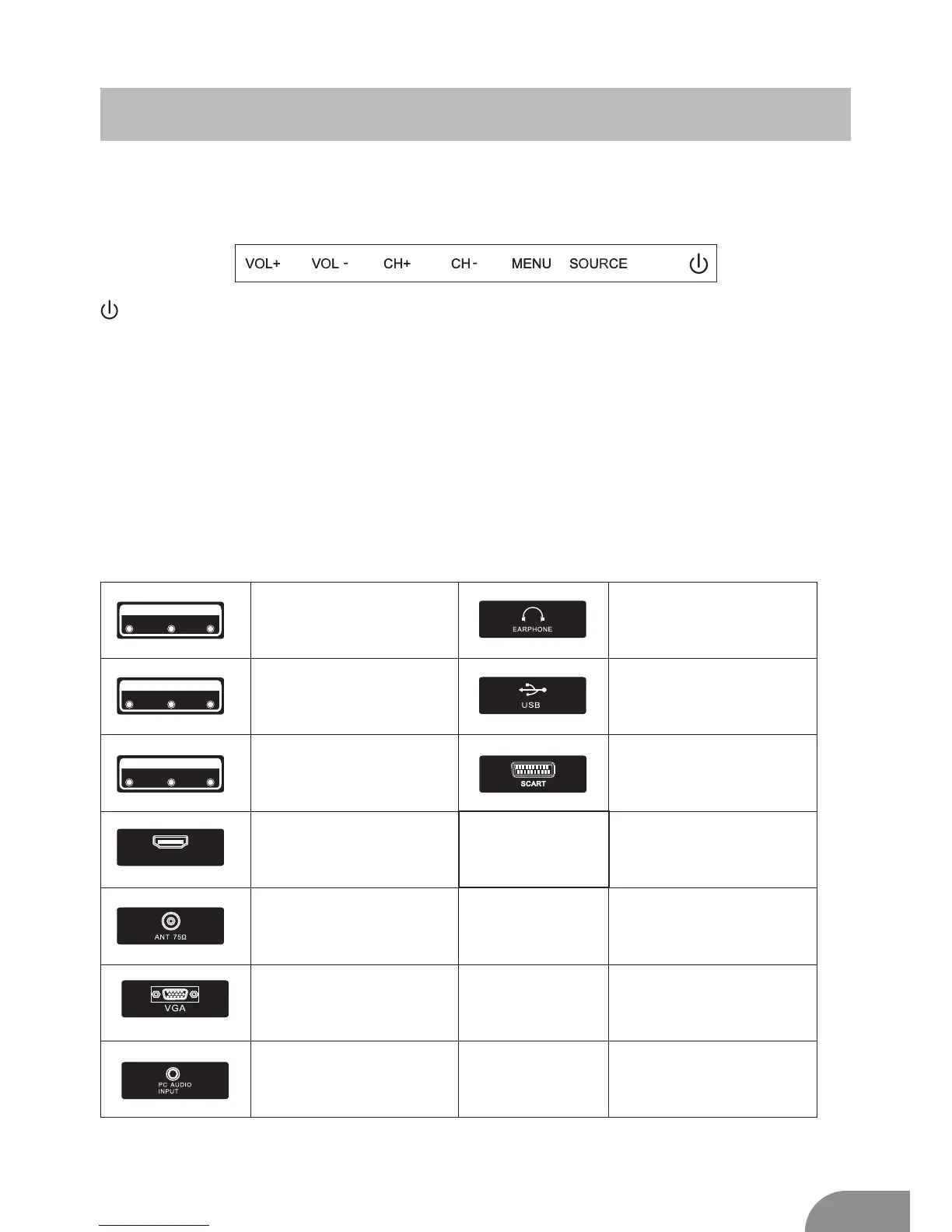
TV Buttons And Terminal Interface
TV Buttons
:Turn ON/OFF Power.
SOURCE:External Signal Input Selection.
MENU:Display Main MENU And Confirm MENU Item Selection.
CH+/-:Selecting Channel.
VOL+/-:Adjusting Volume.
Note: The following is only functional schematic, And the actual position and
arrangement of different models may be different.
Terminal Interface
Note: The following are the various terminal interface, the actual position and
arrangement, the number of different models may be different.
VIDEO R L
INPUT
VIDEO R L
OUTPUT
Y Pb Pr
INPUT
HDMI
AV input
External AV Signal Input And
Relevant Rith/Left Sound Channel
AV output
External AV Signal output And
Relevant Right/Left Sound Channel
(Some models without this interface)
Y Pb Pr input
Connect to the composite terminal of
your DVD/VCR
(Some models without this interface)
HDMI input
Digital signal input from HDMI video
connector.
ANT 75
Connect the antennal/cadle tv input
(75/VHF/UHF)
VGA input
PC analog signal input
PC AUDIO INPUT
VGA input and audio input when VGA
input
EARPHONE output
When earphones are plugged in,
speakers are disabled
USB input
Connect a USB device here to play
its media files or to recordprograms
via the PVR function.
SCART input
standard,it supports composite and
RGBsignal input.lt is a connection
for european
(Some models without this interface)
5



 To Next Page