14
Sound
Sound
So
SPDIF Type
und Mode
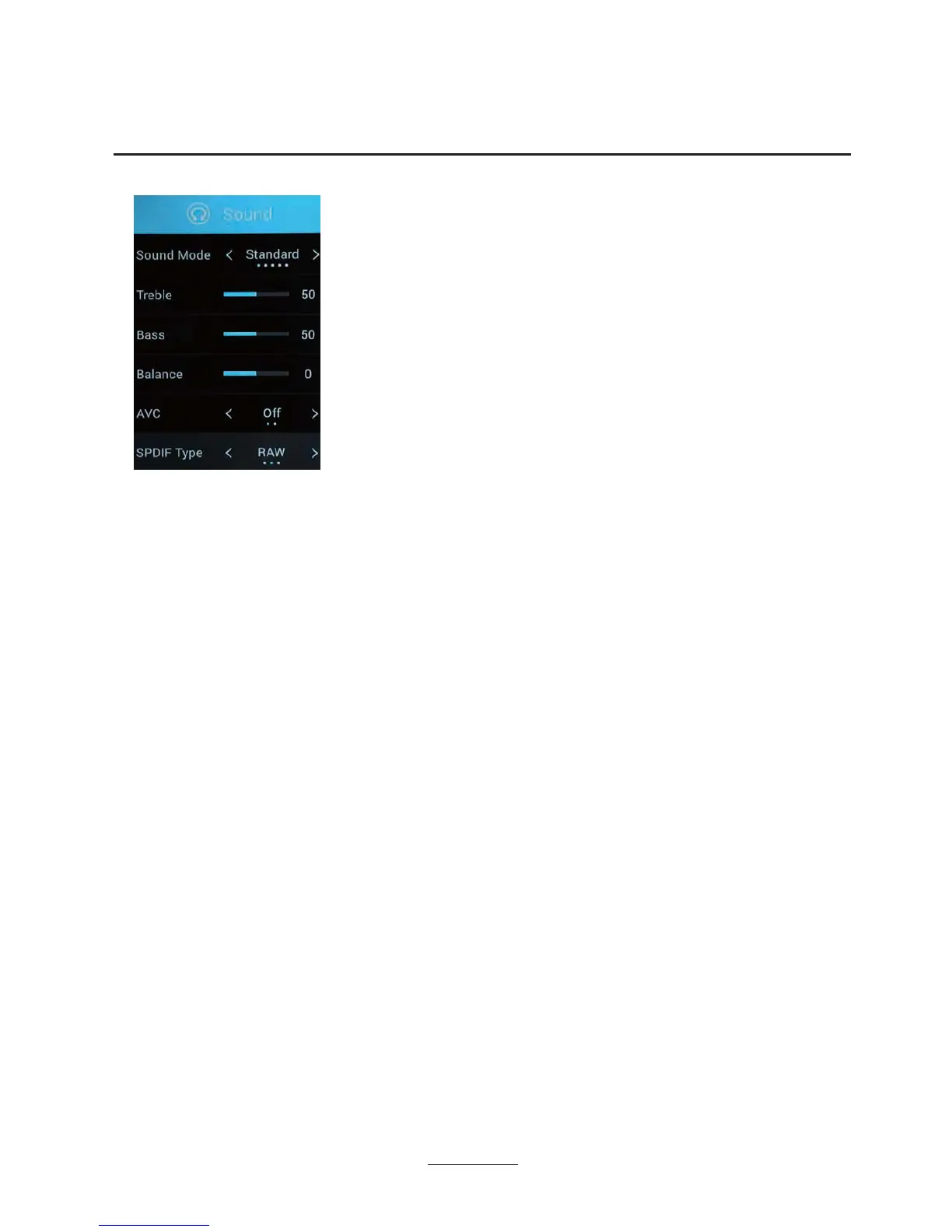
Press ź / Ÿ button to select Sound Mode, then pressŻŹEutton to select.
Note: When the sound mode is standard, the value of treble / bass is not adjustable.
Treble
Treble
Bass
Balance
Balance
AV C
AVC
Adjust the sound frequency portion, the user can set the sound mode
Bass
Adjust the sound frequency part, set the sound mode is available to the user.
Adjust the left and right channel output balance.
Press ź / Ÿ button to select , then pressŻŹEutton to adjust.
Press ź / Ÿ button to select , then pressŻŹEutton to adjust.
Press ź / Ÿ button to select , then pressŻŹEutton to adjust.
Press ź / Ÿ button to select , then pressŻŹEutton to choose ON/OFF.
When the sound mode is user, it can be adjusted according to the user.
Press MENU button to display the main menu.
ź / Ÿ : Sound Mode/Treble/ Bass
/Balance
/ / SPDIF TypeAVC
/ ŻŹ
PresVŻŹEutton to select SOUND in the main menu,
then p
Press button to select
Press
to enter or adjust.
ress to enter
Standard Produces a balanced sound in all environments.
Music Preserves the original sound.Good for musical programs.
News Enhanced voice.
Movie Enhances treble and bass for a rich sound experience.
User Select to customize picture settings.
OK
OK



 To Next Page