wolfappliance.com | 9
Quick Start Guide
Milk Container
To froth milk:
1 Turn the knob on the milk container to Insert.
2 Place the milk container into the receptacle. A beep
indicates the container is installed correctly.
3 Turn the knob to the desired froth setting. Refer to the
chart below.
4 Turn the knob to Clean when dispensing is complete.
appears on the touchscreen as a reminder to
clean the spout, if the process was not completed. The
reminder goes away when cleaned or when the milk
container is removed.
5 Follow the instructions on the touchscreen.
6 Remove the milk container and store in the refrigerator.
FROTH SETTING
The milk container dial is adjustable for optimum froth
production.
SETTING AMOUNT
No Froth
Minimum Froth
Maximum Froth
Auto-O
The unit turns o automatically after 30 minutes of inactiv-
ity. The duration is adjustable to 15 min, 30 min, 1 hr, 2 hr,
or 3 hr. Touch the standby power button to turn on the
control panel touchscreen before use. Refer to the illustra-
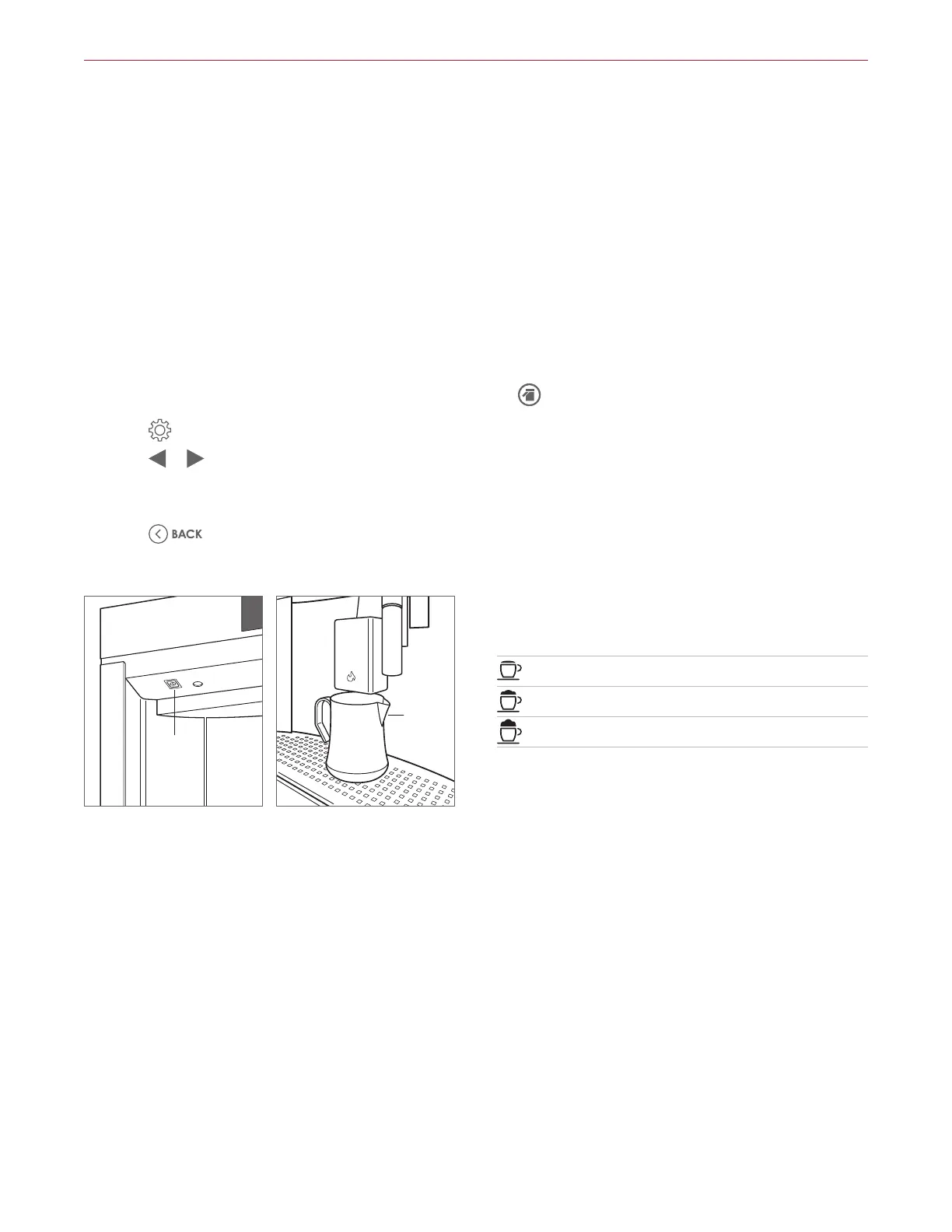
tion below.
NOTE: Due to the rinsing process, place the rinse con-
tainer below the coee spout before each use. Refer to the
illustration below.
To adjust Auto-O duration:
1 Touch .
2 Touch or until Auto-O appears on the
touchscreen.
3 Touch Auto-O until the desired duration appears.
4 Touch .
STANDBY
POWER
BUTTON
RINSE
CONTAINER
Standby power button
Rinse container



 To Next Page