10 | Wolf Customer Care 800.222.7820
Settings
The Settings feature allows the user to select individual
preferences. Preferences must be reset after a power
outage.
Touch 1 on the control panel to toggle up or 6 to toggle
down to select preferences.
AUDIBLE SIGNAL
An audible signal chimes with every touch and upon cook
time and timer completion.
To Eliminate the Signal:
1 Touch Settings.
2 Touch 6.
3 Touch Start. “SOUND OFF” appears on the control panel
display.
To Restore the Signal:
1 Touch Settings.
2 Touch 1.
3 Touch Start. “SOUND ON” appears on the control panel
display.
Oven Operation
Oven Operation
OVEN RACKS
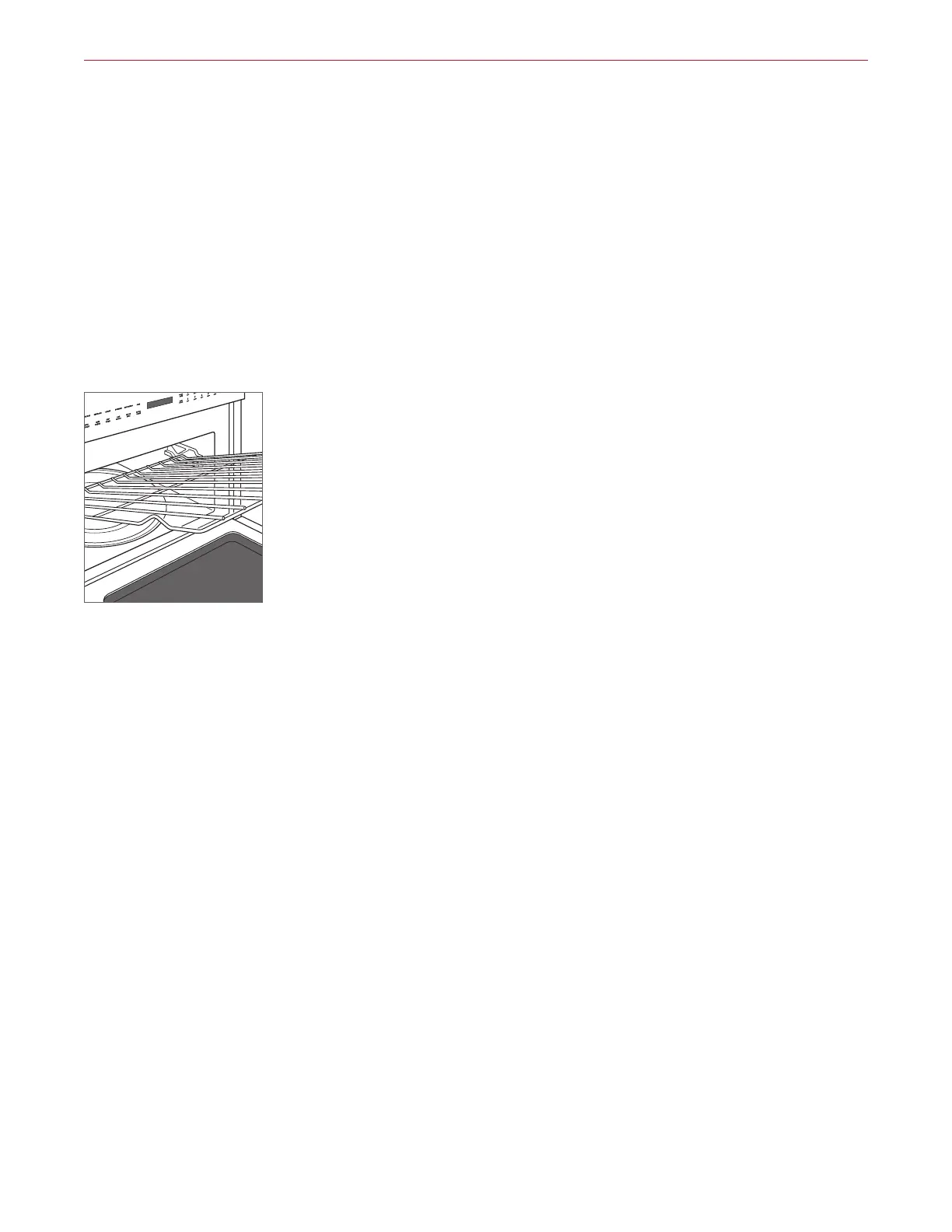
To insert an oven rack, tilt the front of the rack upward
and insert the back of the rack into the rack guides. Slide
the rack back and angle the front of the rack downward to
clear the rack stops. Continue to slide the rack back until
completely inside the oven. Refer to the illustration below.
Oven rack



 To Next Page