00:08
08:39
10/07
PM
Fri.
08:39
10/07
PM
Fri.
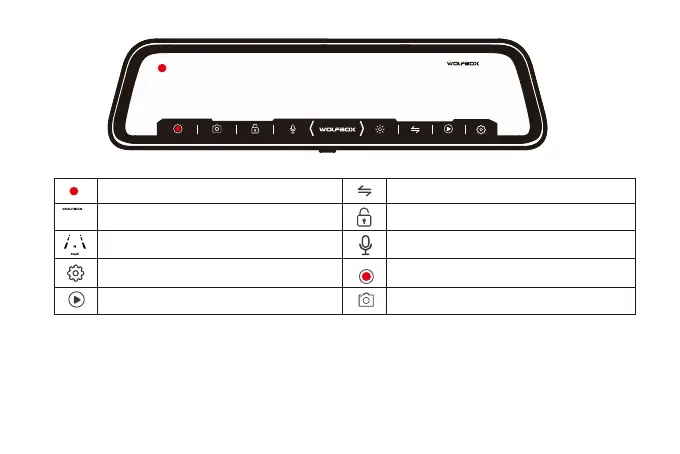
Recording status: During normal recording, it is red, turns
yellow while emergency recording
Click on it, the clock setting appears on the screen
GPS Status: Once gps antenna connected, the GPS icon
on the home screen will show
Menu Setting:Touch and enter to set the screen in your
favor (Please pause recording first)
Video/Photo Playback: Playback the video & Photo
Start/Stop Recording: Record and save every precious
moment
Photograph: Take photos one moment
Rear view/Front view switchable: Switch between front
view & rear view one moment
Emergency Lock: Lock videos as event files so it won't be
overwritten by loop recording
Sound Record is on
10



 To Next Page