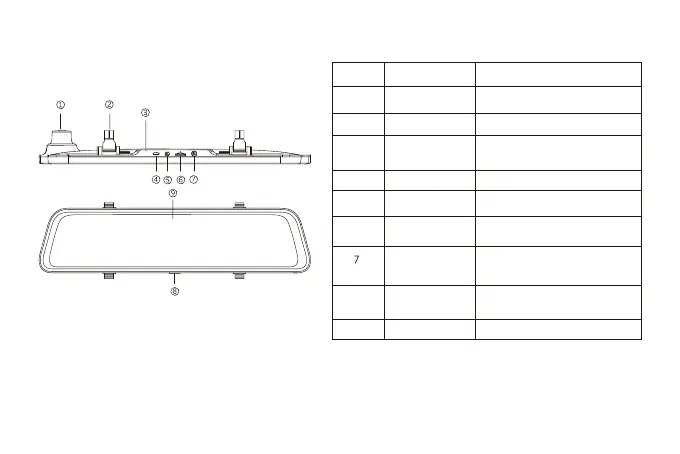
Appearance
NO. Name
lens
Front lens, record the front image of the
car
Fasteners
The machine can be fixed with 2 straps
Reset hole
When the machine failure cannot be
eliminated, you can try to restart the
machine by clicking here
USB
Port for charging
AV-IN
Port used to connect the rear lens
TF card slot
Provide extensible storage(class 10
Max 128GB)
GPS port
Used to connect GPS module(GPS
function requires optional GPS
antennal)
Power button
Short press to wake and turn off the
screen, long press to turn on and off the
power
Display screen
11.8 inch touch screen display
Description
1
2
3
4
5
6
8
9
9



 To Next Page