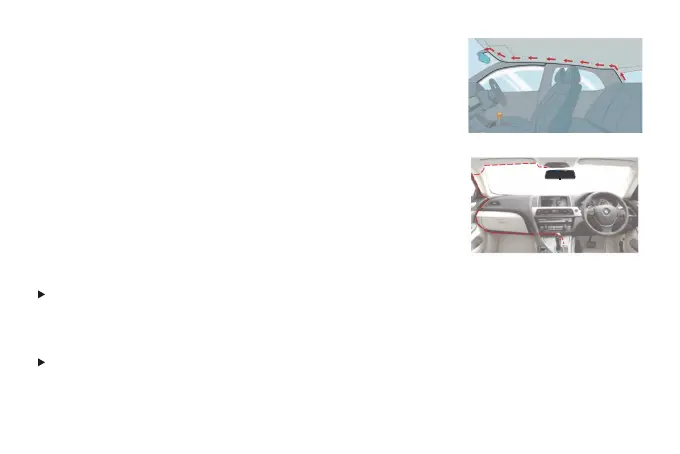
5. Route your rear camera's power cable to the front of the car.
If you'd like, use a trim removal tool to pop out the headlining panel
directly above your windshield. Then, run your cable through the
exposed chamber.
6. Power on the dash cam with box included car charger, don't
charge it with your own chargers.
NOTE:
We do not recommend to install the rear camera inside the car, it will make the effect of the rear
camera worse. If you need to install the rear camera in the car, please purchase a in-car rear
camera (Asin: B09Q84NBFN), or contact us to get it.
If your car is a RV or a pickup truck, you can install the rear camera forward (the bracket is below),
and turn on the "Upside down of rear image" and turn off the "mirror flip of rear image" to adjust
the image.
18



 To Next Page