If you want 24H parking monitor function to guide your car parking safety, dedicated
hardwire-kit(ASIN:B09X1L1GMX) is needed.
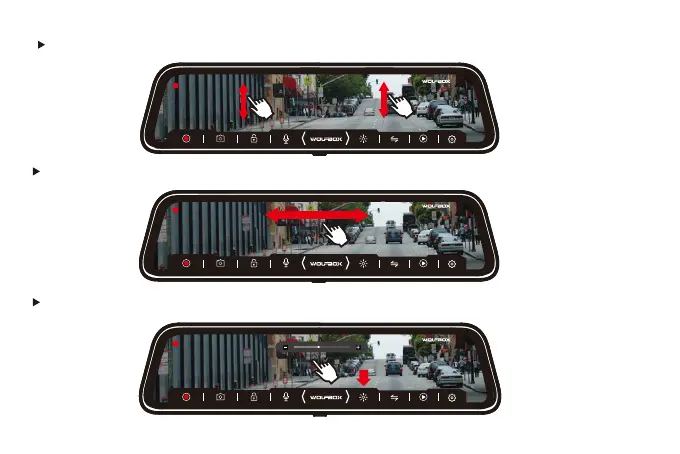
Swipe left or right to switch between front and rear cameras.
Click the top of the screen and slide to adjust the brightness.
00:08
08:39
10/07
PM
Fri.
00:08
08:39
10/07
PM
Fri.
00:08
08:39
10/07
PM
Fri.
28
Swip the left/right screen up and down to adjust the angle of view.



 To Next Page