28
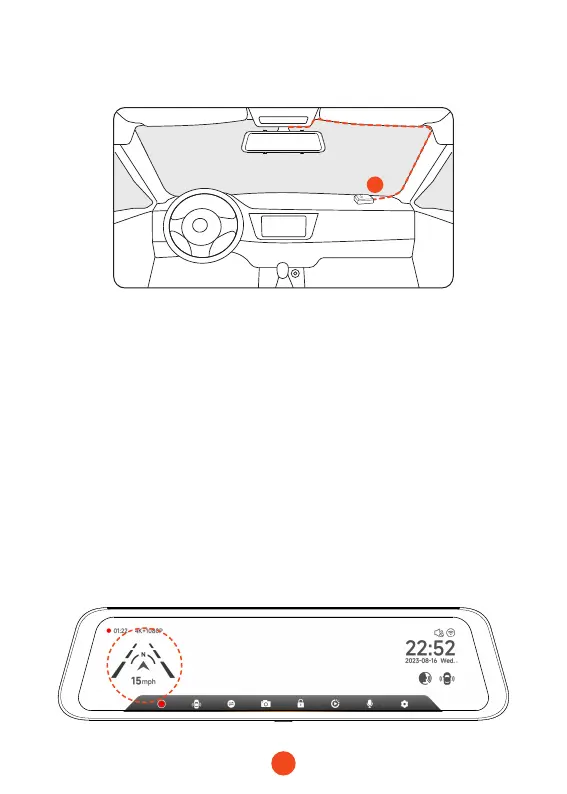
•GPS Installation
Position 1:
Install the dash cam in the right corner of the central console
and hide the wiring along the edge of the front windshield using
double-sided tape.
• Considering the use eect and installation convenience, we
usually recommend customers install it at position 1.
• You may also test dierent locations for the dash cam to nd
the one that works best for you. Just make sure that the black
side is facing up to receive the GPS signal.
• Once the GPS is installed, the GPS icon on the home screen will
appear. After the GPS signal has been received, the device's
GPS will show direction and speed.
1



 To Next Page