7
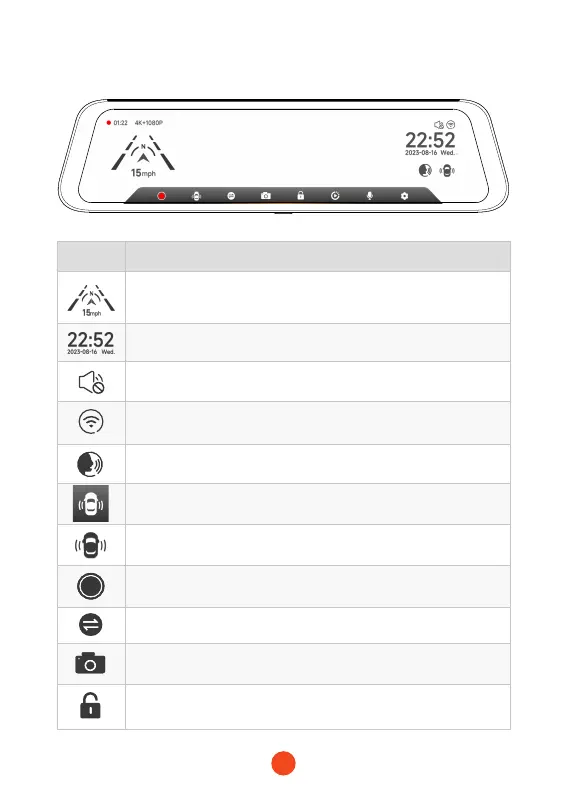
User Inteace Oveiew
icon Description
Speed & Driving Direction: Once GPS is connected,
the proper information will be displayed
Date & Time
Turn on/o the device sound
Turn on/o Wi-Fi
Access specic voice command entries
Turn on/o Sma Drive Display Inteace.
Tap to enter the Sma Drive menu
Sta / Stop Recording
Switching between front,rear and split-screen camera view
Snapshot: Take a Snapshot
Recording Status: Flashing yellow indicates Lock-Recording
(The recorded video will not be overwritten)



 To Next Page