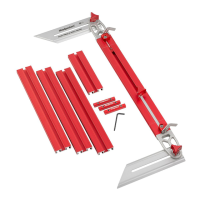
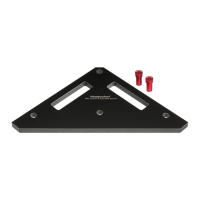
The Woodpeckers SF-PRO Router Table Fence is a precision woodworking accessory designed to enhance the functionality and accuracy of a router table. It serves as a guide for routing operations, ensuring straight and consistent cuts.
Function Description:
The SF-PRO Router Table Fence provides a stable and adjustable guide for routing various workpieces. Its primary function is to allow users to make precise cuts, dadoes, rabbets, and other routing operations with accuracy and repeatability. The fence features an offset module system that enables fine adjustments for jointing operations, ensuring perfectly straight edges. It also incorporates a dust port for efficient chip collection, keeping the work area clean and improving visibility. The fence is designed to accommodate sacrificial sub-fences, which are essential for creating zero-clearance setups, reducing tear-out, and supporting the workpiece close to the router bit. Additionally, it supports the attachment of featherboards and a bit guard for enhanced safety and control during routing.
Important Technical Specifications:
- Fence Construction: The main fence body is an 18" aluminum extrusion, designed for rigidity and flatness.
- Offset Module Adjustment: The fence features micro-adjust modules with a dial that provides precise movement, with each division representing .001" for the inch version. The top scale has 1/16" and 1/32" graduations.
- Dust Port: Sized to fit either 2-1/2" dust collection hose or 2-1/4" shop vac hose.
- Hardware: Utilizes various fasteners including:
- #10-32 x 1/2" Button Head Cap Screws
- #10-32 Thin Nylon Lock Nuts
- #10-32 x 3/8" Button Head Cap Screws
- 3/8-16 x 1-1/4" Adjustable Lever Handles
- 1/4-20 x 1" Adjustable Lever Handles
- 1/4" USS Washers
- SF-PRO Anti-Rotation T-Nuts
- 1/4-20 Oval Nuts
- 1/4-20 x 3/4" Thumbscrews
- Black Nylon Spacers
- Black Nylon Washers
- 4mm Hex Key
- Sub-Fence Dimensions (recommended): 3/4" thick wood, approximately 18" long, no more than 3-7/8" wide. Requires two 3/4" diameter holes (3/8" deep counterbore) spaced 1-15/16" from the bottom edge and approximately 3" from each end, with a 5/16" through-hole.
Usage Features:
- Easy Assembly: The manual provides clear, step-by-step instructions for assembling the dust port housing, fences, micro-adjust module blocks, and installing the fence to the table.
- Precision Adjustments:
- Micro-Adjust Modules: The fence incorporates two micro-adjust modules (infeed and outfeed) that allow for very fine adjustments to the fence position. These are crucial for jointing operations, where a slight offset between the infeed and outfeed fences is required to remove a minimal amount of material and create a perfectly straight edge. The adjustable lever handles and precision dials enable accurate control over these offsets.
- Parallel Alignment: The fence can be aligned parallel to the router bit and table using a reliable straight edge. Adjustments are made by loosening socket head cap screws on the offset modules.
- Squaring to the Table: The fence can be squared to the router table using 1/4-20 set screws located in each offset module. This ensures that the fence face is perpendicular to the table surface, critical for accurate routing.
- Versatile Fence System:
- Sacrificial Sub-Fences: The aluminum fences are designed to accept sacrificial wooden sub-fences. These are essential for creating zero-clearance openings around the router bit, which minimizes tear-out, especially when routing profiles or dados. The manual provides detailed instructions and dimensions for making these sub-fences.
- Featherboard Track: The fence includes a featherboard track that allows for the attachment of featherboards, providing additional workpiece hold-down and control during routing.
- Bit Guard: A bit guard can be easily attached to the fence or featherboard track, enhancing safety by covering the exposed router bit.
- Efficient Dust Collection: The integrated dust port effectively captures wood chips and dust generated during routing, maintaining a cleaner work environment and improving visibility of the workpiece and bit.
- Anti-Rotation T-Nuts: These specialized T-nuts ensure that the fence components remain securely in place and prevent rotation during adjustments and use.
- Lever Handles: Adjustable lever handles are used for quick and secure locking of various components, including the fence position and offset modules.
- Video Support: A QR code is provided to access a video tutorial, offering visual guidance for assembly and usage, which can be particularly helpful for new users.
Maintenance Features:
- Regular Cleaning: Keeping the fence and its components clean from dust and debris is important for smooth operation and accurate adjustments. The efficient dust collection system aids in this.
- Hardware Inspection: Periodically check all screws, nuts, and handles for tightness to ensure the fence remains secure and stable.
- Lubrication (if necessary): While not explicitly stated, moving parts or threaded components may benefit from light lubrication to maintain smooth operation over time.
- Replacement of Sacrificial Fences: Sacrificial sub-fences are designed to be routed into and replaced as needed, ensuring continuous zero-clearance support and preventing damage to the main aluminum fence.
- Calibration: The manual outlines procedures for initial zeroing of the offset modules and aligning the fences, which should be performed as part of setup and re-checked periodically to maintain accuracy.
- Troubleshooting: The manual addresses common issues like "snipe" during routing and provides steps to correct it by adjusting the outfeed fence. It also notes that set screws have a thread locking patch, which might make them feel tight, indicating a design feature for secure fastening.
The Woodpeckers SF-PRO Router Table Fence is a comprehensive and robust system designed for serious woodworkers who demand high precision and versatility from their router table setup. Its detailed design, adjustable features, and support for various accessories make it a valuable tool for a wide range of routing tasks.

 Need help?
 General

 To Next Page