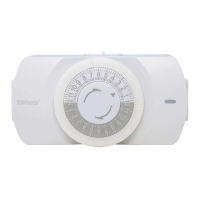
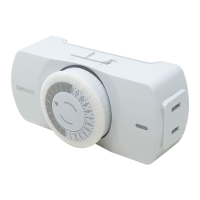
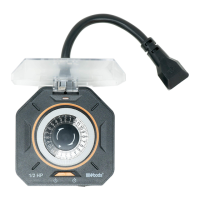
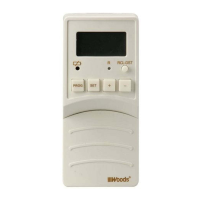
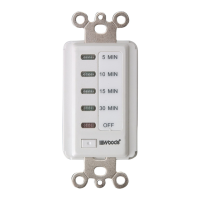
24 Hour Heavy Duty Mechanical Timer, 1 Grounded Outlet
Model 50102, 50103 | Item 50102WD, 50103WD
WARRANTY
This product is guaranteed to be free of defects in materials and workmanship for 1 year
from the date of purchase. If this product is defective, call 1-800-561-4321 for repair
or replacement parts or return the product to the store from which it was purchased.
Guarantee does not include normal wear and tear.
UNITED STATES AND CANADA
Users of this product are cautioned not to make modifications or changes that are not
approved by Southwire Co, doing so may void the compliance of this product and may
result in the loss of the user’s authority to operate the equipment.
FCC DIGITAL EMISSIONS COMPLIANCE
This device complies with part 15 of the FCC Rules. Operation is subject to the following
two (2) conditions: (1) This device may not cause harmful interference and (2) this device
must accept any interference received including interference that may cause undesired
operation. This equipment has been tested and found to comply with the limits for a
Class B digital device, pursuant to Part 15 of the FCC Rules. These limits are designed
to provide reasonable protection against harmful interference in a residential installation.
This equipment generates uses and can radiate radio frequency energy and, if not
installed and used in accordance with the instructions, may cause harmful interference
to radio communications. However, there is no guarantee that interference will not occur
in a particular installation. If this equipment does cause harmful interference to radio
or television reception, which can be determined by turning the equipment off and on,
the user is encouraged to try to correct the interference by one or more of the following
measures:
• Reorient or relocate the radio or television receiving antenna.
• Increase the separation between the computer equipment and receiver.
• Connect the equipment into an outlet on a circuit different from that to which the
radio or television receiver is connected.
• Consult the dealer or an experienced radio television technician for help.
Canadian Digital Apparatus Compliance
CAN ICES-003(B)/NMB-003(B)
Customer Support: (800) 561-4321
www.southwire.com
156205
INSTRUCTIONS
1. To set the current time: rotate the dial clockwise until the time lines up with the arrow.
Note, PM hours are shaded.
2. To program the timer: begin with all segment pins pulled up. Push the segment pins
down for the periods of time you want the timer to be ON. Each segment pin represents
30 minutes: 2 segment pins = 1 hour. Repeats daily.
3. To connect the timer: set the switch on the top of the timer to the position.
Plug device into the timer and turn the device on. Plug timer into wall outlet.
4. To override the timer, slide the switch on top of the time to the position. When in
the position, the plugged-in device is switch on permanently.
5. In case of power failure: reset the timer as explained above.
SPECIFICATIONS
125Vac, 60Hz
15A / 1875W Resistive
10A / 1250W Tungsten
1/2Hp
Temperature: 0
o
C~55
o
C
WARNING: RISK OF ELECTRIC SHOCK
Plug directly into an electrical outlet.
Not for use in wet locations.
For indoor use only.
Keep children away.
Do not use to control appliances that contain heating elements such as cooking
appliances, heaters, and irons.
Do not exceed electrical ratings.
Do not use with extension cords.
CAUTION: DO NOT PLUG IN MORE THAN THE RATED LOAD (SEE RATINGS).
Find the total watts being used. If watts are not market on the appliance, multiply
ampere rating (on nameplate) by 125 volts to determine equivalent watts. For lamps with
multiple bulbs, add the wattage on the bulbs.
NOTE: This is a GROUNDED device. It has a grounded plug and one grounded outlet.
Minuterie Mécanique 24 Heures à Usage Industriel,
1 Prise Mise à la Terre
Modèle 50102, 50103 | Article 50102WD, 50103WD
INSTRUCTIONS
1. Pour régler l’heure actuelle: tournez le cadran dans le sens horaire jusqu’à ce que
l’heure s’aligne avec la flèche (heure actuelle). Notez que les heures après-midi sont
grisées.
2. Pour programmer la minuterie: commencez avec toutes les goupilles de segment
relevées. Enfoncez les goupilles de segment pendant les périodes où vous désirez que
la minuterie fonctionne. Chaque goupille de segment représente 30 minutes: 2 goupilles
de segment = 1 heure. Répète chaque jour.
3. Pour brancher la minuterie: réglez l’interrupteur sur le dessus de la minuterie á la
position (minuterie en marche). Branchez l’appareil dans la minuterie et mettez
l’appareil en marche. Branchez la minuterie dans une prise murale.
4. Pour contourner la minuterie: réglez l’interrupteur sur le dessus de la minuterie á la
position (prise sous tension). En position , l’appareil branché est mis en marche de
manière permanente.
5. Dans le case de panne de courant: réinitialisez la minuterie selon l’explication de
l’étape 1.
SPÉCIFICATIONS
125Vac 60Hz
15A / 1875W Résistive,
10A / 1250W Tungstène
1/2Hp
Température: 0
o
C~55
o
C
AVERTISSEMENT : RISQUE DE CHOC ÉLECTRIQUE
Branchez directement dans une prise électrique.
Ne pas utiliser dans des milieux humides.
Pour usage intérieur uniquement.
Tenir loin des enfants.
Ne pas utiliser pour contrôler les appareils qui contiennent des éléments chauffants tels
que les appareils de cuisson, les appareils de chauffage et les fers à repasser.
Ne pas dépasser les caractéristiques électriques nominales.
Ne pas utiliser avec des rallonges électriques.
MISE EN GARDE : NE PAS BRANCHER UNE CHARGE SUPÉRIEURE À LA CHARGE
NOMINALE (VOIR LES VALEURS NOMINALES).
Trouvez le nombre total de watts utilisés. Si les puissances ne sont pas afichées sur
l’appareil, multipliez l’intensité nominale (indiquée sur la plaque signalétique) par
125 volts pour déterminer les puissances équivalentes. Pour les lampes à ampoules
multiples, ajoutez la puissance sur les ampoules.
REMARQUE : Il s’agit d’un dispositif MIS À LA TERRE. Il est équipé d’une prise de
courant et d’une fiche mise à la terre.
156205
GARANTIE
Ce produit est garanti comme étant exempt de défauts de fabrication et de matériaux
pour une période de un an à partir de la date d’achat. Si ce produit est défectueux,
appelez le 1-800-561-4321 pour obtenir des pièces de rechange ou retournez le produit
au magasin auquel il a été acheté. Cette garantie ne couvre pas l’usure normale du
produit.
ÉTATS-UNIS, CANADA
Les utilisateurs de ce produit sont priés de ne pas apporter de modifications ou de
changements qui ne sont pas approuvés par Southwire Co, car cela pourrait annuler la
conformité de ce produit et entraîner la perte du pouvoir de l’utilisateur par rapport à
l’utilisation de cet équipement.
CONFORMITÉ FCC AUX ÉMISSIONS NUMÉRIQUES
Cet équipement a été mis à l’essai et déclaré conforme aux limites prévues pour un
appareil numérique de classe B, conformément à la Partie 15 du règlement de la FCC.
Ces limites ont pour but d’assurer une protection raisonnable contre le brouillage
nuisible dans une installation résidentielle. Cet équipement génère des utilisations et
peut émettre de l’énergie radiofréquence et, si non installé et utilisé conformément
aux instructions, il peut causer des interférences nuisibles aux communications
radio. Cependant, il n’y a aucune garantie qu’aucun brouillage ne se produira dans
une installation particulière. Si cet équipement provoque effectivement un brouillage
préjudiciable à la réception radio ou télévisuelle, ce qui peut être établi en éteignant et
rallumant l’équipement, l’utilisateur est invité à tenter de corriger le brouillage par une ou
plusieurs des mesures suivantes :
• Réorienter ou déplacer l’antenne de réception de la radio ou de la télévision.
• Augmenter la distance entre le matériel informatique et le récepteur.
• Connecter l’équipement à une prise sur un circuit différent de celui auquel le récepteur
de radio ou de télévision est connecté.
• Consulter le revendeur ou un technicien de radio/télévision expérimenté pour obtenir
de l’aide.
Conformité aux appareils numériques canadiens
CAN ICES-003(B)/NMB-003(B)
Service d’Aide a la Clientele: (800) 561-4321
www.southwire.com

 Need help?

 To Next Page
 General