EasyManua.ls Logo

Woodward 8406-020 - User Manual

Woodward 8406-020
160 pages
Print Icon
To Next Page IconTo Next Page
Loading...
26059
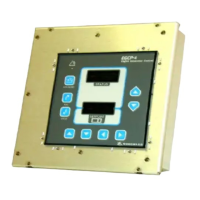
EGCP-1
Engine Generator
Control Package
8406-020, 12 Vdc
8406-021, 24 Vdc
Operation (End User) Manual
Manual 26059

Table of Contents

Questions and Answers

  • S
    Samantha JohnsonAug 6, 2025
    Why won't my Woodward Portable Generator power up?
    • G
      Grace ReyesAug 6, 2025
      If the Woodward Portable Generator unit does not power up, it might be due to no input power supply. Check the +12 Vdc or +24 Vdc power supply. Also, ensure the proper polarity of the power supply to EGCP-1, as a reversed input power supply could be the cause. Disconnect the RS-422 comm port and verify data rates, as receiving data on the comm port can also prevent the unit from powering up.
  • T
    Theresa AlvarezAug 10, 2025
    What to do if voltages or currents displayed by EGCP-1 Woodward 8406-020 Portable Generator are different than measured?
    • S
      snyderjosephAug 10, 2025
      If the voltages or currents displayed by the EGCP-1 are different than the measured parameter, the EGCP-1 PT inputs may be inaccurately calibrated. Calibrate the appropriate PT input channel(s).
  • K
    kimberly24Aug 14, 2025
    Why does my Woodward Portable Generator power up and then cycle on and off when cranking?
    • J
      James ClarkeAug 14, 2025
      If your Woodward Portable Generator unit powers up and then cycles on and off when cranking, it could be due to a weak engine battery or the engine battery voltage dropping below 6 Vdc on cranking. To resolve this, charge or replace the engine battery.
  • T
    Tara MillerAug 18, 2025
    What to do if I/O STATUS shows relay is energized, but action does not occur on Woodward 8406-020?
    • D
      Deborah MoonAug 19, 2025
      If the I/O STATUS shows relay(s) is energized, but the action (i.e., alarm) does not occur, it indicates faulty wiring of the relay output contacts. Verify the wiring of the relay output contacts.
  • T
    Troy ClarkAug 23, 2025
    How to fix very small displayed generator voltages on Woodward Portable Generator?
    • M
      Madison SmithAug 23, 2025
      If the displayed generator voltages on your Woodward Portable Generator are very small, it could be due to faulty wiring of the generator Potential Transformers (PT’s). Verify the wiring of the generator Potential Transformers (PTs). It may also be that the generator PT inputs are improperly calibrated, so calibrate the appropriate PT input channel(s).
  • A
    aoconnorAug 27, 2025
    What to do if discrete inputs don’t show active in I/O STATUS screen on Woodward Portable Generator?
    • R
      Rachel MorrisAug 27, 2025
      If the discrete inputs don’t show active in the I/O STATUS screen when switches are activated on your Woodward Portable Generator, it could be due to faulty wiring of the discrete input switches. Verify the wiring of the discrete input switches.
  • M
    morganmaryAug 31, 2025
    Why is the generator voltage fluctuating on my Woodward 8406-020?
    • S
      Sheila MillerAug 31, 2025
      If the generator voltage fluctuates or is unstable at no load on your Woodward Portable Generator, the AVR dynamics may be improperly set up. Tune the AVR dynamics for stable operation.

Summary

Electrostatic Discharge Awareness

Control Overview

Engine Control Functions

Functions related to engine starting, monitoring, and protection.

Synchronizing Features

Features for matching generator to mains or other generators.

Real (kW) Load Control

Functions for managing active power load and sharing.

Reactive (KVAR) Control

Functions for managing reactive power and power factor.

Automatic Generator Sequencing

Automatic starting/unloading of generators based on load.

Generator Protective Features

Fault detection and protection against voltage, frequency, and current issues.

Engine Protective Features

Fault detection and protection against engine parameters like temp and pressure.

PC Interface Capabilities

Capabilities for uploading/downloading setpoints and remote monitoring.

Operator Interface

Software Overview

Tuning Screens Access

Accessing and modifying setpoints via security code entry.

Control Features and Functions

Engine Control Features

Features for engine start, cranking, and protection settings.

Engine Protection Settings

Monitoring and alarm/shutdown settings for engine parameters.

Generator Voltage and Reactive Load Control

Control capabilities for generator voltage and reactive power.

Generator Protection Features

Fault detection and protection against generator electrical issues.

Mains Sensing Functionality

Monitoring of mains voltage and frequency for stability and alarms.

Synchronizing Capabilities

Modes and capabilities for synchronizing generators with mains or other units.

Load Control Modes

Modes of operation for managing generator load and sharing.

Generator Sequencing Function

Automatic addition/removal of generators based on system load and priority.

Engine Cranking Control

Automatic control of engine starting sequence and parameters.

Generator Voltage Control Methods

Functions for adjusting generator voltage via bias signals.

Generator Load Control Principles

Principles of power measurement and load control modes.

Process Control Description

Controlling a process variable via generator load.

Reactive Load Control Description

Adjusting generator voltage to match mains and control reactive load.

Synchronizer Description

Matching generator to system via phase, frequency, and voltage.

Dead Bus Closing Function

Closing a generator breaker to an unpowered bus.

Voltage Matching Function

Adjusting generator voltage to match system voltage for reduced reactive power flow.

Loss of Mains Detection and Action

Detecting mains failure and transferring load to generators.

Generator Sequencing Logic

Automatic addition/removal of units based on load and priority.

Calibration of Control Inputs and Outputs

Generator PTs and CTs Calibration

Calibration points for three-phase generator voltage and current.

Troubleshooting Guide

Control Hardware and I;O Troubleshooting

Common problems related to unit power, inputs, and outputs.

Engine Control;Sensing Troubleshooting

Troubleshooting issues with engine start, speed, and crank functions.

Synchronization Troubleshooting

Problems and solutions related to phase and voltage matching.

Breaker Close;Open Control Troubleshooting

Troubleshooting issues with breaker or contactor operation.

Real Load Control Troubleshooting

Problems and solutions for load control stability and accuracy.

Reactive Load Control Troubleshooting

Troubleshooting VAR/PF sharing and control issues.

Sequencing Troubleshooting

Issues with automatic unit sequencing and network communication.

Mains;Bus Sensing Troubleshooting

Troubleshooting problems related to mains detection and status.

Communications Troubleshooting

Issues with RS-485 network connectivity and reliability.

EGCP-1 Setpoint Worksheet

Configuration Menu Worksheet

Worksheet for configuring EGCP-1 parameters like security code and network settings.

Shutdown and Alarms Menu Worksheet

Worksheet for setting alarm and shutdown parameters.

Speed Bias Connections

Woodward 8406-020 Specifications

General IconGeneral
BrandWoodward
Model8406-020
CategoryPortable Generator
LanguageEnglish

Related product manuals