EasyManua.ls Logo

Woodward EGCP-1 - User Manual

Woodward EGCP-1
160 pages
Print Icon
To Next Page IconTo Next Page
Loading...
26059
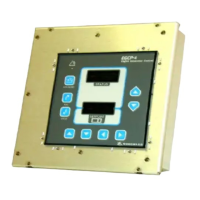
EGCP-1
Engine Generator
Control Package
8406-020, 12 Vdc
8406-021, 24 Vdc
Operation (End User) Manual
Manual 26059

Table of Contents

Questions and Answers

  • T
    Tamara GreenAug 3, 2025
    Why won't my Woodward EGCP-1 Portable Generator power up?
    • D
      Douglas DuranAug 3, 2025
      If the Woodward Portable Generator unit does not power up, it might be due to no input power supply. Check the +12 Vdc or +24 Vdc power supply. Also, ensure the proper polarity of the power supply to EGCP-1, as a reversed input power supply could be the cause. Disconnect the RS-422 comm port and verify data rates, as receiving data on the comm port can also prevent the unit from powering up.
  • D
    danielleswansonAug 7, 2025
    What to do if voltages or currents displayed by EGCP-1 Woodward Portable Generator are different than measured?
    • J
      Joshua VelezAug 7, 2025
      If the voltages or currents displayed by the EGCP-1 are different than the measured parameter, the EGCP-1 PT inputs may be inaccurately calibrated. Calibrate the appropriate PT input channel(s).
  • S
    Sarah LongAug 11, 2025
    Why does my Woodward Portable Generator power up and then cycle on and off when cranking?
    • D
      David ParksAug 11, 2025
      If your Woodward Portable Generator unit powers up and then cycles on and off when cranking, it could be due to a weak engine battery or the engine battery voltage dropping below 6 Vdc on cranking. To resolve this, charge or replace the engine battery.
  • C
    codymoralesAug 16, 2025
    What to do if I/O STATUS shows relay is energized, but action does not occur on Woodward EGCP-1 Portable Generator?
    • K
      Keith DanielAug 16, 2025
      If the I/O STATUS shows relay(s) is energized, but the action (i.e., alarm) does not occur, it indicates faulty wiring of the relay output contacts. Verify the wiring of the relay output contacts.
  • D
    Dale AllenAug 20, 2025
    How to fix very small displayed generator voltages on Woodward Portable Generator?
    • E
      Erica LeeAug 20, 2025
      If the displayed generator voltages on your Woodward Portable Generator are very small, it could be due to faulty wiring of the generator Potential Transformers (PT’s). Verify the wiring of the generator Potential Transformers (PTs). It may also be that the generator PT inputs are improperly calibrated, so calibrate the appropriate PT input channel(s).
  • T
    Tony LewisAug 25, 2025
    What to do if discrete inputs don’t show active in I/O STATUS screen on Woodward EGCP-1 Portable Generator?
    • D
      Dr. Jennifer BradfordAug 25, 2025
      If the discrete inputs don’t show active in the I/O STATUS screen when switches are activated on your Woodward Portable Generator, it could be due to faulty wiring of the discrete input switches. Verify the wiring of the discrete input switches.
  • S
    Scott GomezAug 28, 2025
    Why is the generator voltage fluctuating on my Woodward EGCP-1?
    • T
      Todd BrownAug 28, 2025
      If the generator voltage fluctuates or is unstable at no load on your Woodward Portable Generator, the AVR dynamics may be improperly set up. Tune the AVR dynamics for stable operation.

Summary

Chapter 1: General Information

Introduction and Control Options

Overview of EGCP-1 package, its models, power inputs, and nominal consumption.

Control Part Numbers

Lists part numbers for EGCP-1 models with supply voltages and input ranges.

Chapter 2: Electrostatic Discharge Awareness

Chapter 3: Control Overview

Introduction and Key Functions

Describes EGCP-1 package and lists its core functions like Engine Control, Synchronizing, and Load Control.

Operator Interface Details

Explains EGCP-1 operator interface design, LCD screens, backlight, and key functions.

Chapter 4: Software Overview

Menu Navigation and Status Screens

Explains menu structure, navigation keys, and details various status screens available.

Tuning Screens and Configuration Access

Describes accessing tuning setpoints via security code and the process of configuration.

Chapter 5: Control Features and Functions

Engine Control and Protection Features

Covers programmable engine controls, protection features like oil pressure, water temp, and overspeed.

Generator Control and Protection Features

Details generator voltage, reactive load control, and protection features like overcurrent and loss of excitation.

Mains Sensing Features

Explains interaction with mains including voltage/frequency limits and loss of mains detection.

Synchronizing Functions

Explains synchronizing functions like phase match, voltage matching, and dead bus closing.

Load Control Modes

Details load control modes such as proportional load sharing, base load, and process control.

Generator Sequencing

Covers automatic generator sequencing based on system load and unit priority for multi-unit setups.

Chapter 6: Calibration of Control Inputs and Outputs

PT, CT, and Bus PT Calibration

Details calibration for generator and bus PTs/CTs, affecting voltage, current, and power readings.

Speed and Voltage Bias Output Calibration

Explains calibration for speed and voltage bias outputs affecting synchronization and load control.

Chapter 7: General Startup Instructions

Pre-Startup Checks and Configuration

Guides on checking wiring, polarity, voltage, and configuring setpoints before unit startup.

Startup Sequence and Loading Procedures

Provides step-by-step procedures for unit startup, parameter checks, and loading the generator.

Chapter 8: Troubleshooting

Control Hardware, Engine, and I;O Troubleshooting

Addresses problems with unit power, I/O, engine control, sensing, and starter engagement issues.

Synchronization, Breaker, and Load Control Troubleshooting

Covers issues with phase/voltage matching, breaker closure, load control, and sequencing problems.

Mains Sensing and Communications Troubleshooting

Addresses problems with mains response, sequencing displays, and RS-485 network issues.

Chapter 10: Service Options

Service Options and Equipment Return

Outlines factory service options like replacement, repair, and procedures for returning equipment for service.

Appendix A: EGCP-1 Setpoint Worksheet

Setpoint Configuration Worksheets

Provides worksheets for setting EGCP-1 configuration parameters and shutdown/alarm setpoints.

Appendix B: Connector Information

Connector Details and Wire Recommendations

Lists mating connectors, protective hoods, crimp types, and recommended wire specifications.

Appendix C: Download Instructions

Software Download Purpose and Procedures

Explains the software for configuration file management and provides upload/download usage instructions.

Appendix D: Speed Bias Connections

Woodward EGCP-1 Specifications

General IconGeneral
DisplayLCD
Output Voltage120/240V AC
Protection FeaturesOvervoltage, Undervoltage, Overfrequency, Underfrequency, Overcurrent
Output Frequency50/60 Hz
Control TypeDigital

Related product manuals