
 Need help?
Do you have a question about the Worcester Greenstar 2000 and is the answer not in the manual?
Details the meaning of warning symbols used in the manual for hazard communication.
Provides essential safety guidelines for operating the appliance and user responsibilities.
Details the importance of maintaining system pressure for safe and efficient operation of sealed heating systems.
Provides instructions on how to refill the heating system if the pressure is too low.
Explains the procedure for turning the appliance on and off, including initial fill mode.
Guides users on basic checks and fault code interpretation before contacting service.
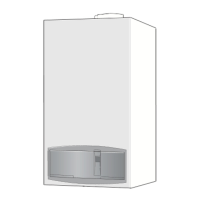
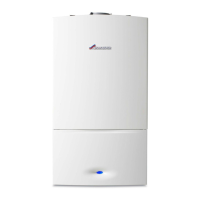
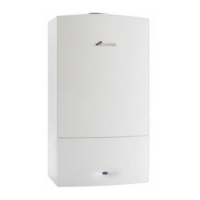
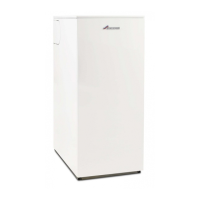
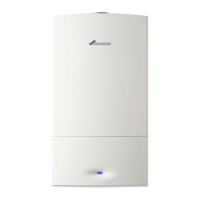
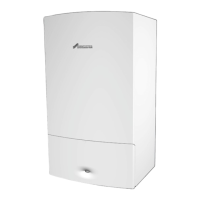
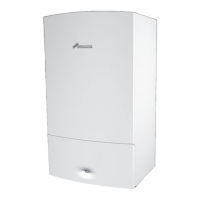
The Worcester Greenstar 2000 is a gas-fired condensing combi appliance designed for heating boiler water and domestic hot water (DHW). It is manufactured to strict quality control standards, ensuring exceptional quality, proven reliability, and high energy efficiency for economical running costs.
The Greenstar 2000 operates as a sealed heating system, meaning it is pre-pressurised before use. It provides central heating (CH) and domestic hot water (DHW) on demand. The appliance features a control panel with a digital display that shows temperature, status, and diagnostic codes.
Heating Mode: The appliance allows users to set a maximum flow temperature for central heating, ranging from 30 °C to 82 °C. The current flow temperature is displayed, and a flashing symbol indicates active heating. For most installations complying with current building regulations, the CH control is set at approximately 65 °C. If the CH temperature is set higher than the DHW temperature, the hot water temperature may briefly exceed the DHW set point, making it advisable to fit a thermostatic mixing valve (TMV) at points of use like baths or showers to prevent scalding.
Domestic Hot Water (DHW) Heating: Users can adjust the DHW temperature via the control panel. A flashing symbol indicates active DHW mode. The appliance offers two modes for DHW heating:
Summer Mode: In summer mode, the heating pump and central heating are switched off, while the DHW supply and power supply for heating controls and timers remain active. Frost protection is not available in this mode, so it's important to exit summer mode if there's a risk of frost.
Manual Mode: This mode allows the boiler to operate independently of external controls, useful in case of technical issues with time and temperature controls. It can be activated by pressing and holding a specific key for 5 seconds, displaying the flow temperature between two hyphens. Manual mode is intended for limited use until controls are fixed.
Frost Protection: The appliance has a frost protection function that ensures the heating pump is operational and circulates heating water through the system. To maintain frost protection, the heating should be left switched on, and the room thermostat set to 12 °C. The anti-seizing function, which prevents the heating pump and diverter valve from seizing after long periods of inactivity, is not active when the appliance is switched off.
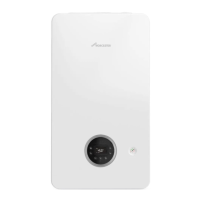
Control Panel: The control panel provides an intuitive interface with dedicated keys for heating mode, hot water mode, economy mode (pre-heat off), saving settings, and navigating menus. A pressure gauge is also integrated to monitor system pressure.
Screen Display: The digital display shows various indicators:
System Pressure Management: The appliance's pressure gauge indicates system pressure, with a shaded area between 0 and 1 bar indicating low pressure. Users should regularly check the pressure and re-pressurise the system if it drops below 0.8 bar. Static pressure (when cold) should be 1-1.5 bar, and operating pressure (when firing) 1-2 bar.
Topping Up System Pressure: The Greenstar 2000 can be re-pressurised using either an external filling loop or a keyless filling link located underneath the appliance.
Quick Tap Function: This feature helps save water. By fully opening a hot water tap for at least 3 seconds to ignite the boiler, then closing it and waiting up to 30 seconds, hot water will be available. This can save an average of 3.5 litres of water, though savings vary based on pipework design and seasonal factors.
Servicing: Annual servicing by a competent, qualified person (e.g., a Worcester service engineer or Gas Safe registered engineer in the UK, or Registered Gas Installer in the Republic of Ireland) is essential for continued safe, reliable, and environmentally optimum operation. The service engineer should complete the Service Record in the Benchmark Checklist after each service.
Appliance Maintenance: The appliance casing should be wiped with a soft, clean cloth, avoiding chemical cleaning products that could damage the paint finish. Regular checks of system pressure are recommended for sealed heating systems. The flue outlet and air inlet must not be obstructed. In hard water areas, a device to prevent scale formation may be fitted, and a bypass valve should be used when filling the heating system with untreated water.
Troubleshooting: The appliance displays fault codes (e.g., "A 214") when a malfunction occurs. Basic checks, such as verifying electrical power, programmer settings, thermostat levels, cold water supply, and gas supply, should be performed before contacting an engineer. Some faults may require switching the appliance off and on again, or simultaneously pressing the up and down arrows to reset. If a fault persists, users should contact an approved installer or Worcester, Bosch Group appointments team, providing the fault code, appliance type, serial number, and commissioning date.
Clearances and Ventilation: Adequate space around the appliance is necessary for operation, safety, and servicing. Minimum clearances are specified for width (400mm), height (724mm), depth (300mm), and for maintenance access (e.g., 1094/1134mm overall height, 900mm overall depth, 600mm in front of appliance). Reduced front maintenance clearances (down to 450mm) are possible under specific conditions, such as the appliance case being 1000-1500mm from the floor and maintaining clear space around it. Ventilation must not be restricted or contaminated, and objects should not hinder air circulation.
Environmental Protection: The appliance is designed with environmental protection in mind, using recyclable materials. Used appliances contain valuable materials and should be disposed of at waste collection points for treatment, recycling, and disposal, in accordance with waste electrical and electronic equipment regulations. Batteries must also be disposed of in local collection systems.
Energy Saving Tips: Beyond the Quick Tap function, the manual provides tips for economical heating:
 General
| Model | Greenstar 2000 |
|---|---|
| Category | Boiler |
| Fuel Type | Natural Gas |
| ERP Rating | A |
| Warranty | 5 years |
| Type | Combi |
| Efficiency | Up to 93% |


 To Next Page
