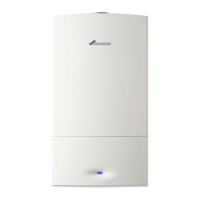
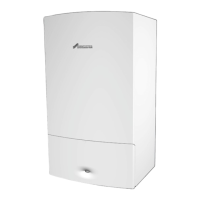
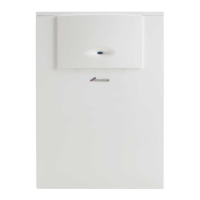
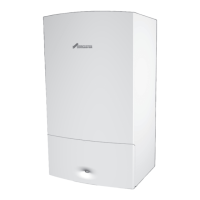
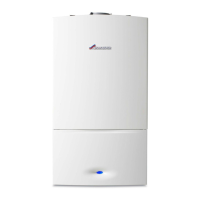
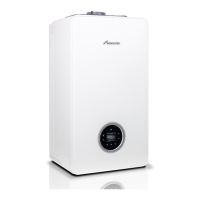
This document provides user instructions for the Worcester Greenstar 4000 GR4700iW S, a gas-fired condensing system appliance designed for heating boiler water and domestic hot water (DHW).
Function Description
The Greenstar 4000 is a gas-fired condensing system appliance primarily used for heating boiler water and domestic hot water. It operates by burning gas to heat water, with a condensing mechanism to improve efficiency. The appliance is designed to provide a high level of comfort while minimizing fuel consumption and environmental impact. It delivers heat at the correct rate only when there is a clear demand from the system.
The appliance features a control panel with various keys and a display to manage its operation. Key functions include:
- Heating Mode (Ⅲ): Activates or deactivates the central heating.
- Domestic Hot Water (DHW) Mode: Activates or deactivates DHW heating.
- Menu (≡): Provides access to various settings and information.
- Select/Save (ok): Confirms selections, saves settings, and controls DHW eco/preheat modes.
- Back Arrow (↶): Exits menus without saving changes.
- Up/Down Arrows (▲/▾): Used for menu navigation and adjusting values.
The display shows symbols indicating the burner status, Wi-Fi/RF connection (if accessories are fitted), central heating adjustment (On, Auto, Once, Off), DHW adjustment (On, Auto, Once, Off (eco)), fault conditions, cleaning mode, and energy consumption (estimated gas and kWh).
The appliance can be set to operate via time programs when Key control accessories are fitted, allowing for automated switching of heating and DHW modes. In "Auto" mode, heating/DHW follows programmed times. "Once" mode allows for a single on/off period.
The system includes frost protection, which is crucial during cold weather to prevent freezing. Users are advised to keep the heating system in constant use when frost is a risk or to set an external programmer to constant and the room thermostat to 12 °C if leaving the property unoccupied.
For DHW cylinders, thermal disinfection is recommended after long downtimes to prevent bacterial contamination, such as legionella. This procedure should be carried out by a qualified engineer.
Usage Features
The Greenstar 4000 offers several user-friendly features for controlling heating and hot water:
System Pressure Management:
- The appliance operates with a sealed heating system that requires maintaining a specific pressure for safe use.
- System pressure can be checked via a pressure menu on the display, which shows static (cold appliance) and operating (firing appliance) pressures.
- Low pressure is indicated by a shaded area on the display (0 to 0.79 bar) and a message.
- Topping up the system pressure involves using an external filling loop. The bottom panel needs to be removed to access the filling link. The process includes attaching a hose, opening isolation valves, monitoring the pressure menu until it reads "OK" (green zone), closing valves, removing the hose, and replacing the blanking cap.
- If overfilled (above 1.7 bar), users can bleed a radiator to reduce pressure.
Temperature Adjustment:
- Appliance Flow Temperature: The maximum flow temperature for central heating can be adjusted between 30 °C and 82 °C using the
Ⅲ key and arrow buttons. This setting is saved automatically.
- DHW Temperature: The hot water temperature can be set between 35 °C and 60 °C using the
key and arrow buttons. This setting is also saved automatically.
DHW Modes:
- Eco Mode: The appliance heats the cylinder when its temperature falls approximately 12 °C below the set temperature. This is the default mode.
- Preheat Mode: The appliance heats the cylinder when its temperature is approximately 6 °C below the set temperature, topping up the cylinder more frequently for quicker heat-up times, useful for high-demand periods.
Menu Navigation:
- The menu is accessed via the
≡ key. Users navigate using the ▲ and ▾ keys, select items with ok, and change values with ▲ or ▾. Settings are saved by pressing ok.
- The
↶ key allows exiting the menu without saving changes.
Troubleshooting:
- In case of a fault, a message with an icon and fault code (e.g., fault code 232) is displayed.
- Users can attempt a fault reset by pressing the
▲ and ▾ keys until "Reset" is displayed.
- The manual provides basic checks for common issues like power supply, programmer settings, thermostat levels, and gas supply before contacting a service engineer.
- Specific guidance is given for extreme cold weather, including how to thaw a frozen condensate pipe using hot water bottles or cloths soaked in hot water, with warnings against using boiling water or thawing pipes at height.
- A gassing flow chart helps diagnose and address issues related to system pressure repeatedly increasing or dropping, which may indicate corrosion or leaks.
Maintenance Features
The Greenstar 4000 is designed for long-term reliability and performance, with several features and recommendations for maintenance:
Regular Servicing:
- Annual inspection, cleaning, and maintenance by an approved contractor are strongly recommended to ensure safe, reliable, and environmentally optimal operation.
- The "Benchmark" checklist, found in the Installation and Maintenance Instructions, should be completed by the installer and service engineer after each service. This document is vital for guarantee work and may be required by building control inspectors.
- The service record within the manual provides space to log regular servicing, which can be valuable for property resale.
User Maintenance:
- The appliance casing should be wiped with a soft, clean cloth. Chemical cleaning products should be avoided to prevent damage to the paint finish.
- For sealed heating systems, regular checks of the system pressure are necessary.
- The flue outlet and air inlet must not be obstructed.
- In hard water areas, a device to prevent scale formation may be fitted. If a salt-based water softener is installed, it must comply with local water company requirements, and a bypass valve should be used for filling/topping up the heating system with untreated water.
- If water needs to be added regularly to the heating system, a competent, qualified person should be called.
- To prevent thermostatic radiator valves from sticking, it is advisable to manually adjust them every 2-3 months.
Clearances and Ventilation:
- Specific minimum clearances around the appliance (width, height, depth, and sides) must be maintained for safe operation, servicing, and maintenance access.
- These clearances prevent overheating and allow for proper air circulation.
- No combustible materials (clothes, towels, paper, plastic bags) should be stored next to or on the appliance.
- The air supply must not be restricted or contaminated. Air vents, if installed, must not be blocked or sealed to ensure safe appliance operation.
Environmental Protection:
- The appliance uses compostable packaging materials, which can be disposed of in home compost heaps, garden waste, or food waste bins.
- Used appliances contain valuable, recyclable materials. They should be taken to waste collection points for treatment, recycling, and disposal, in accordance with waste electrical and electronic equipment regulations.
- Batteries must be disposed of in local collection systems, not with household waste.
Energy Saving Tips:
- The appliance is designed for high efficiency.
- For central heating systems with thermostatic radiator valves, an optimum setting of around 65 °C for the central heating temperature is recommended to ensure a return temperature below 52 °C, maximizing condensation.
- Reducing the room thermostat setting by 1 °C can reduce fuel consumption by up to 10%.
- Upgrading to the latest heating control systems is advised.
- Improving roof insulation (e.g., 200mm thickness) can significantly reduce heat loss.
- Replacing single-glazed windows with double-glazed units can prevent substantial heat loss.
- Avoid obstructing radiators with curtains or shelves to ensure optimal performance.
- Reducing draughts around doors and windows using suitable excluders can improve energy efficiency.

 Need help?
 General

 To Next Page
