WORK HERO DRY CANISTER – CD1
03
CARE AND MAINTENANCE
Caution:
Power cable
Always disconnect the cleaner from the power outlet by pulling out the plug directly,
NEVER by pulling on the power cable.
Faults
Do not continue to use this appliance if it appears to be faulty or the power cable is damaged.
If damaged, return the cleaner for repair by an authorised service centre in order to avoid a
safety hazard. Consult the troubleshooting guide in this manual if your vacuum cleaner fails
to operate properly. Contact an authorised service agent if the problem persists.
After use
Switch the cleaner o and remove the plug form the mains power supply.
Protecting the environment
Once you have unpacked the unit, please consider the environment when disposing of
the packaging. Where possible please recycle the packaging.
ACCESSORIES
Your Work Hero vacuum cleaner has been
designed to handle a number of cleaning
chores - eortlessly and eciently.
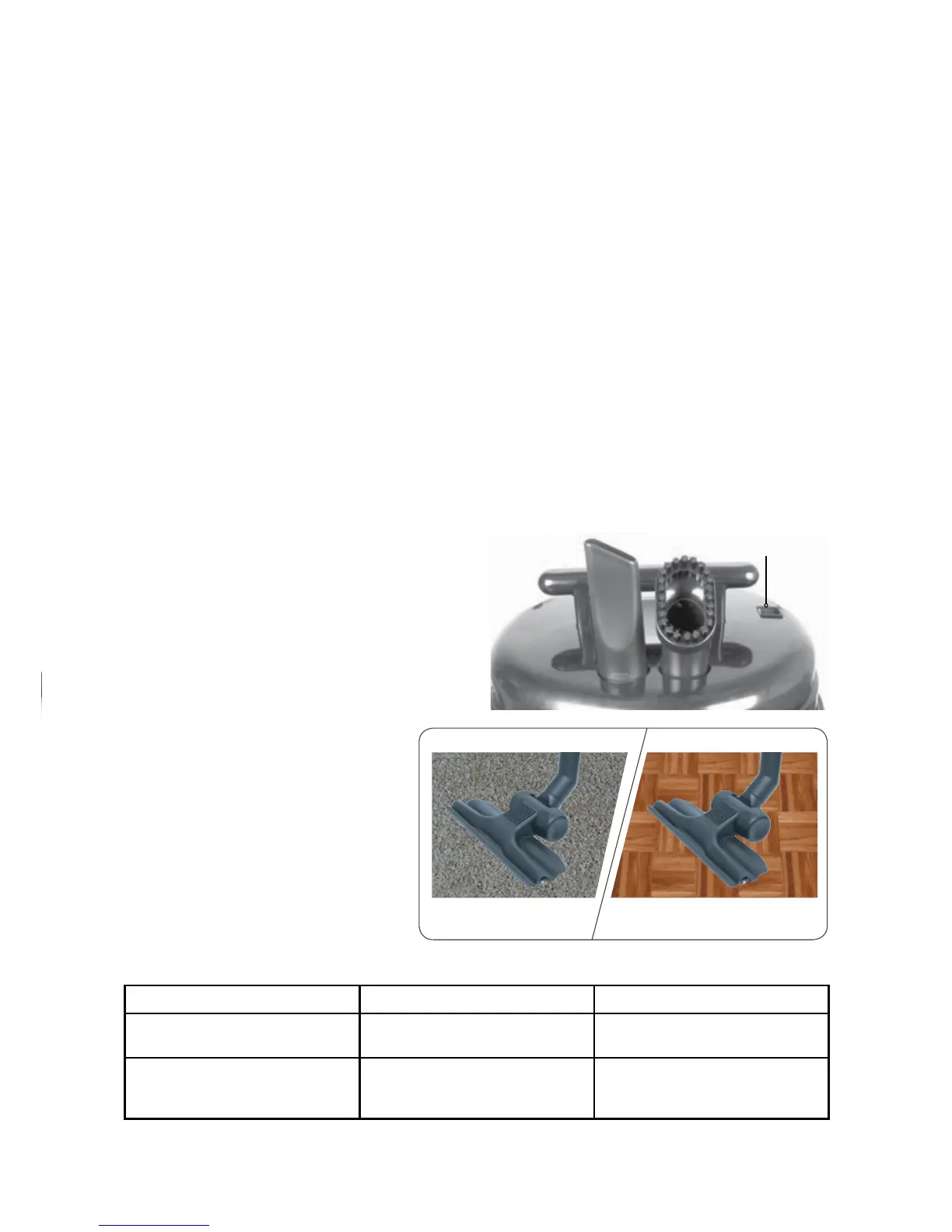
Accessories including a crevice tool and
dusting brush are conveniently located on
the top of the cleaner. Always switch o
and remove the plug before attaching any
accessories or cleaning the appliance.
NOTE: When removing the power cord from the electrical outlet, grasp the plug, not the cord.
PROBLEM CAUSE REMEDY
Motor does not start or stops No power supply Check cable, plug and socket. If
still inoperative see service agent
Suction force is gradually
decreasing
Canister is full, suction hose is
blocked or dirty lters
Disconnect cleaner from power
then empty canister. Remove
objects from hose, replace lters
TROUBLESHOOTING
AIR FLOW
INDICATOR
Carpet Hard Floors
Gulper Floor Tool
The Gulper Floor Tool is ideal for
cleaning carpets and hard oors.


 To Next Page