04 WORK HERO DRY CANISTER – CD1
EMPTYING CANISTER / CHANGING FILTER
Empty the canister when full. The canister must
be emptied when the suction starts to decrease or
when the air ow indicator located on top turns red.
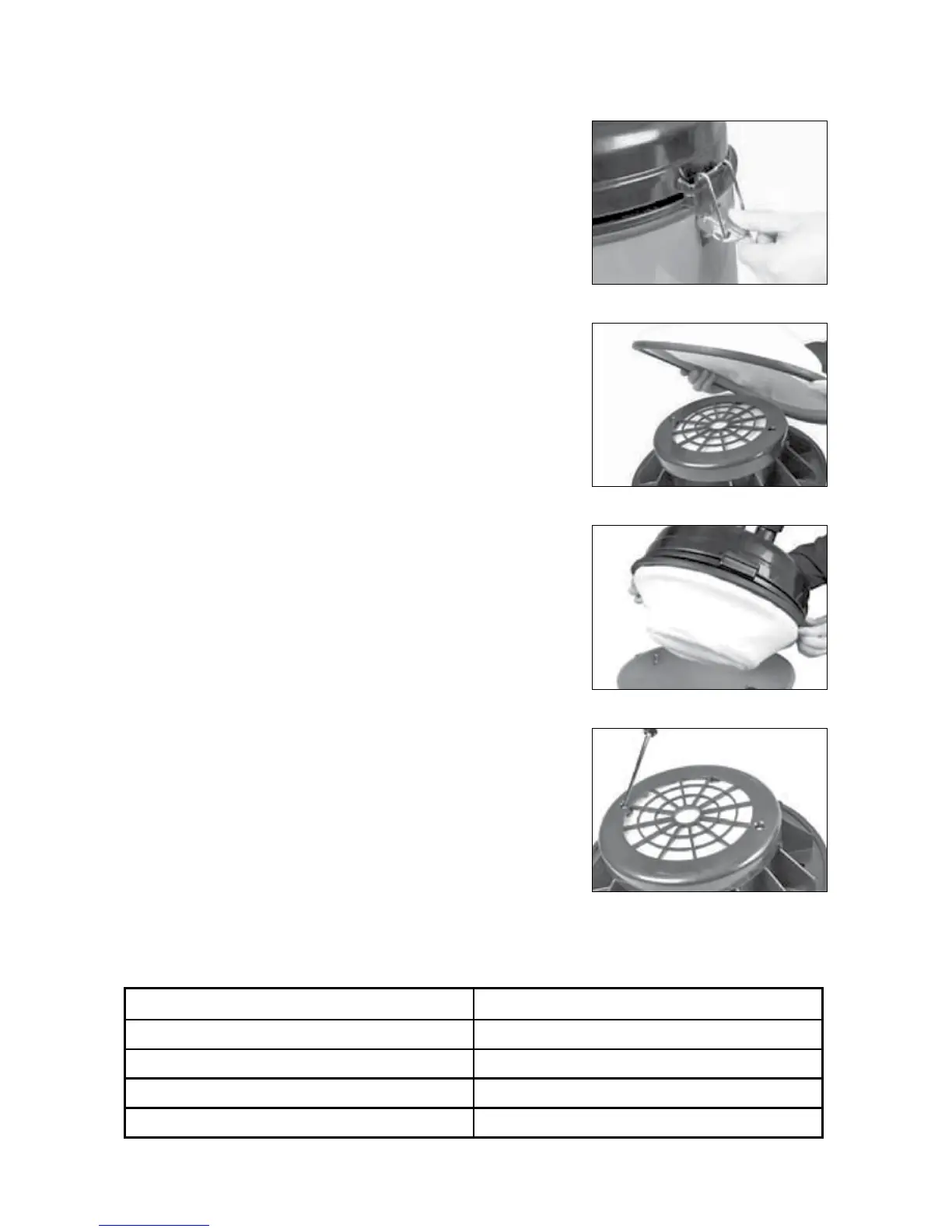
Disconnect cleaner from power and uncouple hose
from inlet duct. Release the dust compartment latches
located at the sides of the cleaner.
1 UNDO LATCH
Remove the top housing from the canister (Fig. 1).
2. REMOVE TOP HOUSING
Empty the contents of the canister into a rubbish
bin. Before replacing top housing remove the motor
protection lter cover and shake out any dust. You
can now access the second motor lter located under
the grille (Fig. 2).
3. REMOVE MOTOR FILTER
It is advisable to check the second motor lter located
under the motor grille - a dirty lter will restrict motor
performance and cleaning eciency (Fig. 3).
4. UNSCREW FILTER HOUSING
Undo the 2 screws, remove lter grille and replace
dirty lter. Reassemble grille. Ret motor protection
lter cover and replace top housing onto canister
making sure that the 2 latches are rmly closed
(Fig. 4).
CUSTOMER CARE
Please contact customer care 1800 815 270 to nd your local spare parts provider.
PRODUCT NUMBER PRODUCT DESCRIPTION
33400122 Cloth Filter Bag
33500266 Wheel Assembly
32200334 Inlet Filter
31210021 Hose Assembly
Fig. 1
Fig. 2
Fig. 3
Fig. 4


 To Next Page