EasyManua.ls Logo

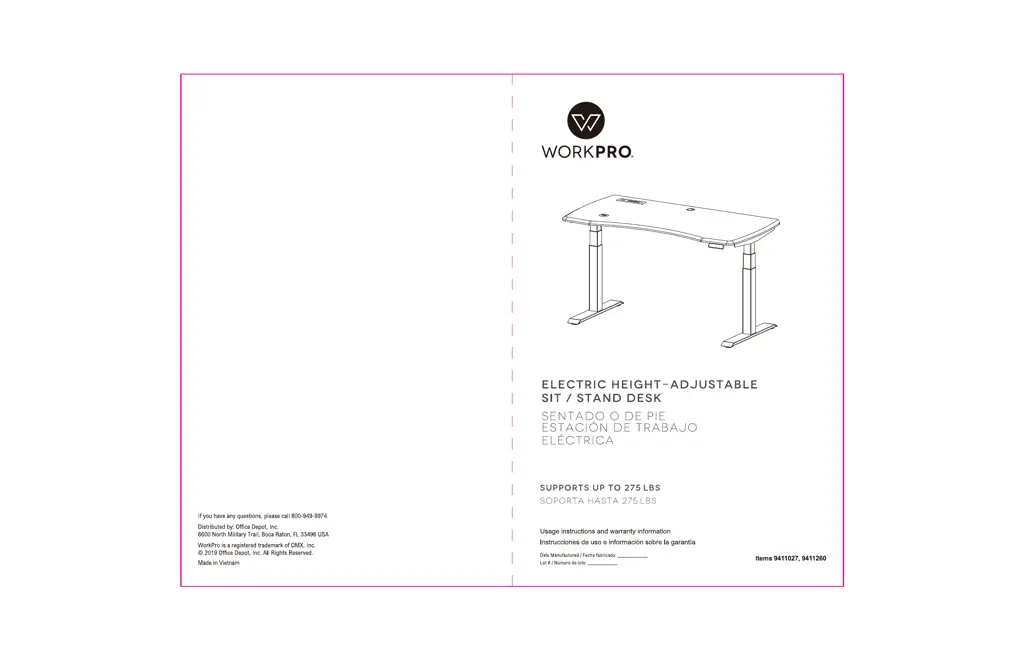
WorkPro 9411027 - User Manual

WorkPro 9411027
14 pages
Print Icon
To Next Page IconTo Next Page
Loading...
version 0321

Questions and Answers

  • D
    Dylan MannAug 12, 2025
    What to do if my WorkPro Indoor Furnishing can lower down but cannot lift?
    • R
      Ricardo AlvarezAug 12, 2025
      If your WorkPro Indoor Furnishing can lower but not lift, try resetting it. Simultaneously press the “M” and “3” buttons for over 3 seconds until you hear a “BEE, BEE” sound. Then, press the “?” button to complete the reset.
  • C
    Christopher SingletonAug 15, 2025
    Why is the speed of lifting my WorkPro Indoor Furnishing slow?
    • J
      Jessica SchmittAug 15, 2025
      The lifting speed of your WorkPro Indoor Furnishing might be slow if it's overloaded. Ensure that the load does not exceed the maximum limit of 276lbs.
  • J
    Jeremy DrakeAug 23, 2025
    What to do if the distance lifted or lowered by my WorkPro Indoor Furnishing is not accurate?
    • S
      Sylvia TuckerAug 25, 2025
      If the lifting or lowering distance of your WorkPro Indoor Furnishing isn't accurate, try resetting it. Press the “M” and the “3” buttons at the same time for more than 3 seconds. When you hear the “BEE, BEE” sound, keep pressing the “?” button to reset.
  • C
    Charles LuceroAug 27, 2025
    What to do if my WorkPro Indoor Furnishing surface is downward sliding?
    • Y
      youngbrendaAug 27, 2025
      If your WorkPro Indoor Furnishing surface is sliding downwards, it could be overloaded. Make sure that you do not exceed the maximum loading weight of 276lbs.
  • Y
    Yesenia JonesAug 30, 2025
    What to do if my WorkPro Indoor Furnishing is overwork?
    • T
      twoodsAug 30, 2025
      If your WorkPro Indoor Furnishing has been working continuously, suspend it for 18 minutes while keeping it connected to a power source to allow it to restart.
  • A
    aprilandersonSep 4, 2025
    What to do if I press the “up” or “down” button on my WorkPro Indoor Furnishing and nothing happens?
    • D
      dbellSep 4, 2025
      If pressing the “up” or “down” button on your WorkPro Indoor Furnishing does not produce any action, check to ensure all cables are properly connected.
  • M
    matthewhooperSep 7, 2025
    What to do if long pressing the down button on WorkPro Indoor Furnishing causes no action?
    • C
      Christopher OconnorSep 8, 2025
      If long pressing the down button on your WorkPro Indoor Furnishing results in no action, verify that all the cables are well connected.
  • M
    mlinSep 10, 2025
    What to do if my WorkPro Indoor Furnishing automatically resets a lot?
    • M
      Melissa WrightSep 12, 2025
      If your WorkPro Indoor Furnishing resets frequently, it might be due to overloading. Check that the load is not exceeding the maximum limit of 276lbs.

Summary

Product Overview and Support

Contact Information and Branding

Basic customer support contact details and brand identification.

Usage Instructions and Warranty Information Reference

Guides users to find detailed usage and warranty information.

Technical Specifications and Parts Identification

Technical Data and Specifications

Lists key performance metrics, dimensions, and electrical data.

Component and Accessory List

Identifies all parts and accessories included for assembly.

Assembly Instructions

Step-by-Step Assembly Guide

Comprehensive instructions covering all steps from initial setup to final assembly.

Troubleshooting Guide

Common Faults and Solutions

Provides solutions for frequently encountered operational problems.

Important Usage Notes and Disposal

General Attention and Safety Precautions

Crucial advice for safe operation and handling.

Waste Disposal Instructions

Guidance on environmentally responsible product disposal.

Wireless Charger Integration and Compliance

Wireless Charger Specifications and Operation

Details on the wireless charger's functionality and setup.

FCC Compliance Statement

Regulatory declaration regarding radio frequency emissions.

Hand Switch Control Panel and Functionality

Hand Switch Overview and Operation

Explains controls, display, height adjustment, and memory functions.

Hand Switch Troubleshooting and Error Codes

Addresses error messages and their resolutions for the hand switch.

Office Depot Product Warranty and Service

Limited Lifetime Warranty Terms and Conditions

Outlines the warranty coverage, exclusions, and duration.

Warranty Service and Claims Procedures

Instructions on how to obtain warranty support and make a claim.

WorkPro 9411027 Specifications

General IconGeneral
BrandWorkPro
Model9411027
CategoryIndoor Furnishing
LanguageEnglish

Related product manuals