Setting the Outlet Pressure
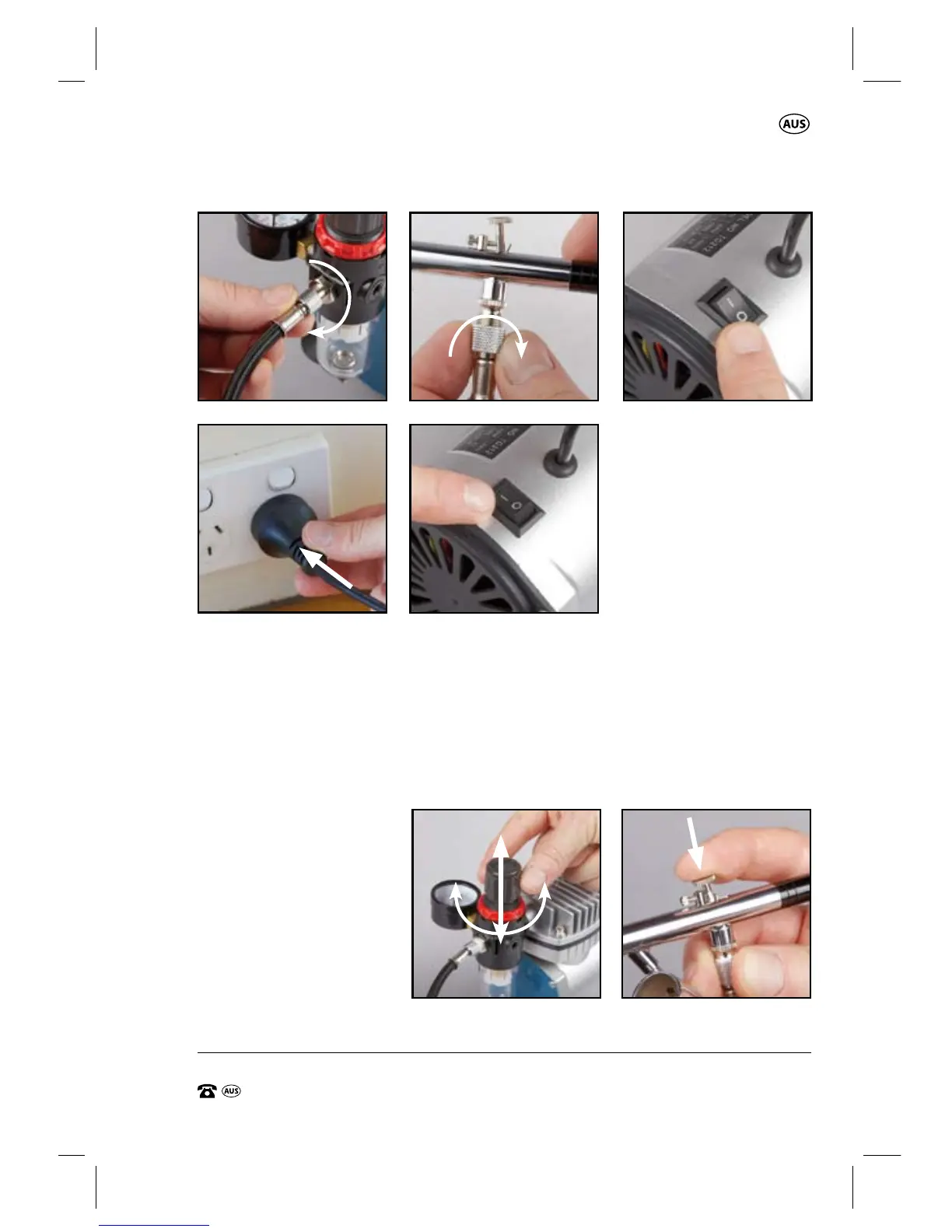
1. After the compressor has been set up with the braided hose (7), air brush
gun (15) and connected to the mains supply, turn on the compressor
by pressing the section marked “I” on the On/o switch (1) (Fig E). The
compressor will start and run for a short period of time. i.e 3-5 seconds.
2. Lift the air pressure adjustment knob (5) on the air outlet regulator (29)
upward (Fig F).
3. Depress the trigger
(23) on the air brush
gun (15), but do
NOT pull backward
to engage the paint
discharge (Fig G).
C.B.A.
D.
E.
TIGHTEN
TIGHTEN
“O” = OFF
“I” = ON
F.
INCREASE DECREASE
UNLOCK
LOCK
G.


 To Next Page