EasyManua.ls Logo

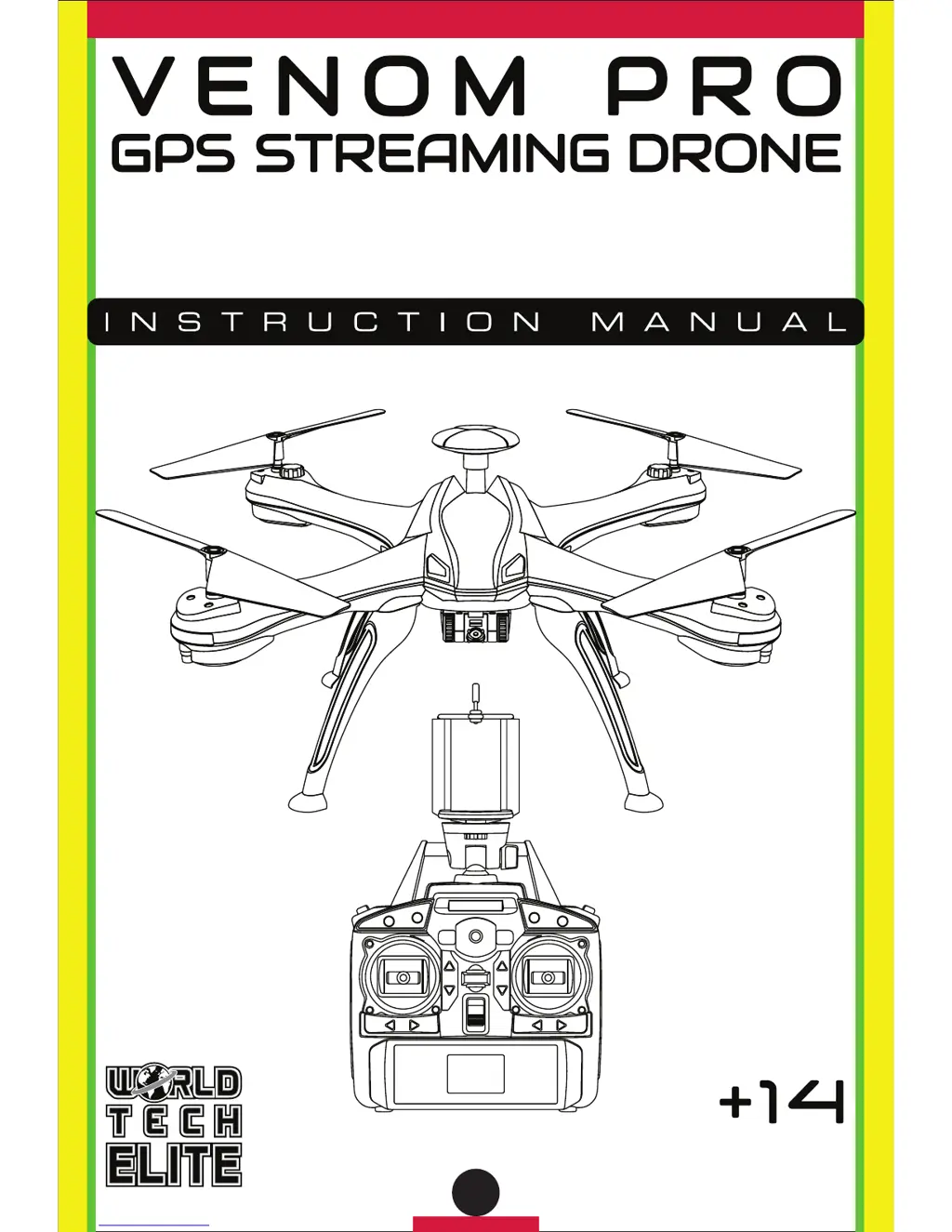
World Tech Toys VENOM PRO - User Manual

World Tech Toys VENOM PRO
16 pages
Print Icon
To Next Page IconTo Next Page
Loading...
ITEM NO. 33049
GPS STREAMING HD CAMERA
2.4GHz 4.5CH RC QUADCOPTER

Questions and Answers

  • C
    Christopher NguyenJul 27, 2025
    What to do if my World Tech Toys VENOM PRO Drones rotors spin but it doesn’t take off?
    • K
      Kristin LittleJul 27, 2025
      If your World Tech Toys Drone's rotors are spinning but it's not taking off, it could be due to several reasons. First, ensure the drone's battery pack is fully charged. Second, check if any of the rotors are damaged and replace them if necessary. Lastly, make sure the drone is placed on a flat surface before attempting to take off.
  • R
    Rachel LeeJul 31, 2025
    Why is my World Tech Toys Drone unresponsive?
    • C
      Connie GrantJul 31, 2025
      If your World Tech Toys Drone is unresponsive, there might be a few reasons. First, make sure both the transmitter and the drone are powered ON. Second, check the transmitter batteries to ensure they are installed with the correct polarity. Finally, if the batteries are drained, install fresh batteries in the transmitter.
  • P
    Paul PerezAug 4, 2025
    Why is my World Tech Toys Drone shaking when flying?
    • M
      Michael DelgadoAug 4, 2025
      If your World Tech Toys Drone is shaking during flight, it's likely that the rotors are damaged. Replace the damaged rotors to resolve this issue.
  • W
    williamssamanthaAug 8, 2025
    How to fix World Tech Toys VENOM PRO when the transmitter light keeps flashing?
    • E
      Erin BernardAug 8, 2025
      If your World Tech Toys Drone is unresponsive, and the transmitter light keeps flashing, the transmitter may not be syncing with the drone. To resolve this, repeat the power up process.
  • T
    Tommy AndersonAug 13, 2025
    What to do if World Tech Toys Drone and transmitter are ON but drone is unresponsive?
    • C
      Cristina JohnsonAug 13, 2025
      If your World Tech Toys Drone and transmitter are both ON, but the drone is still unresponsive, there could be two reasons. First, the drone’s battery pack might be drained, so charge it. Second, the drone might be locked. Unlock the drone, and the rotors will start spinning, allowing you to take off.
  • J
    Joan GomezAug 17, 2025
    What to do if World Tech Toys Drone still moves forward after recalibrating?
    • J
      Jennifer MarksAug 17, 2025
      If your World Tech Toys Drone continues to move forward after recalibrating, the gyroscope midpoint may be off. Turn off both the transmitter and the drone. Then, go through the power on process again, ensuring you place the drone on a flat surface before taking off.
  • H
    hsimmonsAug 21, 2025
    Why World Tech Toys Drone moves while hovering without transmitter input?
    • A
      Amanda GomezAug 22, 2025
      If your World Tech Toys Drone moves while hovering without any input from the transmitter, it likely needs recalibration. Recalibrate the drone.

Summary

Introduction

Safety and Precautions

Drone Diagram

Transmitter Diagram and Phone Cradle

Installing Rotor Guards

Installing Landing Skids

Installing Transmitter Battery

Installing Drone Battery

Charging the Drone Battery

Syncing Drone to Transmitter

Recalibrating the Drone

Compass Calibration

Process to calibrate the drone's magnetic compass for accurate flight. Includes clockwise and counter-clockwise rotations.

Gyro Calibration

Process to calibrate the drone's gyroscope for stable flight and hover control. Requires holding joysticks in specific positions.

Rotor Unlock;Lock and Auto Controls

Transmitter LCD Interface

Automatic Shutdown Functions

Flight Controls

Live Feed App and Camera Operation

Special Functions

Easy Mode

Simplifies drone controls by limiting directions relative to the pilot, useful for difficult control situations.

Orbit Mode

Drone flies in a circle around a set waypoint at a determined altitude and radius.

Waypoint Navigation

Drone follows a pre-defined path of waypoints using GPS telemetry, allowing for automated flight sequences.

Follow Me

Drone autonomously follows the smartphone's GPS location, requiring an open area and good GPS signal.

Flight Trace

Drone follows a drawn path on the app screen, allowing custom flight routes and waypoint editing.

Auto-Return (GPS)

Drone uses GPS to return to its takeoff point and land automatically, essential for safe recovery.

Post Flight

Replacing the Rotors

Troubleshooting

Notes

FCC Warnings

World Tech Toys VENOM PRO Specifications

General IconGeneral
BrandWorld Tech Toys
ModelVENOM PRO
CategoryDrones
LanguageEnglish

Related product manuals