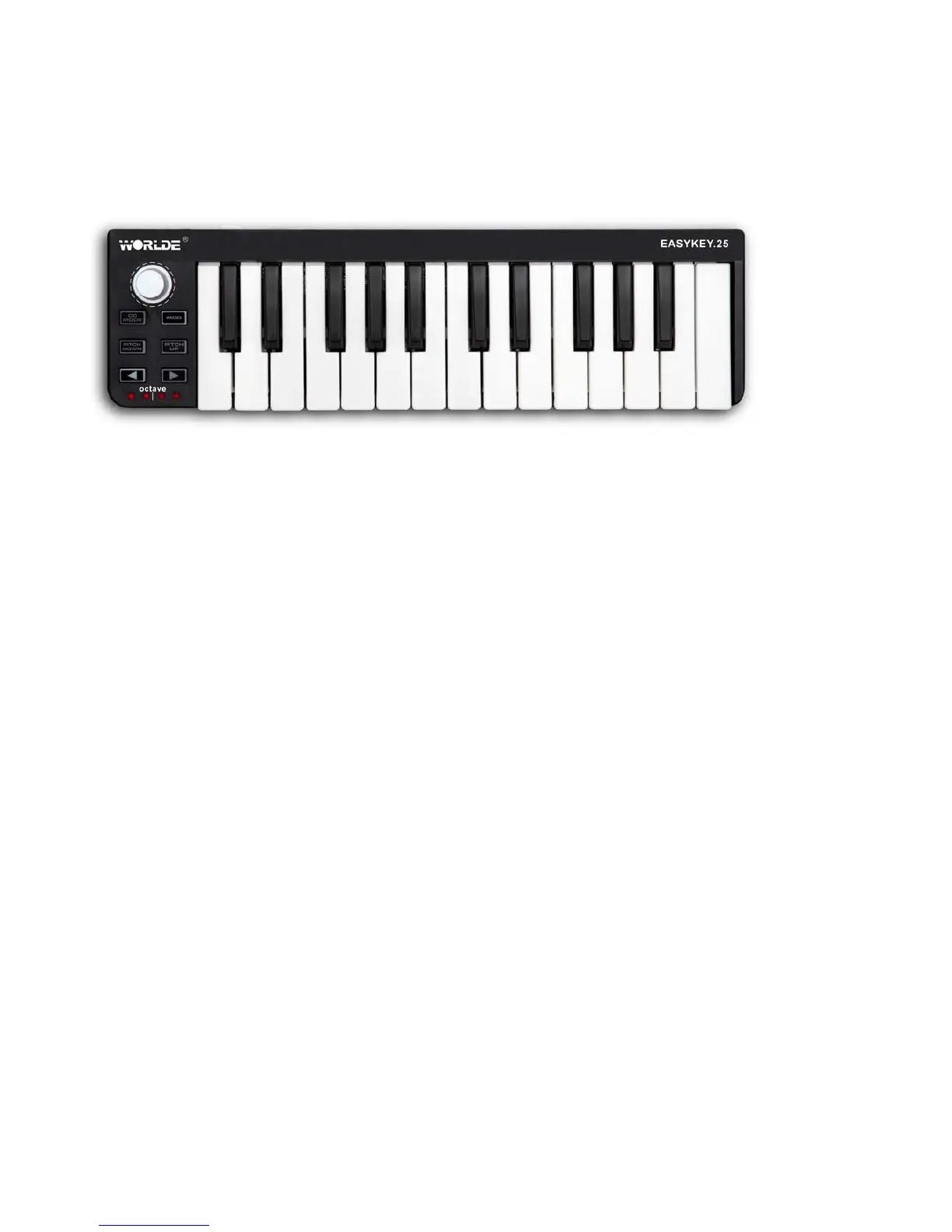
Parts and their functions
1. Keyboard
There are twenty-five velocity-sensitive keys that transmit note messages. When Edit mode is on, they
transmit control change messages.
2. [CC MODE] button
This button will toggle the CC mode on or off.
3. PITCH UP/PITCH DOWN buttons
These buttons are for pitch up and down when pressed.
4. [OCTAVE DOWN] / [OCTAVE UP] buttons
These select the pitch of the keyboard in steps of an octave. The pitch will shift downward by one octave
each time you press the [OCTAVE DOWN] button. The pitch will shift upward by one octave each time you
press the [OCTAVE UP] button.
By pressing the [OCTAVE DOWN] button and [OCTAVE UP] button simultaneously you can reset the
octave shift to +/-0.
5. Octave LEDs
These indicate the keyboard’s octave shift status.
6. USB connector
Connect the EASYKEY to your computer with a USB cable via this port.
7. Settled controller



 To Next Page