EasyManua.ls Logo

Worx Nitro WG325E.9 - User Manual

Default Icon
260 pages
Print Icon
To Next Page IconTo Next Page
Loading...
WG325E WG325E.X
P11
P24
P38
P52
P66
P81
P95
P109
P121
P133
P146
P160
P176
P189
P203
P215
P228
P242
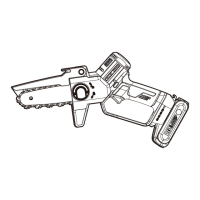
Cordless Pruning Saw
Kabellose Astsäge


Sierra podadora sin cable

Snoerloze snoeizaag
Ledningsfri grensav
Greinsag uten ledning
Sladdlös beskärningssåg








EN
D
F
I
ES
PT
NL
DK
NOR
SV
PL
GR
HU
RO
CZ
SK
SL
RU

Questions and Answers

  • K
    Kimberly RichmondAug 9, 2025
    Why is my Worx Nitro WG325E.9 chain/chain bar over-heating?
    • J
      Jason SmithAug 9, 2025
      Your Worx Nitro Cordless Saw chain/chain bar may be overheating because the chain is over tensioned. Adjust the chain tension to fix this. Another possible cause is a dull chain; in this case, you should sharpen or replace the chain.
  • S
    Sean DavisAug 19, 2025
    What to do if my Worx Nitro WG325E.9 operates intermittently?
    • C
      Carrie ChambersAug 19, 2025
      If your Worx Nitro Cordless Saw operates intermittently, it could be due to several reasons: overheating, applying too much pressure, loose connection, defective internal wiring or on/off switch. If the saw is overheating, place the machine in a cool, ventilated place to cool it down. Reduce the pressure applied while cutting. For loose connections, defective internal wiring or on/off switch, contact service agent.
  • D
    Derek MillerAug 30, 2025
    Why does my Worx Nitro WG325E.9 Cordless Saw rip, vibrate, or not saw properly?
    • W
      William BeckerAug 30, 2025
      If your Worx Nitro Cordless Saw rips, vibrates, or doesn't saw properly, it could be due to several reasons: * Chain tension too loose: Adjust the chain tension. * Dull chain: Sharpen or replace the chain. * Chain worn out: Replace the chain. * Chain teeth are facing in the wrong direction: Reassemble with the chain in the correct direction.

Summary

Safety Instructions

Work Area Safety

Ensuring a clean, well-lit work area, avoiding explosive atmospheres, and keeping bystanders away.

Electrical Safety

Proper grounding, avoiding wet conditions, and not abusing the power cord to prevent shock.

Personal Safety

Staying alert, using PPE, preventing unintentional starting, and proper dressing.

Power Tool Use and Care

Avoiding forcing the tool, ensuring it's repaired if faulty, and proper maintenance.

Battery Tool Use and Care

Recharging with specified charger, using correct battery packs, and keeping them away from metal objects.

Service

Having the tool serviced by a qualified person with identical parts.

General Pruning Saw Safety Warnings

Safety precautions specific to operating pruning saws, including body positioning and chain awareness.

Kickback Prevention and Causes

Understanding kickback causes and how to prevent it through proper handling and maintenance.

Extended Pole Safety Warnings

Safety guidelines for using the pruning saw with an extension pole, including footing and distance from power lines.

Battery Pack Safety Warnings

Warnings for handling and using the battery pack, including dismantling and short-circuiting.

Component List

Technical Data

Assembly

Operation

Guide Bar and Chain Maintenance

Troubleshooting Table

Worx Nitro WG325E.9 Specifications

General IconGeneral
CategoryCordless Saw
ModelWG325E.9
BrandWorx
Product NameWorx Nitro WG325E.9
Power SourceBattery
Battery Voltage20V
Battery TypeLithium-ion
Bar Length30 cm
Bevel Capacity45°

Related product manuals