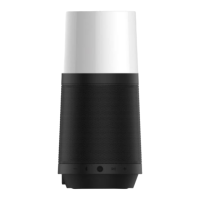
Wireless Speaker
Wireless Speaker component, which comprises two ring-shaped high quality speakers and two
bass-compensation diaphragms, delivers superb stereophonic sound, and the two speakers may
each be used separately or may be paired together to produce better still sound effects.
The acoustic module delivers superb stereophonic sound when its two wireless speakers are used
separately, and the speakers may also be paired to produce better still sound effects.
Press button and keep for 3 secs to turn on/off the speaker.
2、 Pairing to a wireless player
Turn on the speaker, symbol will be flashing in white, turn on the Bluetooth function of
your player, search and select “M5 by wowidea” in the list, symbol will be constant light in
white when paired successfully.
Touch the symbol to play or stop.
Touch the symbols to play previous or next.
Touch and hold on the symbols to make volume up or down.
When there is a call in,
touch the symbol to answer the call,
touch and hold on the symbol to reject,
touch the symbol to hang up the call.
5、 Dual wireless stereo pairing
You can make a dual wireless stereo pairing for better sound effect when you got two M5.
Turn on your wireless speakers, touch and hold on the symbol for 3 secs on any one, you
will hear a sound and the symbol goes into fast flashing in white, it will be set to the host
and left channel of the stereo, the other one will be automatically connected and be set to
slave, right channel. While, the symbol of the host one goes into slow flashing in white,


 To Next Page
 Loading...