Sonic Sensor Programs
a Ensure the Controller is in the Normal Command Mode
(indicator light on the Controller is DARK).
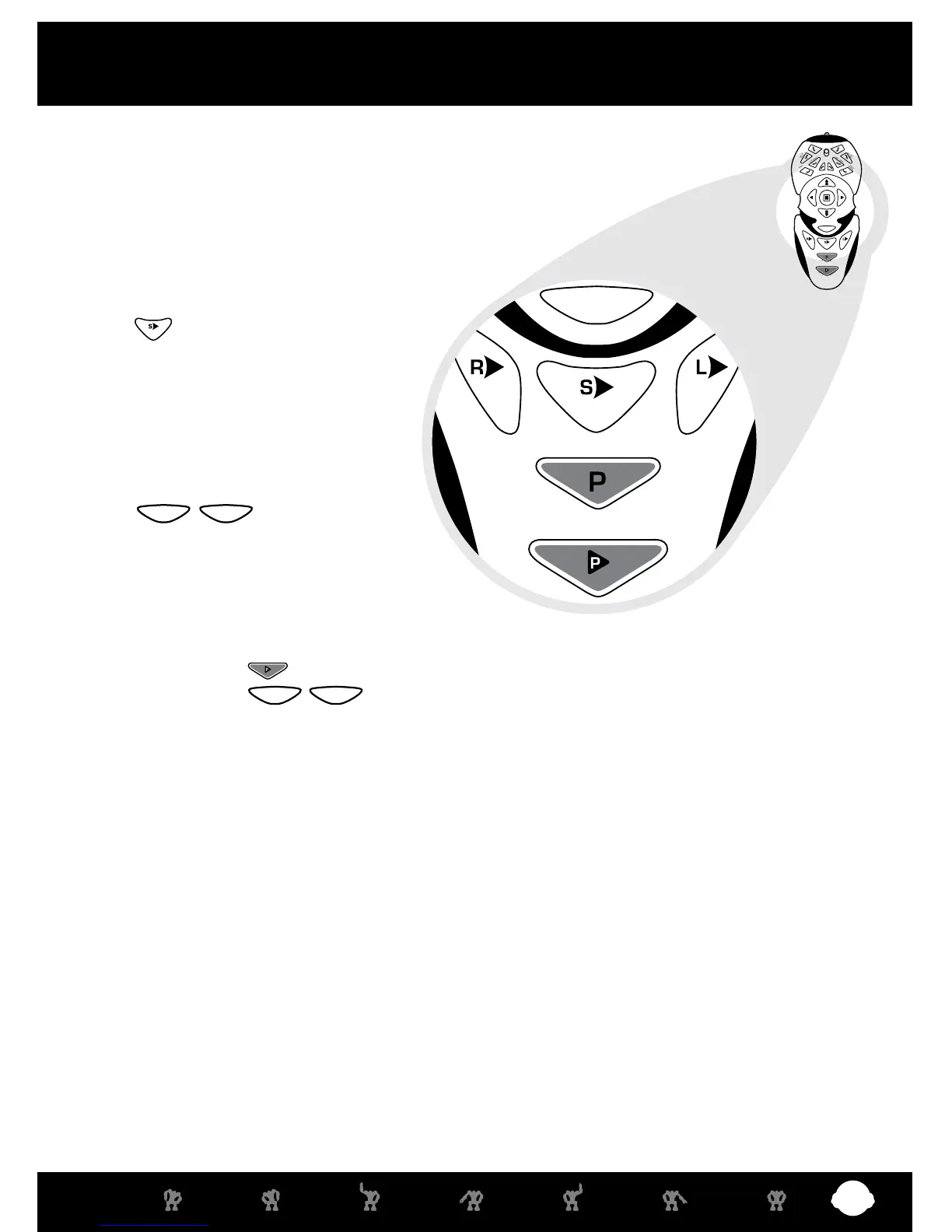
b Press the Sonic Sensor Program button
( ) once; Robosapien X™ says
“BEEP!”. You are now in Program Entry
Mode.
c Program up to SIX steps (the SELECT
button does not count as a step).
• For example:
WALK FORWARD, RIGHT ARM OUT, STOP,
( , , ROAR),
TILT BODY RIGHT, TILT BODY LEFT.
After six steps, Robosapien X™ will
automatically repeat your programmed
sequence so you can check what it will do.
d If you wish to program less than six steps, you need to ‘Close’ the program by pressing
PROGRAM PLAY ( ) after you’ve completed your selection - for example:
WALK FORWARD, ( , , HIGH 5), WALK BACKWARDS, PROGRAM PLAY.
e To review your program again, press SELECT once (Controller indicator light goes GREEN),
followed by Sonic Sensor button. Robosapien X™ will run through your routine.
f To put Robosapien X™ into SONIC RESPONSE mode, press SELECT followed by LISTEN.
He’ll now wait for a sharp sound or tap on his body, then run through your programmed routine.
Clearing the Program/Holding the Program
a To clear the Sonic Program and return to the Default Program, press the Sonic Program button
once, then PROGRAM PLAY.
b Turning Robosapien X™ off will also clear any previously set programs.
c Use the Sleep function ( SELECT, SLEEP ) to hold the program in Robosapien X™
’s memory for
up to two hours.
SELECT
SELECT
SELECT
SELECT
Programming Mode
sonic sensor
Robosapien X™ can be set up as a “Room Guard” or can even start
dancing to your favorite music using the built-in Sonic Sensor Program
function.















 To Next Page