Touch Sensors
The sensors on Robosapien X™ ’s Fingers,
Toes and Heels can all be programmed to
respond when touched. They also trigger
whenever he walks into an obstacles.
Right & Left Sensor Programs
a Ensure the Controller is in Normal Mode
(indicator light on Controller is DARK).
b Press the Right or Left Sensor Program button once
(Robosapien X™ beeps - you are now in Program Mode).
c Program up to six steps (the Select button does not count as step). For example:
Walk Forward, Right Arm Out, Left Arm Out, ( , , ROAR), Tilt Body Right, Tilt Body Left.
d Robosapien X™ will now automatically repeat your programmed sequence.
e If you wish to program less than six steps, you need to ‘Close’ the program by pressing
PROGRAM PLAY ( ) once, after you’ve completed your selection - for example:
Walk Forward, Turn Right, ( , ) High 5, PROGRAM PLAY ( ).
f To trigger the sensor, touch a long nger, or a toe/heel sensor (on the side corresponding to the
Sensor Program you set). Alternatively press SELECT once (GREEN command mode), followed by
R> or L> Sensor Program Execute (depending on which side has been programmed) and he’ll also
run through the routine.
Clearing the Program/Holding the Program
a To clear the program and return to the Default Program, press the Right, or Left Sensor Program
button once, followed by the Program Play button and the program will clear.
b Turning Robosapien X™ off will also clear any previously set programs.
c Use the Sleep function to hold the program in Robosapien X™ ’s memory for up to two hours.
SELECT
SELECT
SELECT
SELECT
Programming Mode
touch sensors
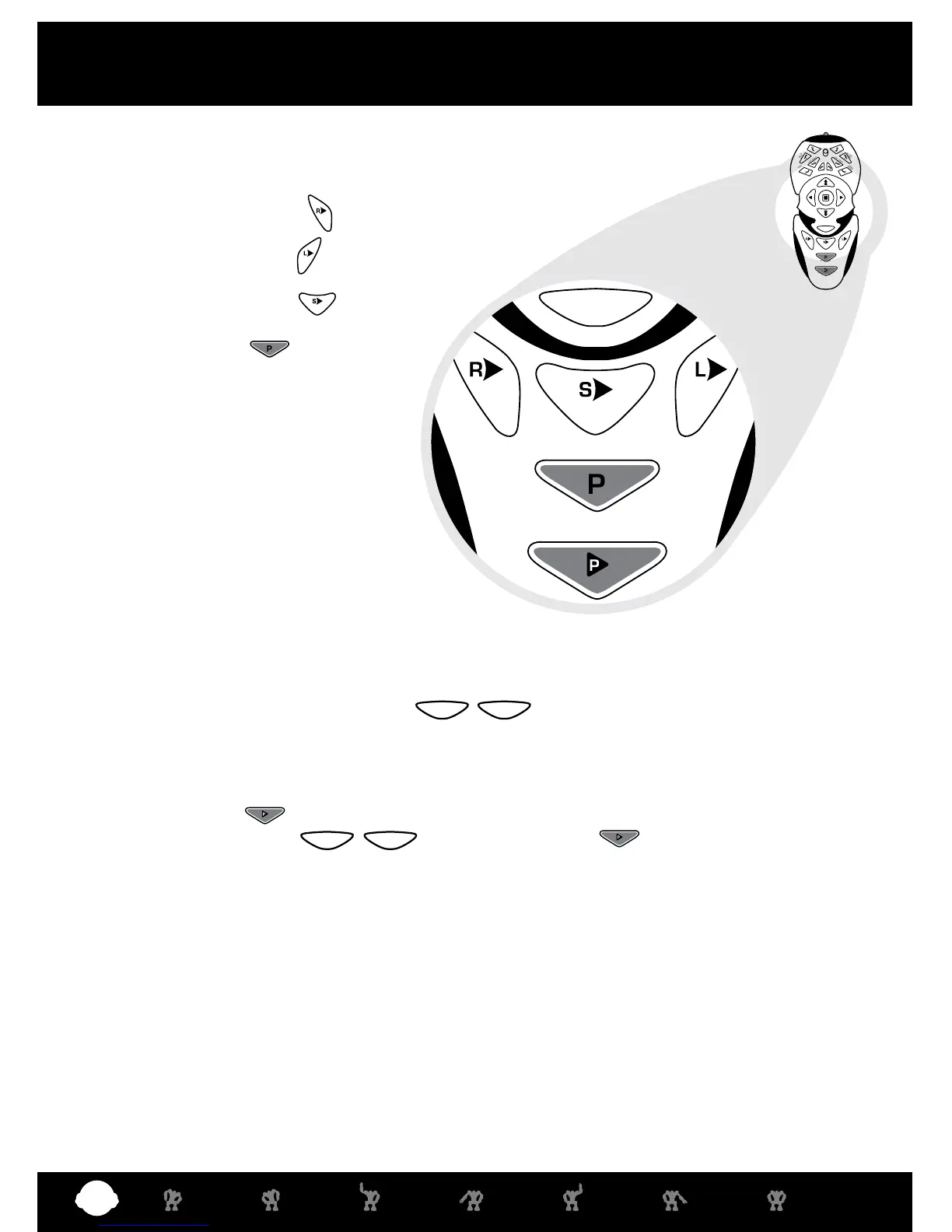
Robosapien X™ has three programmable sensors and a Master Program, that
allows you to take control of the following unique programming environments:
1 Right Sensor Program ( ) #16
2 Left Sensor Program ( ) #18
3 Sonic Sensor Program ( ) #17
4 Master Program ( ) #19















 To Next Page