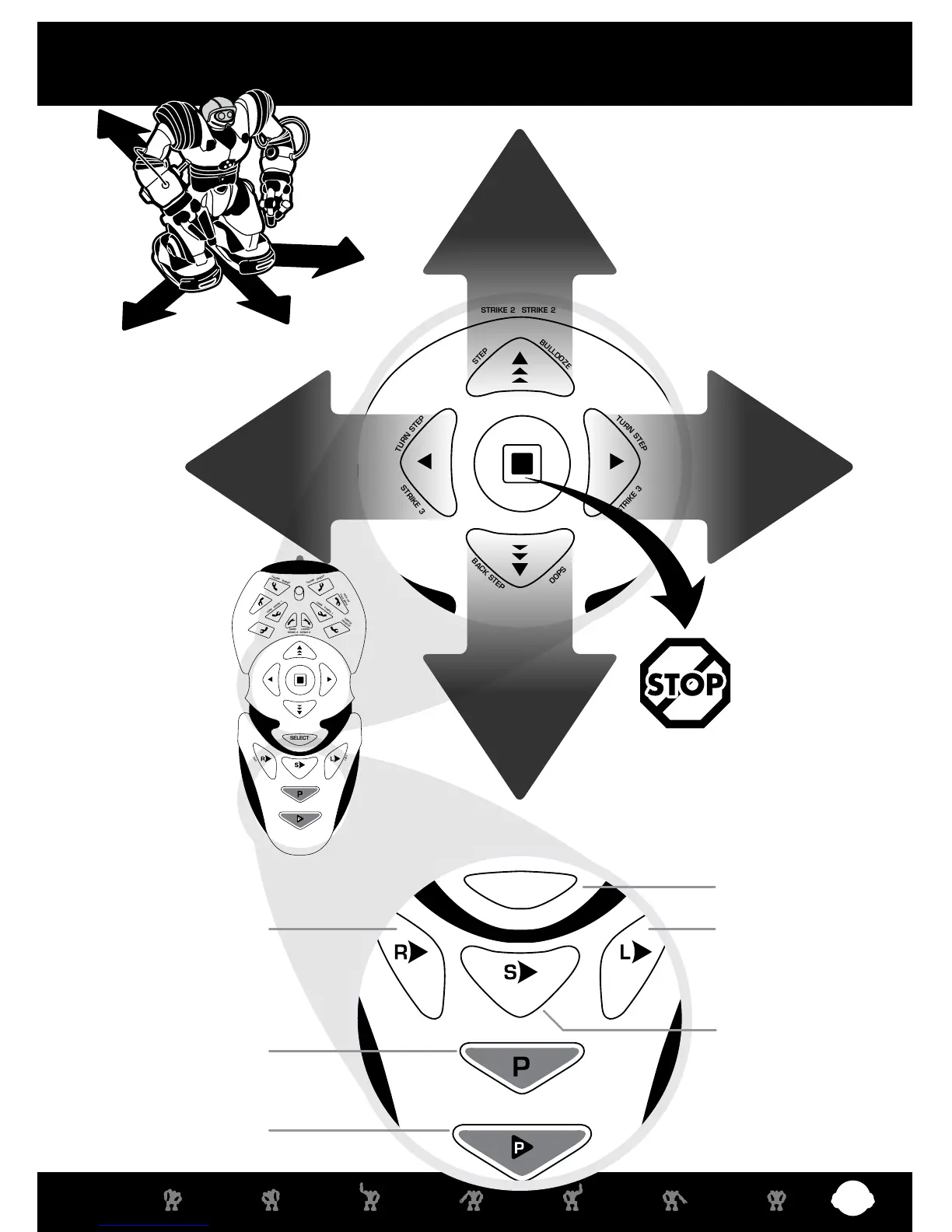
13 AT ANY TIME
PRESS “STOP” TO
END A COMMAND.
Select Button
11 WALK FORWARD
• Press once to
walk forward.
• Press twice to move
forward slowly.
15 WALK BACKWARD
• Press once to
walk backwards.
• Press twice to move
backwards slowly.
12 TURN RIGHT
• Press once to turn
right on the spot.
14 TURN LEFT
• Press once to turn
left on the spot.
Programming is covered
in detail on page 13-15.
18 Left Sensor Program16 Right Sensor Program
19 Master Command Program
20 Program Play
17 Sonic Sensor Program
Red Commands
middle & lower controller
• For best performance, use on at
surfaces or low carpet.
• Shag carpeted surfaces may limit
the walking function slightly.















 To Next Page