6
Operation Guidelines of MS-130T
REMINDER
1. Switch on the Main Power Button
(Left lower side of machine)
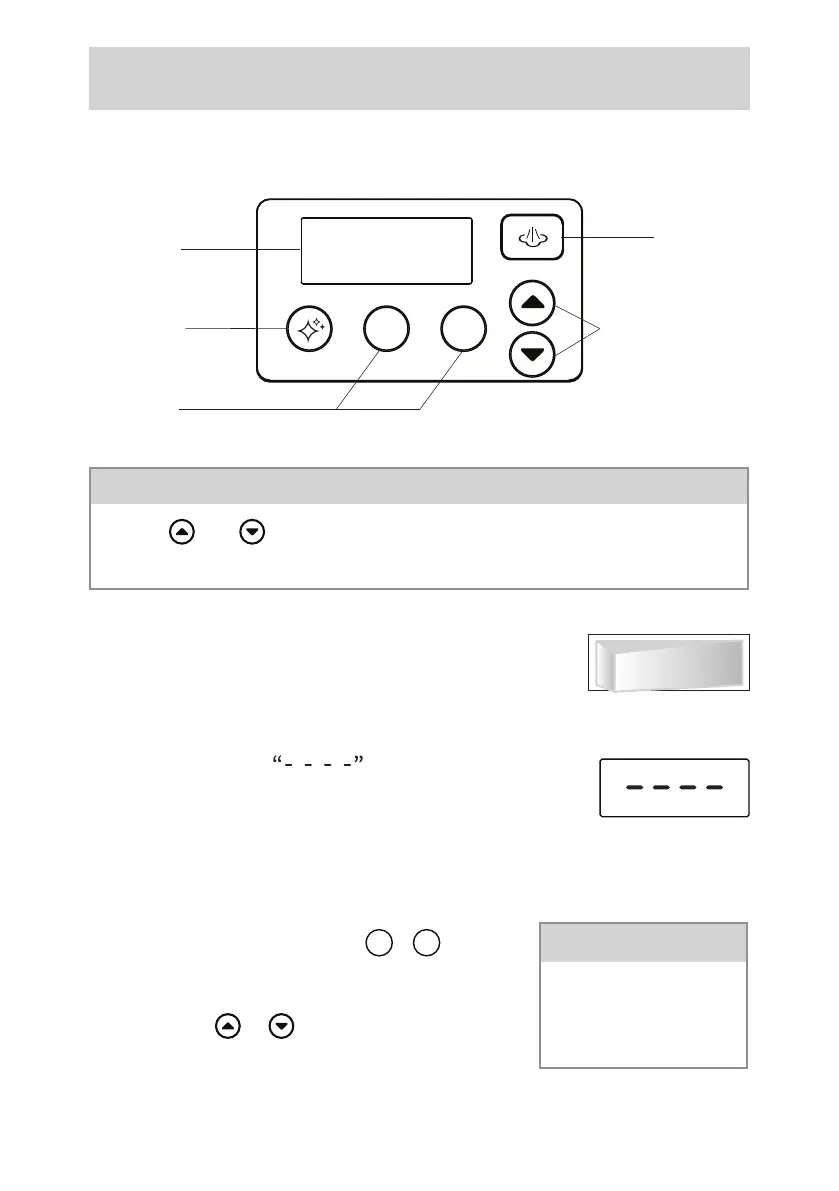
Control Panel
Display
Steam
Button
Clean /
Flushing
Button
Temperature
Adjustment
Pre-set
Menu
P1 P2
Press and simultaneously to switch from Fahrenheit(° F) to
Celsius(° C) conversion.
O I
REMINDER
Temperature
setting range:
40
°
C- 90
°
C
(104
°
F - 194
°
F)
2. Preheating
3. Temperature Setting
Monitor shows
for few minutes
to represent preheating. When the machine
is ready, previous target temperature is shown.
Setting Preset Menu
a. Pressing and holding / button,
the machine shows its preset
temperature.
b. Press or to adjust target
temperature.
P1 P2



 To Next Page